Create a Web data stream in your GA4 property, enter your website URL, enable enhanced measurement if needed, and add the provided Google tag to your site.

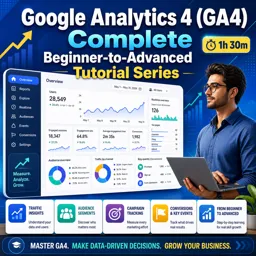
Duration of the online course: 1 hours and 30 minutes
New
Turn data into smarter marketing decisions with a free GA4 course—set up tracking, analyze reports, build audiences, and improve conversions fast.
Learn how to confidently use Google Analytics 4 to understand what’s really happening across your website or app—and what to do about it. This course guides you from a clean GA4 setup to advanced analysis habits you can apply in real marketing work, even if you’re starting from zero. You’ll move beyond vanity metrics and learn to read user behavior in a way that supports growth, budgeting, and campaign optimization.
You’ll start by setting up GA4 properly and understanding how data streams work so your tracking foundation is reliable. From there, you’ll get comfortable navigating real-time insights and connecting measurement with advertising, which is essential when you need to validate launches, troubleshoot tracking, or quickly see how users are reacting to a new campaign. As you progress, you’ll learn to interpret standard reports that show where visitors come from, how sessions begin, and what channels are driving meaningful engagement.
Next, you’ll step into GA4 Explorations to answer business questions that standard reports can’t easily solve. You’ll learn how to analyze user paths and visualize the steps people take toward a conversion, helping you identify friction points in signup, lead capture, or checkout. This makes it easier to prioritize website improvements with evidence rather than guesswork.
You’ll also focus on practical measurement: defining key events, building audiences you can reuse for analysis and advertising, and tracking high-value actions such as a thank you page without needing to write code. Finally, you’ll connect your insights to performance marketing by understanding how conversions are brought into Google Ads and what their initial status implies, so reporting stays accurate from day one.
By the end, you’ll have a clear workflow for setting up GA4, evaluating acquisition and behavior, and turning analytics into decisions that improve campaigns and conversion rates—skills that translate directly to digital marketing roles and business growth.

1 hours and 30 minutes of online video course

Digital certificate of course completion (Free)

Exercises to train your knowledge

100% free, from content to certificate
How do I set up a GA4 data stream for a website?
Create a Web data stream in your GA4 property, enter your website URL, enable enhanced measurement if needed, and add the provided Google tag to your site.
Which GA4 report shows how users found my website for each session?
The Traffic acquisition report shows the session source, medium, and channel that brought users to your website for each session.
How can I track a thank-you page as a GA4 conversion without coding?
Create an event in GA4 based on the page_view event with a condition matching the thank-you page URL, then mark the new event as a key event.
Ready to get started?Download the app and get started today.
Install the app now
to access the course
Over 5,000 free courses
Programming, English, Digital Marketing and much more! Learn whatever you want, for free.

Study plan with AI
Our app's Artificial Intelligence can create a study schedule for the course you choose.

From zero to professional success
Improve your resume with our free Certificate and then use our Artificial Intelligence to find your dream job.
You can also use the QR Code or the links below.



Free CourseGetting Started
5

(4)

2h46m

21 exercises

Free CourseOn-Page SEO
5
(1)
38m
5 exercises

Free CourseInteractive Content in Digital Marketing
5
(1)
2h12m
12 exercises
Free CourseSEO for Beginners
4.9
(88)
1h49m
16 exercises

Free CourseGoogle Digital Marketing and Ecommerce
4.8
(30)
13h33m
28 exercises
Free CourseApp marketing
4.7

(82)
3h57m
38 exercises
Free CourseGoogle Ads beginner to advanced
4.7
(21)
15h53m
13 exercises

Free CourseSocial Media Management
4.7
(6)
7h54m
6 exercises
Free CourseFacebook Ads for beginners
4.7
(3)
1h10m
8 exercises

Free CourseMarketing Basics
4.7
(125)
28h47m
19 exercises
Carry knowledge in your pocket.
Download the Cursa app.
There are hundreds of free courses available, with a free certificate of completion that is saved in your mobile image gallery.
Download the app to access the Course Completion Certificate for Free.


+ 10 million
students

Free and Valid
Certificate

60 thousand free
exercises

4.8/5 rating in
app stores

Free courses in
video and ebooks