TIA Portal is used to program S7-1200 and S7-1500 PLCs and can also integrate HMI development.

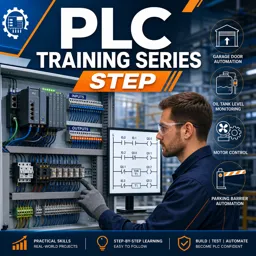
Duration of the online course: 3 hours and 22 minutes
4.2

(6)
Build in-demand PLC skills fast with a free online course in ladder logic, Siemens programming, timers, counters and real projects—learn job-ready automation.
Programmable Logic Controllers are the backbone of modern industrial automation, and knowing how to work with them can open doors in maintenance, manufacturing, and control systems. This free online course is designed to take you from the basics of PLCs to the practical thinking needed on the shop floor, helping you move beyond theory and into real electrical and automation tasks with confidence.
You begin by understanding what a PLC is and why it is used, then connect that idea to the real components found in industrial panels. You will learn how inputs and outputs interact with sensors, push buttons, relays, and contactors, and how those elements come together to control motors and processes safely. The course also builds strong hardware awareness, covering rack layout, module roles, and what to check when CPU indicators and error states appear, so you can troubleshoot systematically instead of guessing.
As you progress, you shift into programming logic in a way that mirrors daily industrial work. You will practice core ladder concepts such as AND/OR logic, memory behavior, and data handling, along with the timing and counting functions used in everyday sequences. You will also explore the differences between function and function block structures, which is essential for writing reusable, organized PLC code as projects grow in size.
To make the learning stick, the course uses realistic mini-projects that feel like the scenarios technicians and electricians meet in the field, such as garage door control, tank level control, parking automation, and safe two-direction motor control with interlocks. You will also gain a clear understanding of analog signals and scaling, an often overlooked skill that becomes crucial when working with transmitters, level sensors, and real-world process values.
By the end, you will be better prepared to read PLC programs, design reliable logic, and apply troubleshooting habits that support safer, more efficient systems. Whether you are starting in industrial electrical work or strengthening your automation profile, this course gives you practical PLC fundamentals you can use immediately.

Explore free online Basic Electronics courses and build essential skills in circuits, components, voltage, current, resistance, semiconductors, and troubleshooting. Learn at your own pace with beginner-friendly lessons, practical exercises, and expert guidance. Enroll today, complete your chosen course, and earn a certificate to showcase your knowledge.

Explore free online Intermediate Electronics courses and build practical skills in circuit analysis, analog and digital systems, semiconductors, microcontrollers, and electronic design. Learn at your own pace with expert-led lessons, strengthen your technical knowledge, and earn an included certificate to showcase your achievement and advance your career.

Explore free online Advanced Electronics courses and build in-demand skills in circuit design, semiconductor devices, digital systems, embedded technology, and signal processing. Learn at your own pace with expert-led lessons, practical projects, and flexible study options. Enroll today and earn a certificate to showcase your knowledge.

Explore free online Electrical Engineering courses with certificates and build practical skills in circuits, electronics, power systems, control engineering, signal processing, and more. Learn at your own pace from trusted platforms, strengthen your technical knowledge, and earn a certificate to showcase your progress and advance your engineering career.

Explore free online Robotics and Mechatronics courses, each with a certificate, and build practical skills in robot design, automation, sensors, control systems, electronics, and programming. Learn at your own pace through beginner-friendly and advanced classes designed to support careers, academic goals, and hands-on engineering projects.

Explore free online PLC programming courses and learn to design, troubleshoot, and optimize industrial automation systems. Build practical skills in ladder logic, PLC hardware, control circuits, sensors, and real-world applications at your own pace. Each free course includes a certificate to showcase your PLC programming expertise and advance your career.

3 hours and 22 minutes of online video course

Digital certificate of course completion (Free)

Exercises to train your knowledge

100% free, from content to certificate
What Siemens software is used to program S7-1200 and S7-1500 PLCs?
TIA Portal is used to program S7-1200 and S7-1500 PLCs and can also integrate HMI development.
How do PLC interlocks prevent a motor from running forward and reverse at the same time?
Use the opposite direction command or feedback as a normally closed condition in each motor-control rung, so only one direction can energize.
What is the difference between a Siemens FC and FB in PLC programming?
An FC does not retain its own instance data, while an FB uses an instance data block to store values between program scans.
Ready to get started?Download the app and get started today.
Install the app now
to access the course
Over 5,000 free courses
Programming, English, Digital Marketing and much more! Learn whatever you want, for free.

Study plan with AI
Our app's Artificial Intelligence can create a study schedule for the course you choose.

From zero to professional success
Improve your resume with our free Certificate and then use our Artificial Intelligence to find your dream job.
You can also use the QR Code or the links below.



Free CourseInstall Your Own Solar Power System
5
(2)

59m

6 exercises
Free CourseElectronic Circuits Course
5
(7)
43h25m
49 exercises

Free CourseWind Turbines
5
(4)
3h49m
19 exercises
Free CourseEngineering Circuits Analysis
5
(6)
3h11m
20 exercises
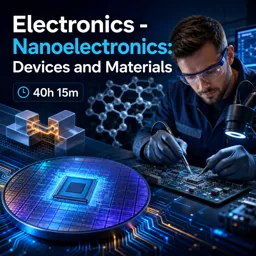
Free CourseElectronics - Nanoelectronics: Devices and Materials
4.8
(44)
40h15m
31 exercises
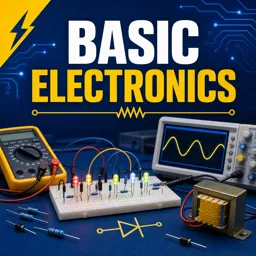
Free CourseBasic electronics
4.8
(23)
6h04m
30 exercises
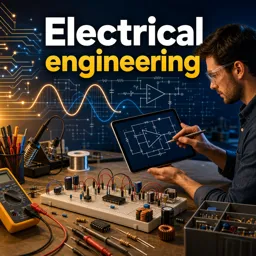
Free CourseElectrical engineering
4.8
(27)
11h53m
20 exercises
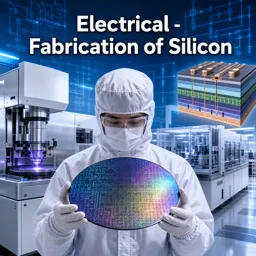
Free CourseElectrical - Fabrication of Silicon
4.8
(26)
35h10m
28 exercises
Free CourseBeginner Electronics
4.8
(85)
5h27m
24 exercises
Free CourseElectricity course
4.8
(58)
31h41m
6 exercises
Carry knowledge in your pocket.
Download the Cursa app.
There are hundreds of free courses available, with a free certificate of completion that is saved in your mobile image gallery.
Download the app to access the Course Completion Certificate for Free.


+ 10 million
students

Free and Valid
Certificate

60 thousand free
exercises

4.8/5 rating in
app stores

Free courses in
video and ebooks

Course comments: PLC Training Series Step
Kipruto Brian Kiptum
best