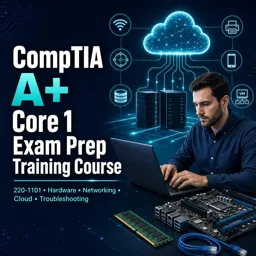
Free Course Image CompTIA A  Core 1 Exam Prep Training Course

Free online course CompTIA A Core 1 Exam Prep Training Course

Duration of the online course: 9 hours and 36 minutes

New

Build job-ready IT support skills with this free online course for CompTIA A+ Core 1 prep—networking, hardware, cloud basics, practice questions, and more.

In this free course, learn about

  • CompTIA A+ 220-1101 exam domains, structure, and study approach
  • Laptop components, display types, and common laptop repair/upgrade considerations
  • Mobile device connections, accessories, configs, cellular standards, and Wi-Fi/Bluetooth features
  • MDM capabilities: enforcing policies, remote wipe, device configuration and compliance controls
  • IP networking basics: TCP vs UDP, common ports, IPv4/IPv6 concepts and addressing
  • DHCP & DNS: DORA steps, reservations, and core DNS/DHCP configuration and troubleshooting
  • Network devices/services: routers, switches, APs, VLANs/VPNs, SDN, and key network services
  • Internet and network types: DSL/cable/fiber/cellular and LAN/WAN/SOHO distinctions
  • Network tools & cabling: crimping RJ45, testing, copper vs fiber, connectors, 568A/568B
  • Peripheral/video/storage cabling: USB/video, SATA/SCSI/PATA, and adapters/converters use cases
  • PC hardware fundamentals: RAM types (SO-DIMM), storage (NVMe/SSD), RAID, motherboards, BIOS/UEFI
  • CPU features, expansion cards, cooling/power basics, and safe thermal paste best practices
  • Printer technologies & maintenance: laser/inkjet/thermal/impact/3D, drivers, and common failures
  • Cloud & virtualization basics plus structured troubleshooting for hardware, networks, and devices

About the free online course

Step into IT support with confidence by preparing for the CompTIA A+ Core 1 (220-1101) exam through a focused, practical learning experience designed for real-world troubleshooting. This free online course helps you build the foundations employers expect from entry-level technicians, while also giving you a clear roadmap for how to approach the A+ exams and avoid common study pitfalls.

You will strengthen your understanding of modern device hardware, including laptops, mobile devices, displays, accessories, and connectivity options used in day-to-day support. At the same time, you’ll build solid networking fundamentals: how IP addressing works, what common ports do, how devices and services fit together, and how to make sense of DNS, DHCP, VLANs, VPNs, wireless standards, and typical connection types. These skills translate directly to help desk tickets and hands-on environments where diagnosing the simplest detail often resolves the biggest problem.

Beyond core hardware and networking, the course also reinforces the tools and connectors technicians use, from Ethernet termination and cabling types to fiber, adapters, and peripheral interfaces. You’ll gain clarity around memory, storage technologies, motherboard compatibility, power considerations, and everyday maintenance scenarios. Printers and multifunction devices are also addressed from a support perspective, so you can recognize symptoms, perform appropriate maintenance, and identify likely failing components without guesswork.

Because modern support roles increasingly touch cloud and virtualization concepts, you’ll also get introduced to cloud models and key characteristics, plus the basics of client-side virtualization. Throughout the learning path, practice-style questions help you think like the exam: selecting the best next step, interpreting symptoms, and applying a consistent troubleshooting methodology. By the end, you’ll be better prepared not only to pass Core 1, but to communicate clearly, work methodically, and solve problems efficiently in an IT support or junior technician role.

Course content

  • Video class: How to Pass your 220-1101 and 220-1102 A+ Exams - CompTIA A+ 220-1101 11m
  • Exercise: Which set of domains is covered on the CompTIA A+ Core 1 (220-1101) exam?
  • Video class: Laptop Hardware - CompTIA A+ 220-1101 - 1.1 17m
  • Video class: Laptop Displays - CompTIA A+ 220-1101 - 1.2 08m
  • Video class: Connecting Mobile Devices - CompTIA A+ 220-1101 - 1.3 06m
  • Video class: Mobile Device Accessories - CompTIA A+ 220-1101 - 1.3 09m
  • Exercise: Which input device can detect pressure levels and may include buttons for extra functions when used with a compatible device?
  • Video class: Cellular Standards - CompTIA A+ 220-1101 - 1.4 07m
  • Video class: Mobile Device Connectivity - CompTIA A+ 220-1101 - 1.4 06m
  • Exercise: Which capability is commonly provided by a Mobile Device Management (MDM) solution in an organization?
  • Video class: Mobile Device Configurations - CompTIA A+ 220-1101 - 1.4 04m
  • Video class: Introduction to IP - CompTIA A+ 220-1101 - 2.1 18m
  • Exercise: Which statement best describes how TCP differs from UDP?
  • Video class: Common Network Ports - CompTIA A+ 220-1101 - 2.1 12m
  • Video class: Network Devices - CompTIA A+ 220-1101 - 2.2 18m
  • Video class: Software Defined Networking - CompTIA A+ 220-1101 - 2.2 04m
  • Video class: Wireless Network Standards - CompTIA A+ 220-1101 - 2.3 17m
  • Video class: Wireless Network Technologies - CompTIA A+ 220-1101 - 2.3 04m
  • Video class: Network Services - CompTIA A+ 220-1101 - 2.4 17m
  • Exercise: Which service converts a fully qualified domain name (FQDN) into an IP address?
  • Video class: IPv4 and IPv6 - CompTIA A+ 220-1101 - 2.5 06m
  • Video class: Assigning IP Addresses - CompTIA A+ 220-1101 - 2.5 09m
  • Exercise: Which sequence correctly represents the four DHCP steps known as DORA?
  • Video class: DNS Configuration - CompTIA A+ 220-1101 - 2.6 12m
  • Video class: DHCP Configuration - CompTIA A+ 220-1101 - 2.6 08m
  • Exercise: What DHCP feature ensures a device always receives the same IP address and prevents that IP from being assigned to another device?
  • Video class: VLANs and VPNs - CompTIA A+ 220-1101 - 2.6 05m
  • Video class: Internet Connection Types - CompTIA A+ 220-1101 - 2.7 06m
  • Exercise: Which internet connection type uses existing telephone lines and is commonly asymmetric (faster download than upload)?
  • Video class: Network Types - CompTIA A+ 220-1101 - 2.7 04m
  • Video class: Network Tools - CompTIA A+ 220-1101 - 2.8 10m
  • Exercise: Which tool is used to attach an RJ45 connector to the end of a twisted-pair Ethernet cable?
  • Video class: Network Cables - CompTIA A+ 220-1101 - 3.1 08m
  • Video class: Optical Fiber - CompTIA A+ 220-1101 - 3.1 04m
  • Exercise: Which fiber type and light source are commonly used for long-distance Ethernet links (up to tens of kilometers)?
  • Video class: 568A and 568B Colors - CompTIA A+ 220-1101 - 3.1 05m
  • Video class: Peripheral Cables - CompTIA A+ 220-1101 - 3.1 07m
  • Video class: Video Cables - CompTIA A+ 220-1101 - 3.1 05m
  • Video class: SATA Device Cables - CompTIA A+ 220-1101 - 3.1 04m
  • Exercise: Which statement correctly describes SATA connections for internal storage devices?
  • Video class: SCSI Device Cables - CompTIA A+ 220-1101 - 3.1 08m
  • Video class: PATA Device Cables - CompTIA A+ 220-1101 - 3.1 04m
  • Exercise: What is the primary purpose of the extra wires in an 80-wire PATA ribbon cable (compared to a 40-wire cable)?
  • Video class: Adapters and Converters - CompTIA A+ 220-1101 - 3.1 04m
  • Video class: Copper Connectors - CompTIA A+ 220-1101 - 3.1 06m
  • Exercise: Which connector is commonly used for Ethernet networking cables?
  • Video class: Fiber Connectors - CompTIA A+ 220-1101 - 3.1 01m
  • Video class: An Overview of Memory - CompTIA A+ 220-1101 - 3.2 07m
  • Exercise: Which statement correctly describes SO-DIMM memory modules?
  • Video class: Memory Technologies - CompTIA A+ 220-1101 - 3.2 05m
  • Video class: Storage Devices - CompTIA A+ 220-1101 - 3.3 11m
  • Exercise: Which storage technology is designed to overcome SATA/AHCI limitations and provide lower latency with higher throughput for SSDs?
  • Video class: RAID - CompTIA A+ 220-1101 - 3.3 06m
  • Video class: Motherboard Form Factors - CompTIA A+ 220-1101 - 3.4 05m
  • Exercise: Which motherboard form factor is typically used in a standard desktop PC with plenty of expansion room?
  • Video class: Motherboard Expansion Slots - CompTIA A+ 220-1101 - 3.4 06m
  • Video class: Motherboard Connectors - CompTIA A+ 220-1101 - 3.4 06m
  • Exercise: What is the standard main motherboard power connector size used on modern ATX systems?
  • Video class: Motherboard Compatibility - CompTIA A+ 220-1101 - 3.4 06m
  • Video class: The BIOS - CompTIA A+ 220-1101 - 3.4 04m
  • Video class: BIOS Settings - CompTIA A+ 220-1101 - 3.4 14m
  • Video class: CPU Features - CompTIA A+ 220-1101 - 3.4 06m
  • Exercise: Which statement correctly describes 32-bit vs. 64-bit Windows application support?
  • Video class: Expansion Cards - CompTIA A+ 220-1101 - 3.4 08m
  • Video class: Cooling - CompTIA A+ 220-1101 - 3.4 08m
  • Exercise: When installing a CPU heat sink, what is the commonly recommended amount of thermal paste to apply?
  • Video class: Computer Power - CompTIA A+ 220-1101 - 3.5 14m
  • Video class: Multifunction Devices - CompTIA A+ 220-1101 - 3.6 12m
  • Exercise: A workstation running 64-bit Windows 10 can print to a multifunction device (MFD). Which driver choice is correct?
  • Video class: Laser Printers - CompTIA A+ 220-1101 - 3.7 09m
  • Video class: Laser Printer Maintenance - CompTIA A+ 220-1101 - 3.7 05m
  • Exercise: When replacing a laser printer toner cartridge that includes an OPC drum, what is the best practice regarding the drum’s protective cover?
  • Video class: Inkjet Printers - CompTIA A+ 220-1101 - 3.7 04m
  • Video class: Inkjet Printer Maintenance - CompTIA A+ 220-1101 - 3.7 03m
  • Exercise: An inkjet printer produces streaks across the page. What is the most likely maintenance action to fix this?
  • Video class: Thermal Printers - CompTIA A+ 220-1101 - 3.7 02m
  • Video class: Thermal Printer Maintenance - CompTIA A+ 220-1101 - 3.7 02m
  • Video class: Impact Printers - CompTIA A+ 220-1101 - 3.7 04m
  • Video class: Impact Printer Maintenance - CompTIA A+ 220-1101 - 3.7 02m
  • Exercise: A dot matrix printer is producing output that becomes lighter and lighter over time. What should you replace to resolve this issue?
  • Video class: 3D Printers - CompTIA A+ 220-1101 - 3.7 05m
  • Video class: Cloud Models - CompTIA A+ 220-1101 - 4.1 08m
  • Exercise: Which cloud deployment model combines an organization’s private cloud with a third-party public cloud?
  • Video class: Cloud Characteristics - CompTIA A+ 220-1101 - 4.1 06m
  • Video class: Client-side Virtualization - CompTIA A+ 220-1101 - 4.2 10m
  • Exercise: Which component manages CPU, memory, storage, and networking resources between multiple virtual machines on a host?
  • Video class: How to Troubleshoot - CompTIA A+ 220-1101 - 5.1 09m
  • Video class: Troubleshooting Common Hardware Problems - CompTIA A+ 220-1101 - 5.2 23m
  • Exercise: A PC boots to a blank screen and you hear a series of beeps. What is the BEST next step to identify what the beeps mean?
  • Video class: Troubleshooting Storage Devices - CompTIA A+ 220-1101 - 5.3 10m
  • Video class: Troubleshooting Video and Display Issues - CompTIA A+ 220-1101 - 5.4 11m
  • Exercise: A monitor powers on but shows a No Signal message. What is the best first troubleshooting step?
  • Video class: Troubleshooting Mobile Devices - CompTIA A+ 220-1101 - 5.5 14m
  • Video class: Troubleshooting Printers - CompTIA A+ 220-1101 - 5.6 11m
  • Exercise: A laser printer’s output looks normal until you touch it, and the toner smudges easily. What component is MOST likely faulty?
  • Video class: Troubleshooting Networks - CompTIA A+ 220-1101 - 5.7 11m

This free course includes:

Icon for learning via the audio course

9 hours and 36 minutes of online video course

Icon for the digital course completion certificate

Digital certificate of course completion (Free)

Icon for exercises to practice what you've learned

Exercises to train your knowledge

Icon for courses that are 100% free from start to finish

100% free, from content to certificate

What CompTIA A+ Core 1 (220-1101) domains does this course cover?

It covers mobile devices, networking, hardware, virtualization and cloud computing, and hardware/network troubleshooting for the Core 1 exam.

Does the course explain CompTIA A+ networking topics such as DHCP, DNS, TCP/UDP, VLANs, and wireless standards?

Yes. It covers IP addressing, ports, DNS, DHCP and DORA, VLANs/VPNs, network devices, Wi-Fi standards, cables, and network troubleshooting.

What PC hardware and printer topics are included in the CompTIA A+ 220-1101 training?

The course covers laptops, displays, RAM, storage, RAID, motherboards, CPUs, cooling, power, connectors, and laser, inkjet, thermal, impact, and 3D printers.

Ready to get started?Download the app and get started today.

Install the app now

to access the course
Icon representing technology and business courses

Over 5,000 free courses

Programming, English, Digital Marketing and much more! Learn whatever you want, for free.

Calendar icon with target representing study planning

Study plan with AI

Our app's Artificial Intelligence can create a study schedule for the course you choose.

Professional icon representing career and business

From zero to professional success

Improve your resume with our free Certificate and then use our Artificial Intelligence to find your dream job.

You can also use the QR Code or the links below.

QR Code - Download Cursa - Online Courses

More free courses at Cloud Computing and Web Servers

Free Ebook + Audiobooks! Learn by listening or reading!