

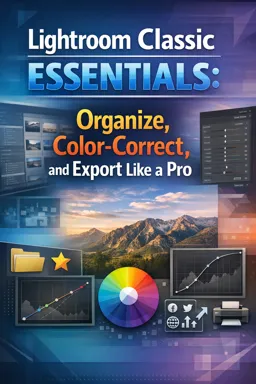
Adobe Lightroom is used to organize, edit, color-correct, and export photos efficiently.

4

1



Organizing Your Photo Library with Adobe Lightroom: Efficient Workflow Tips
Learn how to organize your photo library in Lightroom with catalogs, collections, keywords, and filters for faster workflow and easier file management.

Mastering Lightroom Presets: Enhance Your Photos Instantly
Learn to use, create, and manage Lightroom presets to speed up your workflow and enhance photos with just a click. Ideal for all photography styles.

Getting Started with Adobe Lightroom: A Guide for Beginners
Learn how to organize, edit, and enhance your photos with Adobe Lightroom in this beginner-friendly guide to its key tools and workflow.

Advanced Photo Editing Techniques in Adobe Lightroom
Enhance your photography with advanced Lightroom tools: masking, tone curves, filters, and batch presets for creative, pro-level edits.
Develop practical photo editing skills with our selection of free online Adobe Lightroom courses. These educational courses are designed for beginners, photography students, content creators, and professionals who want to learn how to organize, enhance, and export high-quality images. Study essential Lightroom tools through structured lessons, instructional content, and exercises that support active learning.
Explore educational lessons covering the Lightroom interface, photo import and organization, catalogs, collections, ratings, keywords, and efficient image management. Learn how to improve exposure, contrast, color, white balance, highlights, shadows, sharpness, and composition. The courses also introduce useful editing techniques such as cropping, presets, batch processing, masking, local adjustments, noise reduction, lens correction, and professional export settings.
Every course listed on this page is free and includes free certification. After completing the required learning activities, students can obtain a certificate at no cost to document their studies and demonstrate continuing education. The courses also include exercises that help learners review concepts, practice workflows, and reinforce knowledge gained during each lesson.
Adobe Lightroom training can help students build visual communication, image analysis, file management, and post-production skills. With guided study and practical exercises, learners can understand both individual editing tools and complete photographic workflows. Online learning also allows students to review lessons at their own pace and apply each technique to personal projects.
To access these free Adobe Lightroom courses, complete the exercises, and obtain free certification, it is necessary to install the Cursa application. Android users can install it through Google Play at Download for Android. iPhone users can install it through the App Store at Download for iOS / iPhone.
Choose a course, follow the educational lessons, complete the included exercises, and practice with your own photographs. Whether your goal is to learn basic corrections or develop a more professional editing workflow, these free online Adobe Lightroom courses provide an accessible path to new skills and free certification.
What is Adobe Lightroom used for?
Adobe Lightroom is used to organize, edit, color-correct, and export photos efficiently.
What is the difference between Lightroom and Lightroom Classic?
Lightroom is cloud-based with simplified tools, while Lightroom Classic is desktop-focused with advanced catalog and workflow controls.
How do I organize photos in Lightroom Classic?
Use catalogs, folders, collections, keywords, ratings, flags, and metadata filters to manage your image library.
What is AI Masking in Lightroom?
AI Masking automatically selects subjects, skies, backgrounds, people, and objects for targeted local adjustments.
Can Lightroom edit RAW photos?
Yes. Lightroom supports RAW editing, allowing non-destructive adjustments to exposure, color, detail, and more.
How do I color-correct photos in Lightroom?
Adjust white balance, exposure, contrast, highlights, shadows, HSL colors, curves, and color grading tools.
What is the best way to export photos from Lightroom Classic?
Choose the file type, image size, quality, color space, sharpening, and destination based on whether the photo is for web, print, or social media.

Complete any course and issue your certificate via the app — at no cost.

Download the app! to have access to more than 4,000 Online Courses + Certificate, all free!
Download the app! 100% free courses.


Carry knowledge in your pocket.
Download the Cursa app.
There are hundreds of free courses available, with a free certificate of completion that is saved in your mobile image gallery.
Download the app to access the Course Completion Certificate for Free.


+ 10 million
students

Free and Valid
Certificate

60 thousand free
exercises

4.8/5 rating in
app stores

Free courses in
video and ebooks



What are people saying about free online courses of Adobe Lightroom
anto alexander
Now I can bring more life to the photos I take
CourseAdobe Lightroom training course
anto alexander
Now I can bring more life to the photos I take
CourseAdobe Lightroom training course