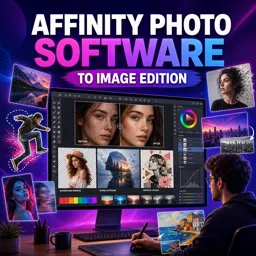


Photo retouching is the process of improving an image by correcting imperfections, adjusting tones, and refining details while keeping it natural.

1


Develop valuable visual editing skills with our selection of free online Photo Retouching courses. These educational courses are designed for beginners, photography students, content creators, designers, and professionals who want to improve digital images. Study essential retouching concepts, practice creative techniques, and build practical knowledge without paying tuition fees.
Explore educational lessons covering image correction, portrait enhancement, skin retouching, color adjustment, lighting improvement, object removal, background editing, and professional finishing. Depending on the selected course, you may also study popular photo editing software, layer-based workflows, masks, filters, selection tools, and non-destructive editing methods.
Every course listed on this page is free, includes exercises that help reinforce the lessons, and offers free certification. The certificate can demonstrate your commitment to continuing education and may complement your resume, professional profile, academic portfolio, or freelance presentation.
These free Photo Retouching courses are suitable for anyone interested in photography education and digital image editing. Beginners can learn foundational skills step by step, while experienced learners can review techniques and expand their creative workflow. The exercises provide opportunities to apply each topic and gain confidence through practice.
Study online according to your own schedule and progress at a comfortable pace. Use the course exercises to test tools, compare before-and-after results, and strengthen your understanding of photo enhancement. Regular practice can help you produce cleaner portraits, balanced colors, polished product photographs, and visually consistent content.
To access the courses, it is necessary to install the Cursa application. Android users can install it through Google Play by selecting Download for Android. iPhone users can obtain the application from the App Store by selecting Download for iOS / iPhone.
Install the application, choose a free online Photo Retouching course, complete the educational lessons and exercises, and earn your free certification. Start learning today and transform ordinary images into refined, professional-looking photographs.
What is photo retouching?
Photo retouching is the process of improving an image by correcting imperfections, adjusting tones, and refining details while keeping it natural.
Can beginners learn photo retouching online?
Yes. Beginner-friendly courses teach core tools, basic corrections, skin cleanup, color adjustments, and simple workflow techniques.
What skills will I learn in a photo retouching course?
You can learn blemish removal, skin retouching, exposure correction, color grading, sharpening, masking, and selective editing.
Is Affinity Photo good for image retouching?
Yes. Affinity Photo provides layers, masks, healing tools, clone tools, adjustment layers, and other features for detailed image editing.
How do you retouch skin without making it look unnatural?
Use subtle healing and clone adjustments, retain natural texture, and avoid excessive smoothing or over-brightening.
What is the difference between photo editing and photo retouching?
Photo editing covers broad changes such as cropping and color correction, while retouching focuses on refining specific details and imperfections.
Do I need professional photography experience to study retouching?
No. You can start with basic image knowledge and develop professional retouching skills through guided practice.

Complete any course and issue your certificate via the app — at no cost.

Download the app! to have access to more than 4,000 Online Courses + Certificate, all free!
Download the app! 100% free courses.


Carry knowledge in your pocket.
Download the Cursa app.
There are hundreds of free courses available, with a free certificate of completion that is saved in your mobile image gallery.
Download the app to access the Course Completion Certificate for Free.


+ 10 million
students

Free and Valid
Certificate

60 thousand free
exercises

4.8/5 rating in
app stores

Free courses in
video and ebooks