

GIMP is a free, open-source image editor used for photo editing, retouching, graphic design, and creating digital artwork.

2

1



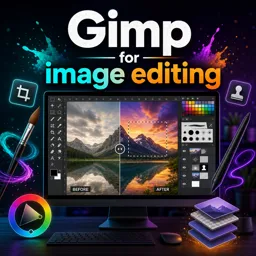
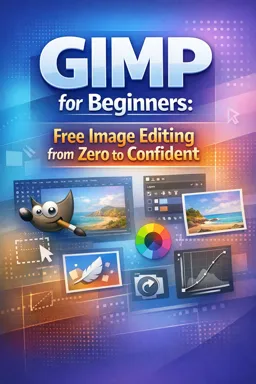
Getting Started with GIMP: A Beginner’s Guide to Powerful Free Image Editing
Begin your journey with GIMP, the free and powerful image editor. Learn key features, basic workflows, and creative uses for stunning results.

Mastering Layer Masks in GIMP: Advanced Techniques for Creative Image Editing
Discover advanced techniques for using layer masks in GIMP to achieve seamless blends, creative effects, and non-destructive image editing.

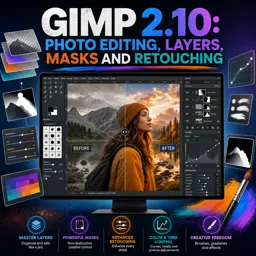
Non-Destructive Editing in GIMP: Unlocking Flexible Design Workflows
Learn how to master non-destructive editing in GIMP using layers, masks, and GEGL filters for a professional, flexible design workflow.

Creating Stunning Digital Art in GIMP: Essential Tips and Tricks
Master digital art creation with GIMP using expert tips on workspace setup, brushes, layers, color palettes, effects, and exporting for stunning results.
Build practical image-editing skills with our collection of free online GIMP courses. These educational courses are designed for beginners, students, content creators, photographers, and professionals who want to learn digital design using a powerful open-source graphics editor. Study essential tools and creative techniques through structured lessons, exercises, and accessible learning materials.
Explore GIMP training that covers the complete creative workflow, from installing and configuring the software to producing polished visual projects. Depending on the selected course, you can learn how to navigate the interface, organize layers, crop and resize images, correct colors, remove backgrounds, retouch photographs, apply filters, add text, create selections, use masks, and export files for print, websites, or social media.
All courses listed on this page are free and include exercises for practical learning. They also offer free certification, allowing learners to document their studies and demonstrate continuing education. A certificate can complement a résumé, academic portfolio, professional profile, or personal development record.
These online learning opportunities are suitable for complete beginners as well as learners seeking to improve existing image-manipulation skills. They are especially useful for aspiring designers, photographers, educators, marketing students, entrepreneurs, and anyone interested in affordable visual communication training. Learn at your own pace and revisit lessons whenever you need additional practice.
To access the free GIMP courses, exercises, and free certification, you must install the Cursa application. Android users can visit Google Play through Download for Android. iPhone users can install it from the App Store through Download for iOS / iPhone.
Choose a free course, follow the lessons, complete the exercises, and expand your digital design knowledge with flexible online study and free certification.
What is GIMP used for?
GIMP is a free, open-source image editor used for photo editing, retouching, graphic design, and creating digital artwork.
Is GIMP good for beginners?
Yes. GIMP offers essential tools for cropping, color correction, layers, text, and simple retouching, making it suitable for beginners.
Can I edit photos professionally with GIMP 2.10?
Yes. GIMP 2.10 includes advanced photo-editing features such as layers, masks, selection tools, color adjustments, and retouching tools.
What are layers in GIMP?
Layers let you place and edit image elements separately, so you can change text, effects, and photos without altering the rest of the design.
How do layer masks work in GIMP?
Layer masks hide or reveal parts of a layer non-destructively. Painting with black hides areas, while painting with white reveals them.
Can GIMP remove unwanted objects from photos?
Yes. GIMP provides tools such as Heal, Clone, and selection-based editing to remove blemishes, objects, and distractions from images.
Is GIMP a free alternative to Photoshop?
Yes. GIMP is free and open source, and it provides many comparable image-editing features for photo retouching, compositing, and graphic design.

Complete any course and issue your certificate via the app — at no cost.

Download the app! to have access to more than 4,000 Online Courses + Certificate, all free!
Download the app! 100% free courses.


Carry knowledge in your pocket.
Download the Cursa app.
There are hundreds of free courses available, with a free certificate of completion that is saved in your mobile image gallery.
Download the app to access the Course Completion Certificate for Free.


+ 10 million
students

Free and Valid
Certificate

60 thousand free
exercises

4.8/5 rating in
app stores

Free courses in
video and ebooks