The course walks through creating a portfolio layout, adding a dark-mode toggle, and using lazy loading to improve image loading performance.

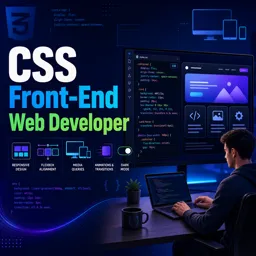
Duration of the online course: 6 hours and 28 minutes
New
Build job-ready CSS skills fast with this free course: responsive layouts, Flexbox, Grid, animations and modals—perfect for a front-end portfolio and certificate goals.
Move from writing simple styles to building interfaces that feel modern, reliable, and truly responsive. This free CSS course is designed for aspiring front-end developers who want to turn design ideas into polished web pages—without guesswork. You will practice the kind of everyday CSS decisions that make sites look great on phones, tablets, and desktops, and learn a mobile-first mindset that scales smoothly as screens get larger.
You’ll develop confidence with layout fundamentals and the tools employers expect you to know. Flexbox and Grid become practical problem-solvers for alignment, spacing, and complex sections, while subgrid helps you keep components visually consistent across a page. Along the way, you’ll strengthen your understanding of the box model and sizing, so elements behave predictably as you add padding, borders, and constraints. You’ll also learn to choose CSS units wisely, improving accessibility and maintaining typography that respects user preferences.
Beyond layout, the course helps you add refinement and interactivity with pure CSS. You’ll work with positioning for real-world UI patterns, understand when a transition is a better fit than a keyframe animation, and create motion that feels intentional rather than distracting. You’ll also explore advanced techniques like CSS-only continuous scrolling effects and learn why timing strategies matter for smooth visual flow.
To make your styles scalable, you’ll use CSS variables to centralize design decisions like brand colors, and you’ll sharpen your selector skills to target elements cleanly without messy overrides. The end result is a stronger foundation for building a portfolio website and UI components such as modals—plus the problem-solving habits that help you write maintainable, production-friendly CSS.
Explore free online CSS courses designed to help beginners and aspiring web developers master styling, layouts, responsive design, Flexbox, Grid, animations, and modern best practices. Learn at your own pace, build practical front-end skills, and earn a certificate with every course to showcase your CSS expertise.

Explore free online Responsive Web Design courses and learn to build mobile-friendly, accessible websites that look great on every screen. Master HTML, CSS, flexible layouts, media queries, and modern design best practices at your own pace. Enroll today, develop job-ready web skills, and earn a certificate with every course you complete.

6 hours and 28 minutes of online video course

Digital certificate of course completion (Free)

Exercises to train your knowledge

100% free, from content to certificate
How do I build a responsive portfolio website with dark mode and lazy-loaded images using HTML, CSS, and JavaScript?
The course walks through creating a portfolio layout, adding a dark-mode toggle, and using lazy loading to improve image loading performance.
What is the mobile-first media query pattern for progressively enhancing a CSS layout?
Start with base styles for small screens, then use min-width media queries to add or adjust styles at larger breakpoints.
How can CSS Subgrid align content across separate grid cards or sibling grid items?
Apply subgrid to the nested grid so it inherits the parent grid's tracks, allowing content in sibling items to align consistently.
Ready to get started?Download the app and get started today.
Install the app now
to access the course
Over 5,000 free courses
Programming, English, Digital Marketing and much more! Learn whatever you want, for free.

Study plan with AI
Our app's Artificial Intelligence can create a study schedule for the course you choose.

From zero to professional success
Improve your resume with our free Certificate and then use our Artificial Intelligence to find your dream job.
You can also use the QR Code or the links below.




Free CourseLaravel
5

(2)

4h04m

20 exercises

Free CourseProgressive Web Application PWA for Beginners
5
(5)
3h24m
15 exercises

Free CourseLearn Laravel in 30 Days: Beginner to Pro
5
(1)
17h00m
30 exercises

Free CoursePHP for Beginners: Learn PHP, MySQL, MVC, Routing, Authentication and Testing
5
(1)
10h45m
49 exercises

Free CourseLaravel Full Course: Build, CRUD, Auth, Email and Deploy to Live Server
5
(1)
3h52m
15 exercises

Free CourseWeb Development Foundations: HTML, CSS, Git and Command Line
5
(3)
14h11m
37 exercises

Free CourseCSS Complete Tutorial
5
(1)
8h30m
49 exercises

Free CoursePHP for Beginners: Learn PHP, MySQL and Login Systems
5
(3)
10h49m
29 exercises

Free CourseJavaScript for beginners
4.9
(27)
1h40m
2 exercises

Free CourseUmbraco CMS
4.9
(22)
6h21m
19 exercises
Carry knowledge in your pocket.
Download the Cursa app.
There are hundreds of free courses available, with a free certificate of completion that is saved in your mobile image gallery.
Download the app to access the Course Completion Certificate for Free.


+ 10 million
students

Free and Valid
Certificate

60 thousand free
exercises

4.8/5 rating in
app stores

Free courses in
video and ebooks





