justify-content positions flex items along the main axis, while align-items positions them along the cross axis.

Duration of the online course: 1 hours and 12 minutes
New
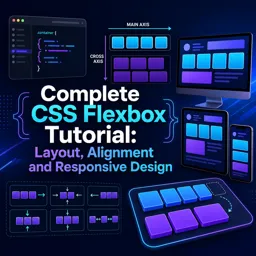
Build modern, responsive web layouts faster with this free CSS Flexbox course—master alignment, spacing, wrapping, and flexible sizing with confidence.
Responsive layout is one of the most valuable web development skills, and Flexbox is often the quickest path to clean, adaptable interfaces. In this course, you’ll learn how to design page sections, navigation bars, cards, and UI components that align perfectly and respond smoothly to different screen sizes. Instead of relying on trial and error, you’ll develop an intuitive understanding of how Flexbox thinks, so your layouts feel predictable and easy to refine.
You’ll start from the essentials and build a solid foundation, then progress into the core mechanics that make Flexbox so powerful. By understanding the difference between main axis and cross axis, you’ll be able to control layout direction with clarity and anticipate how changes like switching to a column flow will affect alignment and spacing. This gives you the confidence to choose the right setup for each interface, whether you’re arranging items in a row, stacking content, or creating responsive components that reflow naturally.
As you advance, you’ll gain practical control over common real-world layout challenges: distributing space, centering elements, aligning items consistently, and handling multi-line wrapping when the screen gets tight. You’ll learn when container-wide alignment makes sense and when it’s better to fine-tune a single element. You’ll also explore how visual order can be adjusted without changing your HTML, helping you create flexible layouts that adapt to device needs while keeping your markup clean.
Finally, you’ll master the sizing tools that make interfaces feel fluid: how elements grow, shrink, and start from a defined basis, and what it really means when items use different growth values. By the end, you’ll be able to build responsive sections that look intentional across breakpoints, write cleaner CSS, and troubleshoot layout issues faster. If you want a modern approach to web layout that saves time and improves consistency, this Flexbox training is a strong next step.
Explore free online CSS courses designed to help beginners and aspiring web developers master styling, layouts, responsive design, Flexbox, Grid, animations, and modern best practices. Learn at your own pace, build practical front-end skills, and earn a certificate with every course to showcase your CSS expertise.

Explore free online Responsive Web Design courses and learn to build mobile-friendly, accessible websites that look great on every screen. Master HTML, CSS, flexible layouts, media queries, and modern design best practices at your own pace. Enroll today, develop job-ready web skills, and earn a certificate with every course you complete.

1 hours and 12 minutes of online video course

Digital certificate of course completion (Free)

Exercises to train your knowledge

100% free, from content to certificate
What is the difference between justify-content and align-items in CSS Flexbox?
justify-content positions flex items along the main axis, while align-items positions them along the cross axis.
How do flex-grow, flex-shrink, and flex-basis work together?
flex-basis sets an item's starting size, flex-grow distributes available space, and flex-shrink determines how items contract when space is limited.
When should I use align-content instead of align-items in Flexbox?
Use align-content to distribute multiple wrapped flex lines along the cross axis; use align-items to align items within each line.
Ready to get started?Download the app and get started today.
Install the app now
to access the course
Over 5,000 free courses
Programming, English, Digital Marketing and much more! Learn whatever you want, for free.

Study plan with AI
Our app's Artificial Intelligence can create a study schedule for the course you choose.

From zero to professional success
Improve your resume with our free Certificate and then use our Artificial Intelligence to find your dream job.
You can also use the QR Code or the links below.




Free CourseLaravel
5

(2)

4h04m

20 exercises

Free CourseProgressive Web Application PWA for Beginners
5
(5)
3h24m
15 exercises

Free CourseLearn Laravel in 30 Days: Beginner to Pro
5
(1)
17h00m
30 exercises

Free CoursePHP for Beginners: Learn PHP, MySQL, MVC, Routing, Authentication and Testing
5
(1)
10h45m
49 exercises

Free CourseLaravel Full Course: Build, CRUD, Auth, Email and Deploy to Live Server
5
(1)
3h52m
15 exercises

Free CourseWeb Development Foundations: HTML, CSS, Git and Command Line
5
(3)
14h11m
37 exercises

Free CourseCSS Complete Tutorial
5
(1)
8h30m
49 exercises

Free CoursePHP for Beginners: Learn PHP, MySQL and Login Systems
5
(3)
10h49m
29 exercises

Free CourseJavaScript for beginners
4.9
(27)
1h40m
2 exercises

Free CourseUmbraco CMS
4.9
(22)
6h21m
19 exercises
Carry knowledge in your pocket.
Download the Cursa app.
There are hundreds of free courses available, with a free certificate of completion that is saved in your mobile image gallery.
Download the app to access the Course Completion Certificate for Free.


+ 10 million
students

Free and Valid
Certificate

60 thousand free
exercises

4.8/5 rating in
app stores

Free courses in
video and ebooks





