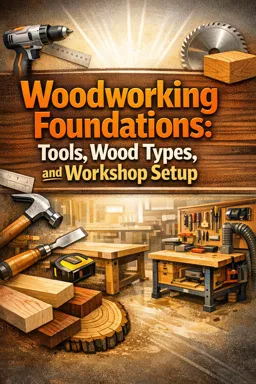
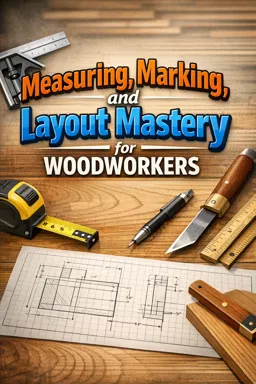
Start with a circular saw, drill/driver, measuring tools, clamps, a square, and basic safety gear. The course also shows DIY guides and jigs that expand what these tools can do.


Duration of the online course: 2 hours and 48 minutes
New
Build real woodworking skills fast with this free online course—tools, safety, and DIY jigs to cut cleaner, work smarter, and boost your shop confidence.
Starting woodworking can feel overwhelming: too many tools, too many techniques, and a lot of uncertainty about what is actually necessary to make accurate, safe cuts. This free online course is designed to help beginners move from curiosity to capability by focusing on the practical foundations that make everything else easier. You will learn how to set up a simple workflow, choose the right starter tools, and build the kind of shop-made helpers that turn limited equipment into reliable results.
A key goal is confidence. You will develop safer habits from day one, including how to think about protection when working with loud power tools and why safety choices directly impact precision and comfort. As you progress, the course emphasizes smart problem-solving: building guides, jigs, and modular workstations that improve repeatability, reduce mistakes, and help you get straight cuts and clean edges with tools many people already own, such as a circular saw, jigsaw, and router.
Rather than requiring an expensive workshop, you will explore approaches that scale to your space and budget. You will see how to create a track-style cutting solution, how to improve crosscuts and miters with simple fixtures, and how to support your projects with stable shop furniture. The course also connects the dots between a solid bench setup and better craftsmanship, showing how workholding, fences, and stands can make cutting, routing, and shaping safer and more accurate.
To round out your skills, you will work through projects that support finishing and daily shop use, like setting up a simple paint area for cleaner results and less mess. By the end, you will have a clearer understanding of how to build an efficient beginner-friendly workspace, how to make tools perform beyond their price tag, and how to approach new builds with a process you can repeat. Whether your goal is a practical hobby, home improvement capability, or a pathway into professional skills, this course gives you a strong, hands-on starting point.

Explore free online Do It Yourself courses designed to help you master practical DIY skills from home. Learn home improvement, crafts, repairs, decorating, woodworking, and creative projects at your own pace. Each course is completely free and includes a certificate of completion, making it easy to build new skills, boost your confidence, and showcase your achievements.

Explore free online Woodworking for Beginners courses and build practical skills from the ground up. Learn how to use essential tools, choose materials, measure, cut, join, sand, and finish wood through flexible beginner-friendly lessons. Enroll at no cost, complete hands-on projects, and earn a certificate to showcase your new woodworking skills.

2 hours and 48 minutes of online video course

Digital certificate of course completion (Free)

Exercises to train your knowledge

100% free, from content to certificate
What tools do I need to start woodworking with limited tools?
Start with a circular saw, drill/driver, measuring tools, clamps, a square, and basic safety gear. The course also shows DIY guides and jigs that expand what these tools can do.
How do I make accurate crosscuts with a circular saw?
Use a straight cutting guide or a circular-saw crosscut jig to support the workpiece and guide the saw for repeatable, square cuts.
Why should screw heads be countersunk in a woodworking jig?
Countersinking recesses screw heads below the surface so they do not catch on materials or interfere with smooth tool movement.
Ready to get started?Download the app and get started today.
Install the app now
to access the course
Over 5,000 free courses
Programming, English, Digital Marketing and much more! Learn whatever you want, for free.

Study plan with AI
Our app's Artificial Intelligence can create a study schedule for the course you choose.

From zero to professional success
Improve your resume with our free Certificate and then use our Artificial Intelligence to find your dream job.
You can also use the QR Code or the links below.



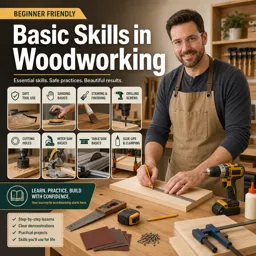
Free CourseBasic Skills in Woodworking
5

(1)

4h47m

23 exercises
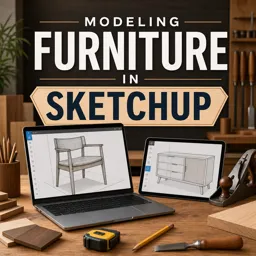
Free CourseModeling Furniture in Sketchup
5
(1)
1h07m
2 exercises

Free CourseWoodworking Masterclass
5
(1)
4h47m
11 exercises
Free CourseWoodworking for beginners
5
(54)
6h39m
22 exercises
Free CourseCarpentry tips
1
(1)
3h08m
22 exercises
Free CourseHow to be a Woodworker
New
5h12m
35 exercises
Free CourseDIY tutorial
New
5h28m
25 exercises

Free CourseBuild your own Furniture
New
6h17m
19 exercises
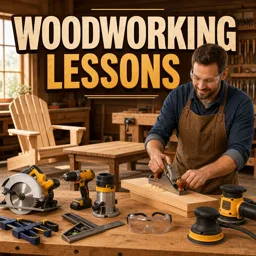
Free CourseWoodworking Lessons
New
11h05m
24 exercises
Carry knowledge in your pocket.
Download the Cursa app.
There are hundreds of free courses available, with a free certificate of completion that is saved in your mobile image gallery.
Download the app to access the Course Completion Certificate for Free.


+ 10 million
students

Free and Valid
Certificate

60 thousand free
exercises

4.8/5 rating in
app stores

Free courses in
video and ebooks