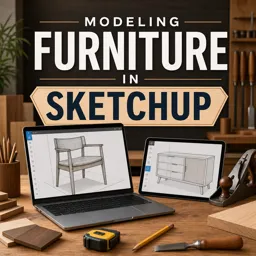
The course walks through modeling a complete woodworking project in two beginner-focused parts, from basic shapes to assembled furniture.

Duration of the online course: 1 hours and 7 minutes
5

(1)
Design custom furniture faster with this free SketchUp course—learn clean modeling habits, reusable components, and prep workshop-ready plans with confidence.
Bring your woodworking ideas to life before you cut a single board. This free online course helps you model furniture in SketchUp with a practical, workshop-minded approach, so you can test proportions, fix joinery issues early, and communicate your design clearly. Whether you are sketching your first cabinet or refining a repeatable build process, you will learn how to think in parts, assemblies, and accurate dimensions—the same way a real project comes together on the bench.
You will start by building an entire furniture project from scratch, focusing on fundamentals that make a huge difference: setting up a clean file, drawing with intent, staying organized, and keeping geometry precise. Instead of fighting sticky surfaces and messy edges, you will develop habits that keep your model lightweight and easy to edit. The result is a digital prototype you can adjust in minutes rather than reworking material in the shop.
A major theme is working efficiently with components. Furniture designs rely on repeated parts, mirrored elements, and consistent thicknesses, and SketchUp becomes much more powerful when you treat parts as reusable building blocks. You will learn how components support faster iteration, how small changes can propagate through your whole model, and how to avoid common pitfalls that lead to unexpected distortions or broken geometry.
You will also practice realism-focused techniques that make your virtual furniture look and feel buildable. Details like plywood edges can distract from the form when they are left raw in the model, so you will explore a simple method to keep edges clean and visually accurate, improving presentation while still respecting how the material behaves in a real build.
By the end, you will be able to model a complete furniture concept, edit it confidently, and prepare a design that supports better decisions in the workshop. This is a professional skill that can strengthen your portfolio, improve client communication, and reduce mistakes—ideal for woodworkers, makers, and anyone who wants a clearer path from idea to finished piece.

Explore free online Do It Yourself courses designed to help you master practical DIY skills from home. Learn home improvement, crafts, repairs, decorating, woodworking, and creative projects at your own pace. Each course is completely free and includes a certificate of completion, making it easy to build new skills, boost your confidence, and showcase your achievements.

Explore free online Furniture Modeling courses and learn to design realistic chairs, tables, cabinets, and interiors using popular 3D software. Build practical skills in modeling, texturing, rendering, and visualization through flexible lessons for beginners and aspiring designers. Enroll today and earn a certificate with every course.

1 hours and 7 minutes of online video course

Digital certificate of course completion (Free)

Exercises to train your knowledge

100% free, from content to certificate
How do you model a complete furniture project in SketchUp?
The course walks through modeling a complete woodworking project in two beginner-focused parts, from basic shapes to assembled furniture.
Which SketchUp tool is used to create furniture components?
The Make Component command is used to turn selected geometry into reusable furniture components.
How can plywood edges be hidden in a SketchUp furniture model?
The tutorial uses edge-banding details to cover exposed plywood edges in the virtual furniture model.
Ready to get started?Download the app and get started today.
Install the app now
to access the course
Over 5,000 free courses
Programming, English, Digital Marketing and much more! Learn whatever you want, for free.

Study plan with AI
Our app's Artificial Intelligence can create a study schedule for the course you choose.

From zero to professional success
Improve your resume with our free Certificate and then use our Artificial Intelligence to find your dream job.
You can also use the QR Code or the links below.



Free CourseBasic Skills in Woodworking
5
(1)

4h47m

23 exercises

Free CourseWoodworking for beginners
5
(1)
2h48m
15 exercises

Free CourseWoodworking Masterclass
5
(1)
4h47m
11 exercises
Free CourseWoodworking for beginners
5
(54)
6h39m
22 exercises

Free CourseCarpentry tips
1
(1)
3h08m
22 exercises
Free CourseHow to be a Woodworker
New
5h12m
35 exercises
Free CourseDIY tutorial
New
5h28m
25 exercises

Free CourseBuild your own Furniture
New
6h17m
19 exercises

Free CourseWoodworking Lessons
New
11h05m
24 exercises
Carry knowledge in your pocket.
Download the Cursa app.
There are hundreds of free courses available, with a free certificate of completion that is saved in your mobile image gallery.
Download the app to access the Course Completion Certificate for Free.


+ 10 million
students

Free and Valid
Certificate

60 thousand free
exercises

4.8/5 rating in
app stores

Free courses in
video and ebooks