Rails uses SQLite by default, which requires no separate database server setup.

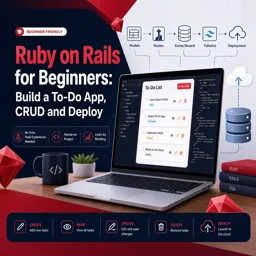
Duration of the online course: 2 hours and 17 minutes
New
Build and deploy your first Ruby on Rails web app. Learn CRUD, routes, models and Tailwind styling in a free online course with a shareable certificate.
Turn an idea into a working web application with Ruby on Rails, one of the most practical frameworks for building full-featured products fast. In this beginner-friendly course, you will set up your environment, create a brand-new Rails app, and develop a clean, usable to-do tool that mirrors how real web projects are built. If you are coming from HTML/CSS or another language, Rails offers a clear structure and conventions that make it easier to understand how the parts of a modern app fit together.
You will experience the full workflow of building an application end-to-end: generating a project with Rails, creating resources that support create, read, update, and delete functionality, and wiring pages together through routing and controller actions. Along the way, you will work with models and the database through Active Record, learning how data is represented, queried, and updated in a way that stays readable as the app grows. You will also connect related data so your to-dos can belong to projects, a foundational skill for building anything beyond a single table.
To help your app feel like a real product, you will enhance the interface with Tailwind CSS, learning how to improve layout, spacing, and visual clarity without getting lost in complicated styling setups. Finally, you will take the important step many beginners skip: deploying your Rails app so it runs outside your local machine. By the end, you will understand the core Rails components working together, feel comfortable navigating a typical Rails codebase, and have a small portfolio-ready project that demonstrates practical web development skills.
resources :projects in config/routes.rb instead of manually writing each CRUD route?

Explore free online Ruby courses and learn programming fundamentals, object-oriented development, web applications, and Ruby on Rails at your own pace. Each course is free and includes a certificate to showcase your skills. Start building practical coding experience today with flexible Ruby training for beginners and aspiring developers.

Explore free online Ruby on Rails courses designed to help beginners and developers build dynamic, database-driven web applications. Learn Ruby, Rails fundamentals, MVC architecture, routing, Active Record, APIs, testing, and deployment at your own pace. Enroll today, sharpen your web development skills, and earn a certificate for every course you complete.

2 hours and 17 minutes of online video course

Digital certificate of course completion (Free)

Exercises to train your knowledge

100% free, from content to certificate
What database does a new Ruby on Rails app use by default for a small to-do app?
Rails uses SQLite by default, which requires no separate database server setup.
What does the Rails scaffold command generate for a CRUD to-do app?
It generates a model, migration, controller, views, routes, and CRUD actions for the resource.
Where does the project_id foreign key go when connecting To-Dos to Projects in Rails?
The project_id column is stored in the to-dos table because each to-do belongs to a project.
Ready to get started?Download the app and get started today.
Install the app now
to access the course
Over 5,000 free courses
Programming, English, Digital Marketing and much more! Learn whatever you want, for free.

Study plan with AI
Our app's Artificial Intelligence can create a study schedule for the course you choose.

From zero to professional success
Improve your resume with our free Certificate and then use our Artificial Intelligence to find your dream job.
You can also use the QR Code or the links below.




Free CourseProgressive Web Application PWA for Beginners
5

(5)

3h24m

15 exercises

Free CourseLaravel
5
(2)
4h04m
20 exercises

Free CoursePHP for Beginners: Learn PHP, MySQL and Login Systems
5
(3)
10h49m
29 exercises

Free CourseLearn Laravel in 30 Days: Beginner to Pro
5
(1)
17h00m
30 exercises

Free CoursePHP for Beginners: Learn PHP, MySQL, MVC, Routing, Authentication and Testing
5
(1)
10h45m
49 exercises

Free CourseLaravel Full Course: Build, CRUD, Auth, Email and Deploy to Live Server
5
(1)
3h52m
15 exercises

Free CourseWeb Development Foundations: HTML, CSS, Git and Command Line
5
(3)
14h11m
37 exercises

Free CourseCSS Complete Tutorial
5
(1)
8h30m
49 exercises

Free CourseJavaScript for beginners
4.9
(27)
1h40m
2 exercises

Free CourseUmbraco CMS
4.9
(22)
6h21m
19 exercises
Carry knowledge in your pocket.
Download the Cursa app.
There are hundreds of free courses available, with a free certificate of completion that is saved in your mobile image gallery.
Download the app to access the Course Completion Certificate for Free.


+ 10 million
students

Free and Valid
Certificate

60 thousand free
exercises

4.8/5 rating in
app stores

Free courses in
video and ebooks





