Alpine.js adds reactive, interactive behavior to HTML directly in the browser, such as dropdowns, modals, tabs, and form interactions.

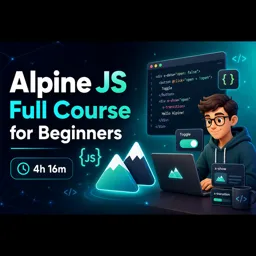
Duration of the online course: 4 hours and 16 minutes
New
Build interactive web UIs fast with this free Alpine.js course—learn reactive components, show/hide logic, and practical patterns to boost your frontend skills.
Alpine.js is a lightweight way to add reactivity and interactivity directly in your markup, making it ideal when you want modern UI behavior without the overhead of a large framework. This beginner-friendly course guides you from the first concepts to building practical, dynamic interfaces you can actually ship. If you have basic HTML and JavaScript familiarity, you will quickly see how Alpine.js helps you create polished experiences such as toggles, dropdowns, conditional sections, and responsive micro-interactions with clean, readable code.
Throughout the course, you will learn what Alpine.js is primarily used for in web development and why it has become a popular choice for enhancing server-rendered pages, small projects, prototypes, and production interfaces that need just enough reactivity. The lessons focus on helping you understand where Alpine fits in your toolset, how it compares conceptually to heavier solutions, and how to structure your UI logic so it remains maintainable as your page grows. Instead of feeling like a new ecosystem, Alpine aims to feel like a natural extension of HTML.
You will also develop a clear mental model for conditional rendering and visibility, including the important differences between directives like x-if and x-show, and when each option leads to better performance or better user experience. By practicing these patterns, you will be able to make interfaces that behave correctly, avoid common pitfalls, and keep state predictable. The result is confidence: confidence to add interactivity to existing pages, confidence to build small components quickly, and confidence to choose the right approach when a UI element should be created or merely shown and hidden.
By the end, you will be prepared to apply Alpine.js to real web development tasks, from improving usability on landing pages to powering admin dashboards and internal tools. Whether you are a beginner trying to level up your frontend skills or a developer who wants a faster way to add reactive behavior to a project, this free online course is a practical step toward building modern, interactive web experiences.

4 hours and 16 minutes of online video course

Digital certificate of course completion (Free)

Exercises to train your knowledge

100% free, from content to certificate
What is Alpine.js primarily used for in web development?
Alpine.js adds reactive, interactive behavior to HTML directly in the browser, such as dropdowns, modals, tabs, and form interactions.
What is the difference between x-if and x-show in Alpine.js?
x-if adds or removes an element from the DOM, while x-show keeps it in the DOM and toggles its CSS display visibility.
What will I learn in the Alpine JS Full Course for Beginners?
The course teaches Alpine.js fundamentals and how to build lightweight interactive web interface components through a four-hour tutorial.
Ready to get started?Download the app and get started today.
Install the app now
to access the course
Over 5,000 free courses
Programming, English, Digital Marketing and much more! Learn whatever you want, for free.

Study plan with AI
Our app's Artificial Intelligence can create a study schedule for the course you choose.

From zero to professional success
Improve your resume with our free Certificate and then use our Artificial Intelligence to find your dream job.
You can also use the QR Code or the links below.




Free CourseProgressive Web Application PWA for Beginners
5

(5)

3h24m

15 exercises

Free CourseLaravel
5
(2)
4h04m
20 exercises
Free CoursePHP for Beginners: Learn PHP, MySQL and Login Systems
5
(3)
10h49m
29 exercises
Free CoursePHP for Beginners: Learn PHP, MySQL, MVC, Routing, Authentication and Testing
5
(1)
10h45m
49 exercises

Free CourseLaravel Full Course: Build, CRUD, Auth, Email and Deploy to Live Server
5
(1)
3h52m
15 exercises
Free CourseWeb Development Foundations: HTML, CSS, Git and Command Line
5
(3)
14h11m
37 exercises
Free CourseCSS Complete Tutorial
5
(1)
8h30m
49 exercises
Free CourseJavaScript for beginners
4.9
(27)
1h40m
2 exercises

Free CourseUmbraco CMS
4.9
(22)
6h21m
19 exercises
Free CourseAngular 2 for Beginners
4.8
(30)
1h02m
9 exercises
Carry knowledge in your pocket.
Download the Cursa app.
There are hundreds of free courses available, with a free certificate of completion that is saved in your mobile image gallery.
Download the app to access the Course Completion Certificate for Free.


+ 10 million
students

Free and Valid
Certificate

60 thousand free
exercises

4.8/5 rating in
app stores

Free courses in
video and ebooks