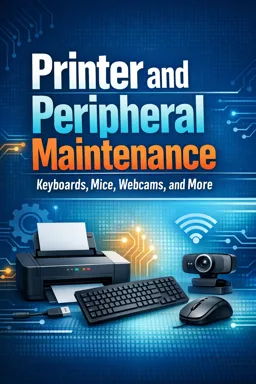
Hardware maintenance courses teach you to identify, inspect, clean, troubleshoot, and replace computer components and peripherals.

1

Build practical technology skills with our selection of free online Hardware courses. These educational programs are designed for beginners, students, technicians, IT professionals, and anyone interested in learning how computers and electronic devices work. Study essential hardware concepts at your own pace, complete exercises, and receive free certification after finishing an eligible course.
Our Hardware courses introduce the physical components used in computers and related technology. Lessons may cover processors, motherboards, memory modules, storage devices, power supplies, peripherals, ports, cooling systems, and internal connections. You can also develop foundational knowledge of computer assembly, preventive maintenance, component replacement, troubleshooting, and hardware upgrades.
Each course offers accessible educational content for independent learning. The flexible online format allows you to review lessons whenever necessary and organize your studies around work, school, or other commitments. The included exercises help reinforce important concepts, evaluate your understanding, and support continued technical development.
These free courses are useful for learners starting an IT education, students seeking supplementary study materials, and professionals who want to refresh their technical knowledge. They can also support people preparing for entry-level opportunities in computer maintenance, help desk services, technical support, electronics, and information technology.
All courses listed on this page are free and include learning exercises. They also offer free certification, allowing you to document your educational progress and demonstrate your commitment to professional development. A certificate may complement your resume, academic portfolio, or professional profile.
To access the lessons, exercises, and free certificates, you must install the Cursa application. Android users can get the app through Google Play: Download for Android. iPhone users can install it from the App Store: Download for iOS / iPhone.
Choose a free online Hardware course, install the Cursa application, and begin learning immediately. With structured lessons, practical exercises, flexible study options, and free certification, you can strengthen your computer knowledge and take an important step toward new academic or career goals.
What is covered in a hardware maintenance course?
Hardware maintenance courses teach you to identify, inspect, clean, troubleshoot, and replace computer components and peripherals.
How do I troubleshoot a computer keyboard that is not working?
Check the cable or battery, reconnect the keyboard, test another USB port, clean the keys, and update or reinstall the driver.
Why is my computer mouse not responding?
Common causes include a drained battery, loose USB connection, dirty sensor, damaged cable, or outdated driver.
How can I fix a webcam that is not detected?
Reconnect the webcam, try another USB port, check privacy permissions, update its driver, and test it in another application.
What peripherals can I learn to maintain online?
You can learn to maintain keyboards, mice, webcams, printers, scanners, speakers, USB devices, and other computer accessories.
How do I maintain a printer for better performance?
Keep it clean, use compatible paper and ink, update drivers, run alignment or cleaning tools, and clear paper jams carefully.
Do I need prior experience to learn hardware and peripheral maintenance?
No. Beginner courses typically explain basic components, safe handling, common faults, and simple repair procedures.

Complete any course and issue your certificate via the app — at no cost.

Download the app! to have access to more than 4,000 Online Courses + Certificate, all free!
Download the app! 100% free courses.


Carry knowledge in your pocket.
Download the Cursa app.
There are hundreds of free courses available, with a free certificate of completion that is saved in your mobile image gallery.
Download the app to access the Course Completion Certificate for Free.


+ 10 million
students

Free and Valid
Certificate

60 thousand free
exercises

4.8/5 rating in
app stores

Free courses in
video and ebooks