Copy the drum kit folder into the FL Studio Packs folder, then refresh the Browser or restart FL Studio so the new sounds are detected.

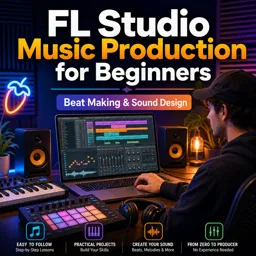
Duration of the online course: 2 hours and 8 minutes
New
Turn ideas into polished beats with this free FL Studio course—learn drum programming, sampling, effects, and sound design, and start producing music faster.
Producing your first track can feel overwhelming: too many windows, too many plugins, and no clear path from a blank project to a finished beat. This free online course helps you build that path in FL Studio, step by step, so you can confidently turn rough ideas into full instrumentals with clean structure and modern sound. You will learn how to set up your workflow, organize sounds, and move from simple patterns to complete arrangements that actually feel like songs.
Instead of guessing your way through menus, you will get comfortable with the key areas of FL Studio that matter most when making music, including where your patterns become a final composition. You will also learn how to expand your sound palette by installing drum kits properly and keeping your Browser organized, so finding the right kick, snare, or hi-hat becomes effortless. With essential shortcuts in your hands, you can build faster, stay creative longer, and avoid the small frustrations that interrupt your momentum.
As you develop beats in different styles, you will strengthen your timing, drum programming, and layering decisions while keeping your mix clear. You will learn why EQ choices like high-pass filtering are useful on many melodic layers, yet usually not on basslines and 808s, and how those decisions affect punch and weight. Along the way, you will sharpen your ear with approachable music theory, including scales, keys, and how to begin chord progressions without getting stuck.
The course also guides you into sampling, audio manipulation, and writing melodies that fit a chosen scale. You will explore effects such as delay with practical understanding, so you can create space and movement without muddying the track. Finally, you will dive into beginner-friendly sound design concepts, learning how modulation tools shape a sound over time and how to create more original textures rather than relying only on presets.
By the end, you will have a repeatable process for starting a beat, building it into an arrangement, and finishing with a sound that feels intentional. Whether you want to produce for yourself, post online, or start building a portfolio, you will leave with stronger fundamentals and the confidence to open FL Studio and create.

2 hours and 8 minutes of online video course

Digital certificate of course completion (Free)

Exercises to train your knowledge

100% free, from content to certificate
How do I install a new drum kit in FL Studio so it appears in the Browser?
Copy the drum kit folder into the FL Studio Packs folder, then refresh the Browser or restart FL Studio so the new sounds are detected.
Why should I high-pass melodic instruments but not the 808 or bassline in FL Studio?
High-passing removes unnecessary low frequencies from melodies, leaving room for the kick and bass. An 808 or bassline needs those low frequencies to provide weight.
What is the difference between an envelope and an LFO for filter modulation in FL Studio GMS?
An envelope changes the filter once over time after a note is played, while an LFO creates a repeating modulation cycle for effects such as wobble or rhythmic movement.
Ready to get started?Download the app and get started today.
Install the app now
to access the course
Over 5,000 free courses
Programming, English, Digital Marketing and much more! Learn whatever you want, for free.

Study plan with AI
Our app's Artificial Intelligence can create a study schedule for the course you choose.

From zero to professional success
Improve your resume with our free Certificate and then use our Artificial Intelligence to find your dream job.
You can also use the QR Code or the links below.



Free CourseFree Online DJ Course
5

(1)

2h44m

6 exercises
Free CourseTransitions for Beginner DJ
5
(1)
4h45m
20 exercises
Free CourseHow to DJ for complete beginners
5
(2)
1h59m
13 exercises
Free CourseHow to DJ guide for beginners DJ Phil Harris
5
(1)
2h38m
6 exercises
Free CourseUK-Drill Music Production tutorial
5
(1)
54m
6 exercises
Free CourseFL Studio for Complete Beginners
5
(2)
47m
6 exercises
Free CourseMusic Video production
4.7

(3)
19m
4 exercises
Free CourseLearn Songwriting in 1 Hour
4
(1)
53m
6 exercises
Free CourseAbleton Live 10 Complete Production and Mixing Masterclass
New
20h19m
29 exercises
Free CourseIntroduction to Ableton Live
New
3h07m
28 exercises
Carry knowledge in your pocket.
Download the Cursa app.
There are hundreds of free courses available, with a free certificate of completion that is saved in your mobile image gallery.
Download the app to access the Course Completion Certificate for Free.


+ 10 million
students

Free and Valid
Certificate

60 thousand free
exercises

4.8/5 rating in
app stores

Free courses in
video and ebooks