FL Studio Producer Edition is usually the best choice because it includes audio recording, full playlist features, and essential tools for beat-making.

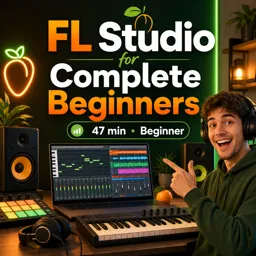
Duration of the online course: 47 minutes
5

(2)
Start making beats today with a free FL Studio course for complete beginners. Learn the basics, pick the right edition, and build confidence fast.
Turn your ideas into real tracks with a beginner-friendly, free online course designed to help you feel at home in FL Studio from day one. If the interface has ever looked overwhelming or you were unsure where to click first, this training focuses on giving you a clear, practical starting point so you can move from curiosity to creating music with confidence.
You will begin by understanding the essential building blocks of FL Studio and how a simple workflow comes together, so you can sketch rhythms, arrange patterns, and develop a first beat without getting stuck. The goal is to remove the guesswork and help you build habits that make music production feel approachable, even if you have never used a DAW before.
A common barrier for new producers is choosing the right FL Studio edition and version, especially when different options seem similar. This course addresses that decision head-on, helping you understand what beginners actually need to start making beats, what features matter early on, and how to choose an edition that fits your goals and budget. By the end, you will have clarity on which version makes sense for your setup, so you can focus on creating instead of endlessly researching.
Whether you want to produce hip-hop, EDM, pop, or simply learn the fundamentals of digital music production, this course gives you a strong foundation you can build on. Use it to start a new hobby, support your songwriting, or take your first steps toward producing for yourself or others. With a straightforward approach and an emphasis on confidence, you will be ready to keep practicing and improving long after the final lesson.

47 minutes of online video course

Digital certificate of course completion (Free)

Exercises to train your knowledge

100% free, from content to certificate
Which FL Studio edition is best for beginners who want to make beats?
FL Studio Producer Edition is usually the best choice because it includes audio recording, full playlist features, and essential tools for beat-making.
What will I learn in an FL Studio complete beginner tutorial?
You will learn the interface, Channel Rack, Playlist, Piano Roll, basic drum patterns, arranging, and exporting a finished track.
Should beginners use the latest version of FL Studio?
Yes. The latest stable version provides current features, plugin compatibility, bug fixes, and access to updated tutorials.
Ready to get started?Download the app and get started today.
Install the app now
to access the course
Over 5,000 free courses
Programming, English, Digital Marketing and much more! Learn whatever you want, for free.

Study plan with AI
Our app's Artificial Intelligence can create a study schedule for the course you choose.

From zero to professional success
Improve your resume with our free Certificate and then use our Artificial Intelligence to find your dream job.
You can also use the QR Code or the links below.



Free CourseMusic Theory Fundamentals: Rhythm, Melody, Harmony and Form
5
(1)

18h17m

20 exercises
Free CourseFree Online DJ Course
5
(1)
2h44m
6 exercises
Free CourseTransitions for Beginner DJ
5
(1)
4h45m
20 exercises
Free CourseHow to DJ for complete beginners
5
(2)
1h59m
13 exercises
Free CourseHow to DJ guide for beginners DJ Phil Harris
5
(1)
2h38m
6 exercises
Free CourseUK-Drill Music Production tutorial
5
(1)
54m
6 exercises
Free CourseMusic Video production
4.7

(3)
19m
4 exercises
Free CourseLearn Songwriting in 1 Hour
4
(1)
53m
6 exercises
Free CourseAbleton Live 10 Complete Production and Mixing Masterclass
New
20h19m
29 exercises
Free CourseIntroduction to Ableton Live
New
3h07m
28 exercises
Carry knowledge in your pocket.
Download the Cursa app.
There are hundreds of free courses available, with a free certificate of completion that is saved in your mobile image gallery.
Download the app to access the Course Completion Certificate for Free.


+ 10 million
students

Free and Valid
Certificate

60 thousand free
exercises

4.8/5 rating in
app stores

Free courses in
video and ebooks