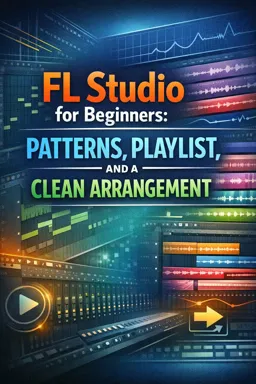
Switch the Playlist to Song mode, then place and duplicate patterns across the timeline to build sections such as an intro, drop, and second section.

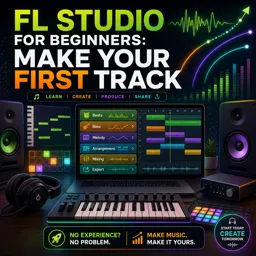
Duration of the online course: 1 hours and 38 minutes
New
Create your first track with this free FL Studio course—build beats, basslines, melodies, and export a polished mix with confidence.
Start producing music from scratch with FL Studio and turn your ideas into a finished track you can actually share. This beginner-friendly course is designed for anyone who has opened FL Studio and felt lost, or who can make a loop but struggles to transform it into a complete song. You’ll learn the essential workflow used in real projects, focusing on the tools you need most and the habits that help you work faster without feeling overwhelmed.
You’ll begin by setting up FL Studio the right way, including the audio settings that impact latency and performance, so your sessions feel smooth and responsive. From there, you’ll create a new project, build a beat, and learn how to vary it so it feels musical instead of repetitive. Step by step, you’ll add low end with a bass part, then develop a melody and complementary sounds that make your track feel like it has an identity. Along the way, you’ll get comfortable routing instruments to the mixer, shaping tone with filters, and making small changes that add polish without complicated theory.
To help your music evolve over time, you’ll design an intro with movement and atmosphere, create risers and transitions, and add special effects that support energy changes rather than cluttering the mix. You’ll then expand the idea into a second section and learn practical playlist skills for arranging patterns into longer song parts. The course also guides you through tweaking sounds and swapping samples so your drums and synth choices fit the vibe you’re aiming for.
Once the arrangement is built, you’ll move into an approachable introduction to mixing, learning a safe beginner method to avoid distortion, unexpected volume jumps, and muddy balances as more instruments play together. Finally, you’ll export your track properly and understand how to render stems when you need separate mixer channels for editing, collaboration, or mastering. By the end, you’ll have a clear repeatable process for making complete tracks in FL Studio, not just short loops.

Explore free online FL Studio courses designed for beginners and aspiring music producers. Learn beat making, audio recording, mixing, mastering, MIDI, sound design, and workflow techniques at your own pace. Enroll today, build practical music production skills, and earn a certificate with every completed course.

Explore free online Electronic Music courses and learn music production, synthesis, sound design, mixing, mastering, and beat making from anywhere. Build practical skills with beginner-friendly lessons and advanced training, study at your own pace, and earn a certificate to showcase your knowledge and boost your creative career.

1 hours and 38 minutes of online video course

Digital certificate of course completion (Free)

Exercises to train your knowledge

100% free, from content to certificate
How do I arrange multiple FL Studio patterns into a full song section?
Switch the Playlist to Song mode, then place and duplicate patterns across the timeline to build sections such as an intro, drop, and second section.
How can I create an automated filter sweep for an intro pad in FL Studio?
Add Fruity Filter to the pad, right-click its cutoff control, create an automation clip, and draw a gradual cutoff change in the Playlist.
What export setting creates separate mixer-channel stems in FL Studio?
In the export dialog, enable the Split mixer tracks option to render each mixer channel as a separate audio file.
Ready to get started?Download the app and get started today.
Install the app now
to access the course
Over 5,000 free courses
Programming, English, Digital Marketing and much more! Learn whatever you want, for free.

Study plan with AI
Our app's Artificial Intelligence can create a study schedule for the course you choose.

From zero to professional success
Improve your resume with our free Certificate and then use our Artificial Intelligence to find your dream job.
You can also use the QR Code or the links below.



Free CourseFree Online DJ Course
5

(1)

2h44m

6 exercises
Free CourseTransitions for Beginner DJ
5
(1)
4h45m
20 exercises
Free CourseHow to DJ for complete beginners
5
(2)
1h59m
13 exercises
Free CourseHow to DJ guide for beginners DJ Phil Harris
5
(1)
2h38m
6 exercises
Free CourseUK-Drill Music Production tutorial
5
(1)
54m
6 exercises
Free CourseFL Studio for Complete Beginners
5
(2)
47m
6 exercises
Free CourseMusic Video production
4.7

(3)
19m
4 exercises
Free CourseLearn Songwriting in 1 Hour
4
(1)
53m
6 exercises
Free CourseAbleton Live 10 Complete Production and Mixing Masterclass
New
20h19m
29 exercises
Free CourseIntroduction to Ableton Live
New
3h07m
28 exercises
Carry knowledge in your pocket.
Download the Cursa app.
There are hundreds of free courses available, with a free certificate of completion that is saved in your mobile image gallery.
Download the app to access the Course Completion Certificate for Free.


+ 10 million
students

Free and Valid
Certificate

60 thousand free
exercises

4.8/5 rating in
app stores

Free courses in
video and ebooks