What a “Template Library” Is (and Why Weekly Planning Needs One)
A template library is a curated set of copy-and-paste prompts you reuse every week to produce consistent planning outputs: weekly overviews, daily agendas, materials lists, homework, family messages, and quick checks. Instead of reinventing prompts each time, you keep a small collection of reliable templates and swap in variables (week dates, unit focus, constraints, and special events). The goal is not “better prompting theory” but faster, repeatable workflows that reduce decision fatigue and keep your planning artifacts uniform across weeks.
Weekly planning is an ideal use case because the inputs change predictably (calendar, pacing, student needs, upcoming assessments) while the outputs are stable (plans, slides outline, handouts outline, communication). A template library turns that predictability into a routine: you run the same sequence of prompts, review outputs, and publish. Over time, you refine templates based on what you actually use, and you retire templates that create extra editing work.
How to Organize Your Prompt Templates for Fast Reuse
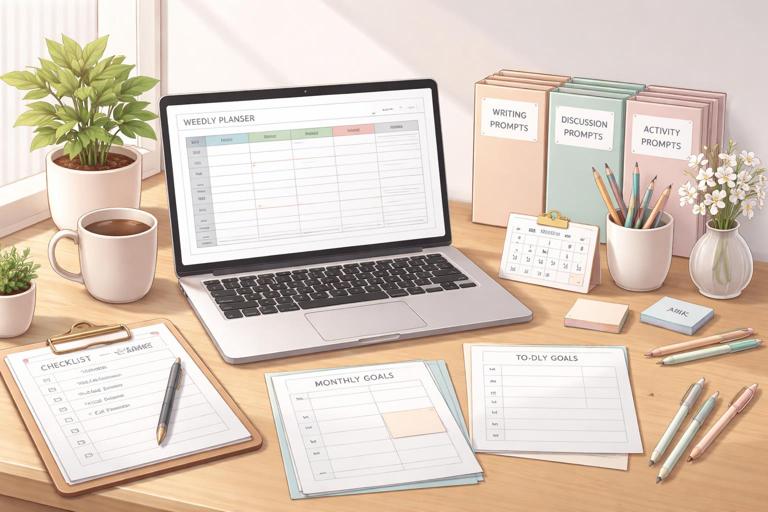
Store templates where you already plan: a single document, note app, or planning spreadsheet with one template per section. Name templates by workflow step, not by tool. For example: “W1 Weekly Overview,” “W2 Daily Agendas,” “W3 Materials & Copies,” “W4 Exit Tickets,” “W5 Family Message.” This naming makes it easy to run them in order and ensures you don’t skip steps when you’re busy.
Use a consistent “variable block” at the top of each template. Variables are the fields you replace each week. Keep them short and predictable so you can fill them in quickly. Example variables: Week of, grade/course, unit/topic, number of class meetings, lesson length, key vocabulary, due dates, special events, constraints (lab day, assembly), and any non-negotiables (must include retrieval practice, must include discussion). When you paste a template, you fill the variable block first, then run the prompt.
Recommended Template Categories
- Calendar & pacing: weekly overview, day-by-day plan, time budgets.
- Instructional materials: slide outline, guided notes outline, station cards, lab/reading packet outline.
- Practice & checks: warm-ups, exit tickets, quick quizzes, homework.
- Teacher operations: materials list, copies list, room setup, tech checklist.
- Communication: family update, student weekly preview, absent-student catch-up.
- Reflection & adjustment: end-of-week review, next-week tweaks, reteach list.
Workflow: The Weekly Planning “Prompt Run” (15–40 Minutes)
This step-by-step routine assumes you already have your curriculum map and objectives elsewhere. The point here is to generate the weekly planning artifacts efficiently using a repeatable sequence of templates.
- Listen to the audio with the screen off.
- Earn a certificate upon completion.
- Over 5000 courses for you to explore!

Download the app
Step 1: Fill the Weekly Variable Block
Create a single block you reuse across templates. Paste it once, fill it out, then copy it into each prompt as needed. Example:
WEEK VARIABLES (fill in, then reuse in prompts) Week of: [dates] Course/Grade: [ ] Unit/Topic focus: [ ] Class meetings this week: [#] Minutes per class: [ ] Key deliverables due: [ ] Special events/constraints: [ ] Student needs to watch for: [ ] Materials available/limits: [ ]Step 2: Generate the Weekly Overview
Run a template that produces a one-page snapshot: what happens each day, what students produce, and what you need ready. This becomes your anchor document for the week.
Step 3: Expand into Daily Agendas
Use the weekly overview as input to generate daily agendas with time stamps, transitions, and teacher moves. Keep the format consistent so you can paste directly into slides or a board agenda.
Step 4: Produce Materials, Copies, and Setup Lists
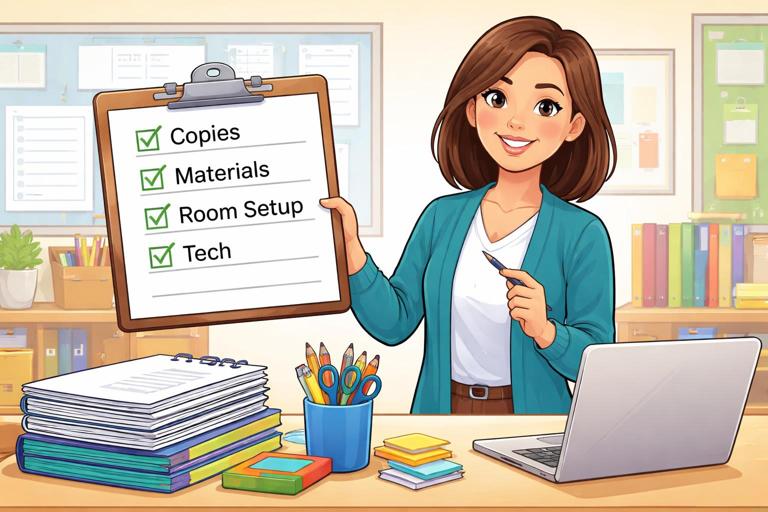
Convert the daily agendas into operational checklists: what to print, what to prep, what to set out, and what to queue digitally. This is where templates save the most time because they prevent last-minute scrambling.
Step 5: Create Quick Checks and Practice
Generate warm-ups and exit tickets aligned to each day’s focus. Keep them short and easy to grade. If you use the same structure weekly, students learn the routine and you reduce cognitive load.
Step 6: Draft Weekly Communications
Use a template to produce a family message and a student-facing weekly preview. The template should ensure clarity: what we’re learning, what to bring, what’s due, and how to get help.
Copy-and-Paste Prompt Templates (Weekly Planning Library)
The templates below are designed to be pasted as-is. Replace bracketed variables. If you want maximum consistency, do not change the headings; only change the variables and the content inputs.
Template 1: Weekly Overview (One-Page Snapshot)
Task: Create a weekly plan overview I can use as a one-page snapshot. Inputs: WEEK VARIABLES: [paste filled block] Additional context: - Prior lesson/topic students just completed: [ ] - Upcoming assessment or checkpoint (if any): [ ] Output format (use exactly): 1) Weekly focus (2–3 sentences) 2) Day-by-day table with columns: Day | Learning focus | In-class activities (3 bullets) | Student product | Homework/Practice | Materials to prep 3) “Teacher prep checklist” (bulleted) 4) “Risk points & fixes” (3–5 bullets: what might go wrong and how to prevent it) Constraints: - Keep each day’s activities realistic for [minutes per class]. - Use plain language I can paste into my planner. - Do not invent resources I didn’t mention; if needed, write “teacher-created handout.”Template 2: Daily Agendas with Timing and Transitions
Task: Expand the weekly overview into daily agendas with time stamps and transitions. Inputs: WEEK VARIABLES: [paste filled block] Weekly overview: [paste Template 1 output] Output format: For each day, provide: - Agenda title: “Day [#]: [focus]” - Time-stamped agenda (minute ranges) including: Do Now, mini-lesson/input, guided practice, independent practice, check for understanding, closure - Teacher talk moves (2–3 short scripts) for key transitions - Board/slide agenda text (copy-ready, 6–10 lines) Constraints: - Total time must equal [minutes per class]. - Include at least one quick check for understanding per day. - Keep scripts short and classroom-ready.Template 3: Slide Deck Outline (No Slides, Just Structure)
Task: Create a slide-by-slide outline for the week based on the daily agendas. Inputs: WEEK VARIABLES: [paste filled block] Daily agendas: [paste Template 2 output] Output format: - For each day: list slide numbers with titles and 1–3 bullets per slide. - Mark slides as: [Teacher-led], [Student work], or [Discussion]. - Include a slide for: objective/agenda, directions, worked example/model (if applicable), practice prompt, exit ticket. Constraints: - Keep to 8–14 slides per day unless the agenda suggests otherwise. - Do not write full paragraphs; use concise bullets.Template 4: Materials, Copies, and Setup Checklist
Task: Turn the weekly plan into an operational prep list. Inputs: WEEK VARIABLES: [paste filled block] Daily agendas or weekly overview: [paste] Output format: A) Copies/Printing (by day) - item | quantity | notes B) Materials to gather (by day) - item | where it comes from | prep time estimate C) Room setup (by day) - seating | stations | board setup D) Tech checklist (by day) - links/files | devices | backups Constraints: - If a quantity is unknown, write “TBD” and ask one clarifying question at the end. - Keep it practical and minimal.Template 5: Homework/Practice Menu (Differentiated by Time, Not Level)
Task: Create a weekly homework/practice menu with options by time commitment so students can choose. Inputs: WEEK VARIABLES: [paste filled block] Weekly focus and daily topics: [paste] Output format: - “Must-do” (10 minutes per class meeting): list items by day - “Should-do” (20 minutes): 3 options for the week - “Challenge” (30–40 minutes): 2 options for the week - Submission instructions (2–4 bullets) Constraints: - Keep tasks aligned to the week’s focus. - Avoid requiring special materials or outside websites unless listed in WEEK VARIABLES. - Use student-friendly language.Template 6: Warm-Ups (Retrieval) and Exit Tickets (Same Structure Daily)
Task: Generate warm-ups and exit tickets for each day using a consistent structure. Inputs: WEEK VARIABLES: [paste filled block] Daily agendas: [paste] Output format: For each day: Warm-up (3–5 minutes): - Q1: retrieval from prior learning - Q2: connect to today’s focus - Q3: quick vocabulary or concept check Exit ticket (3–6 minutes): - Prompt (1–2 sentences) - 2 questions: one basic, one application - Answer key (brief) Constraints: - Keep questions short and printable. - Avoid trick questions. - Ensure the exit ticket matches the day’s learning focus.Template 7: Small-Group Plan for One Target Day
Task: Create a small-group rotation plan for Day [#] to address common needs. Inputs: WEEK VARIABLES: [paste filled block] Day [#] agenda: [paste that day] Common needs I anticipate: [list 2–4 needs] Output format: - Grouping plan (3 groups) with criteria (not student names) - Rotation schedule with minutes - Teacher table plan: 1 mini-lesson + 2 guided prompts - Independent station: directions + success criteria - Extension station: directions + success criteria - Quick data capture: what I record in 1 minute per group Constraints: - Must fit within [minutes per class]. - Keep directions short enough to put on a station card.Template 8: Substitute-Ready Day Plan (If You’re Out)
Task: Convert Day [#] into a substitute-ready plan. Inputs: WEEK VARIABLES: [paste filled block] Day [#] agenda and materials: [paste] Output format: - Overview (2–3 sentences) - Schedule with times - Step-by-step directions for students - What to do if students finish early - Classroom management notes (3–5 bullets) - Materials list - Answer key or expected responses (if applicable) Constraints: - Write for a non-specialist substitute. - Avoid jargon. - Keep it to 1–2 pages worth of text.Template 9: Absent-Student Catch-Up Packet (One Page)
Task: Create a one-page catch-up guide for a student who missed Day [#] (or the whole week). Inputs: WEEK VARIABLES: [paste filled block] What was missed: [Day # or week] Key materials used: [list] Output format: - What we learned (3 bullets) - What you need to do (checklist) - Key notes/examples (short) - Practice (3–5 questions) - How to get help (2 options) Constraints: - Keep it to one page. - Assume the student has limited time and may not have access to class discussion.Template 10: Weekly Family Message (Clear, Calm, Actionable)
Task: Draft a weekly message to families/caregivers. Inputs: WEEK VARIABLES: [paste filled block] Weekly overview: [paste] Output format: Subject line: [ ] Greeting: [ ] This week in class (3 bullets) Key dates (bullets) How to support at home (2–3 bullets) What to bring/prepare (bullets) How to reach me (1 sentence) Constraints: - Keep it under 200 words. - Use plain language. - Avoid educational jargon and acronyms.Template 11: Student Weekly Preview (Posted Monday)
Task: Write a student-facing weekly preview I can post. Inputs: WEEK VARIABLES: [paste filled block] Weekly overview: [paste] Output format: - Title: “This Week: [unit/topic]” - What you’ll be able to do by Friday (3 bullets) - Daily roadmap (Mon–Fri, 1 line each) - What to watch for (2 bullets: common mistakes or tricky parts) - How to succeed (3 bullets) Constraints: - Keep it upbeat but specific. - Use “you” language. - No more than 180 words.Template 12: End-of-Week Reflection to Improve Next Week’s Templates
Task: Help me reflect on the week and generate adjustments for next week’s planning templates. Inputs: WEEK VARIABLES: [paste filled block] What happened (quick notes): - What ran long: [ ] - What students struggled with: [ ] - What worked well: [ ] - Any behavior/engagement issues: [ ] - Data points (exit ticket trends, etc.): [ ] Output format: 1) Keep (3 bullets) 2) Change (3 bullets) 3) Remove (1–2 bullets) 4) Add (2 bullets) 5) Template edits: suggest exact wording changes to my templates (quote the lines to replace) Constraints: - Focus on actionable changes I can implement next week. - Do not recommend new tools; keep it process-focused.Making Templates “Plug-and-Play”: Variable Blocks and Snippets
To make templates truly copy-and-paste, create small reusable snippets you can insert into any prompt. Snippets are short blocks for recurring needs: your class periods, your weekly non-negotiables, your grading turnaround time, or your classroom routines. Keep snippets in a section called “Snippets” at the top of your library.
Snippet A: Class Periods and Time Budgets
CLASS PERIODS: Period 1: [minutes], Period 2: [minutes], Period 3: [minutes] TIME RULES: - Start with a 3–5 minute Do Now - Reserve last 4 minutes for closure - Include a mid-lesson check for understandingSnippet B: Routine Directions (Copy-Ready)
ROUTINE DIRECTIONS (copy-ready): - Do Now: Start silently. Write in complete sentences unless told otherwise. - Turn and Talk: Partner A speaks first for 30 seconds, then Partner B. - Independent Work: Try first, then ask a peer, then ask the teacher. - Exit Ticket: Work independently; submit before you leave.Snippet C: Special Events and Constraints
CONSTRAINTS THIS WEEK: - [assembly day/time] - [shortened period] - [testing window] - [lab materials unavailable] - [field trip]Example: Running the Library for a Real Week (Demonstration Inputs)
Below is a demonstration of how you might fill variables and run three templates in sequence. The point is to show how little you need to change week to week.
Demo Variable Block
WEEK VARIABLES (filled example) Week of: Jan 13–17 Course/Grade: Grade 8 ELA Unit/Topic focus: Analyzing theme and character change in short fiction Class meetings this week: 5 Minutes per class: 52 Key deliverables due: Theme paragraph due Friday Special events/constraints: Wednesday assembly (42-minute class) Student needs to watch for: Some students confuse theme with topic; several need sentence frames for evidence commentary Materials available/limits: Printed short story (teacher-created packet), projector, notebooksDemo Step: Weekly Overview Prompt (What You Paste)
Paste Template 1 and replace the variables with the filled block above. Then paste one sentence of prior context, such as: “Prior lesson: identifying character traits and using text evidence.” This produces a day-by-day plan you can quickly sanity-check against your calendar.
Demo Step: Daily Agendas Prompt (What You Paste)
Paste Template 2 and include the weekly overview output. Because Wednesday is shorter, the agenda template will force the model to compress activities to fit 42 minutes. You then copy the “Board/slide agenda text” directly into your slide deck or whiteboard plan.
Demo Step: Materials & Copies Checklist (What You Paste)
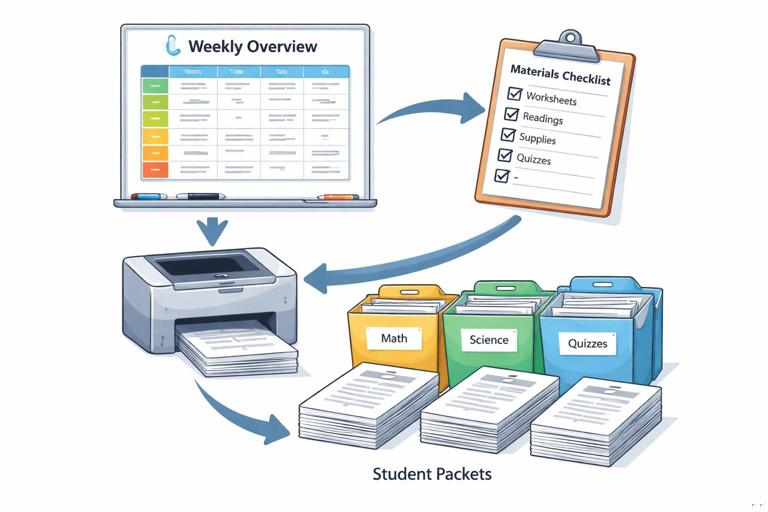
Paste Template 4 and include either the weekly overview or the daily agendas. This converts instructional plans into prep actions: print packets, prepare sentence frames, queue a discussion prompt, and note what to write on the board. If the output includes “TBD,” answer the clarifying question once, then rerun the template to finalize quantities.
Maintenance: Keeping the Library Small and High-Quality
A template library works best when it is small enough to use weekly. If you have 40 templates, you will stop using them. Aim for 8–12 core templates plus a few optional ones (sub plan, catch-up guide, small-group day). Every Friday or Sunday, run the reflection template and make one edit to your library: tighten an output format, add a constraint you keep repeating, or remove a section you never use.
Version your templates lightly. Add a date tag in the template name when you make a meaningful change, and keep only the last two versions. If a new version creates more editing work, revert. The library should feel like a set of reliable forms: predictable, quick, and aligned to how you actually teach week to week.