Why “real-time” is different in an HTML-first app
In an HTMX + Alpine.js application, most UI changes happen because the user triggers an HTTP request and the server returns HTML that gets swapped into the page. “Real-time” flips the direction: the server initiates updates, and the browser must incorporate them without losing user context. The key challenge is not receiving events; it is reconciling them predictably with whatever the user is currently doing (typing, selecting, scrolling, editing a form, or viewing a modal). This chapter focuses on server-sent events (SSE) as the transport, and on reconciliation strategies that keep the UI stable and understandable.

Server-Sent Events (SSE) as the simplest real-time channel
SSE is a one-way stream from server to browser over HTTP. The browser keeps a connection open and receives a sequence of events. Compared to WebSockets, SSE is simpler to deploy (works over standard HTTP), fits “server pushes updates” well, and is often enough for dashboards, notifications, and collaborative “presence” indicators. In HTMX terms, SSE is a way to trigger swaps without a user action.
What an SSE message looks like
An SSE stream is plain text with a specific format. Each event can have an optional name, an id, and a data payload. The browser receives it incrementally.
event: order.updated
id: 1842
data: {"orderId":42,"status":"shipped"}
Even if your payload is JSON, you should treat it as a signal that something changed, not as the source of truth for rendering. A predictable approach is: use the event to decide what fragment to refresh, then fetch HTML from the server for that fragment.
HTMX support for SSE: wiring events to swaps
HTMX provides an SSE extension that can connect to an SSE endpoint and trigger swaps when events arrive. The most robust pattern is “event as invalidation”: when an event arrives, HTMX performs a normal HTTP request to retrieve the latest HTML fragment and swaps it into a target. This keeps rendering logic on the server and avoids duplicating templates in JavaScript.
- Listen to the audio with the screen off.
- Earn a certificate upon completion.
- Over 5000 courses for you to explore!

Download the app
Step 1: include the SSE extension
Add the extension script and enable it on a container. The exact file name depends on your HTMX distribution, but the idea is consistent: load the SSE extension and declare it via hx-ext.
<script src="/static/htmx.min.js"></script>
<script src="/static/ext/sse.js"></script>

<div hx-ext="sse">
  ...
</div>
Step 2: connect to an SSE stream
Use sse-connect to open the stream. You can attach this to a high-level container so multiple elements can respond to events from the same connection.
<div hx-ext="sse" sse-connect="/events">
  ...
</div>
Step 3: bind an event to an element refresh
When an event arrives, you typically want to refresh a specific fragment. One common pattern is to have the element declare what URL to fetch and what event should trigger it.
<section
  id="order-42"
  hx-get="/orders/42/fragment"
  hx-trigger="sse:order.updated"
  hx-swap="outerHTML">
  ...server-rendered order card...
</section>
Here, the SSE event named order.updated triggers an HTMX GET to /orders/42/fragment. The server returns the updated HTML for that order card, and HTMX swaps it in. This is predictable because the server remains the authority for the final UI.
Designing SSE endpoints: event naming and scoping
Your SSE endpoint should emit events that are easy to route to the right UI fragments. Avoid “one giant event for everything” because it forces the client to refresh too much. Also avoid overly granular events that cause excessive network churn. A practical middle ground is to emit events by domain concept (order, message, inventory item) and include identifiers in the payload so the client can decide whether to refresh.
Event naming conventions
Use stable, descriptive names like order.updated, order.created, inventory.low, chat.message.created. Keep them consistent across the app. If you later add more listeners, you will not need to change the server event names.
Scoping streams per user or per page
Most apps should not broadcast all events to all users. Common scoping strategies include: per-user streams (only events relevant to the authenticated user), per-tenant streams, or per-resource streams (e.g., /events/orders/42). Scoping reduces unnecessary refreshes and makes reconciliation easier because fewer unrelated updates arrive while the user is editing.
Predictable client reconciliation: the core problem
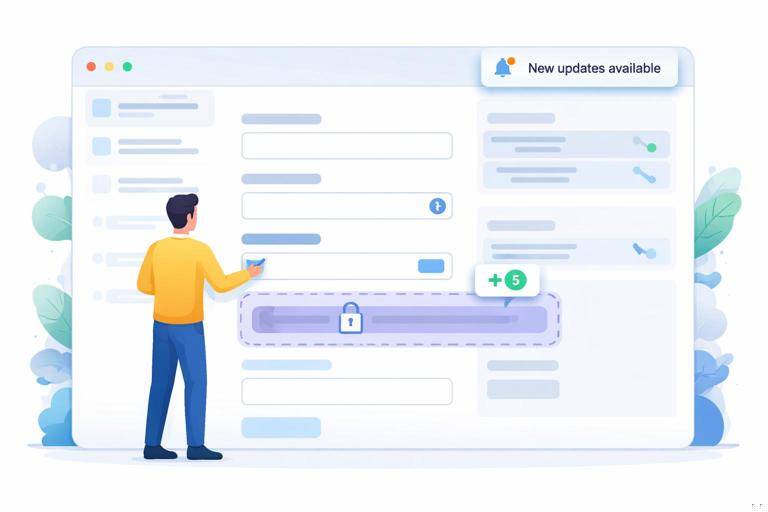
Once events can update the DOM at any time, you must decide what happens if the user is interacting with the same region. Predictable reconciliation means the user can anticipate what will and will not change. The worst experience is when a background update replaces a form while the user is typing, or collapses a section they just opened. The goal is to define rules like “do not swap this fragment while it is dirty” or “queue updates until the user finishes editing.”
Reconciliation rule 1: never overwrite active inputs
If a fragment contains a focused input or a form with unsaved changes, background swaps should be blocked or deferred. HTMX gives you lifecycle events (like htmx:beforeSwap) where you can cancel a swap. Alpine.js can track “dirty” state and expose it to the DOM so the swap decision is declarative.
<form
  x-data="{ dirty: false }"
  @input="dirty = true"
  data-realtime-guard
  hx-post="/orders/42/update"
  hx-swap="outerHTML">

  <label>Shipping note</label>
  <input name="note" @focus="$el.closest('form').dataset.focused = 'true'"
                 @blur="delete $el.closest('form').dataset.focused" />

  <button type="submit" @click="dirty = false">Save</button>
</form>

<script>
  document.body.addEventListener('htmx:beforeSwap', (e) => {
    const target = e.detail.target;
    const guarded = target.closest('[data-realtime-guard]');
    if (!guarded) return;

    const isFocused = guarded.dataset.focused === 'true';
    const isDirty = guarded.__x?.$data?.dirty === true; // Alpine internal access; see note below

    if (isFocused || isDirty) {
      e.preventDefault();
    }
  });
</script>
The snippet demonstrates the idea: cancel swaps when a guarded form is focused or dirty. In production, prefer a cleaner bridge between Alpine and the DOM (for example, mirror state into data-dirty attributes) rather than relying on Alpine internals. The important part is the policy: background updates should not destroy in-progress user work.
Reconciliation rule 2: prefer targeted swaps over page-wide refresh
When an event arrives, refresh the smallest fragment that can represent the change. If an order status changes, swap only the status badge or the order card, not the entire list page. Smaller swaps reduce the chance of interfering with user interaction and make updates feel calm rather than chaotic.
<span
  id="order-42-status"
  hx-get="/orders/42/status-badge"
  hx-trigger="sse:order.updated"
  hx-swap="outerHTML">
  <span class="badge">Processing</span>
</span>
Reconciliation rule 3: make updates visible but not disruptive
Sometimes you should not swap immediately, even if it is safe. For example, if the user is reading a long list, swapping items can move content under their cursor. A predictable pattern is to show a “New updates available” indicator and let the user apply updates on demand, or apply them only when the user is at the top of the list.
<div x-data="{ pending: 0 }" @realtime-pending.window="pending++">
  <button
    x-show="pending > 0"
    @click="pending = 0; $dispatch('apply-updates')">
    Apply updates (<span x-text="pending"></span>)
  </button>

  <div
    id="orders-list"
    hx-get="/orders/list-fragment"
    hx-trigger="apply-updates from:window"
    hx-swap="innerHTML">
    ...
  </div>
</div>
Now the SSE event can increment a counter instead of swapping immediately. This is “predictable reconciliation” because the user controls when the list changes.
Two practical architectures for real-time updates
Architecture A: event triggers fragment refresh (recommended default)
In this approach, the SSE payload is minimal: it tells you what changed (and maybe which id). The client reacts by fetching HTML fragments via normal endpoints. This keeps your rendering consistent with non-real-time navigation and reduces client complexity.
- Server emits:
event: order.updatedwithdata: {"orderId":42} - Client listens: element with
hx-trigger="sse:order.updated" - Client fetches:
/orders/42/fragmentand swaps it
When multiple items can change, you can either refresh a container list fragment, or use a small bit of JavaScript to route updates to the right element (for example, dispatch a custom event with the id and have matching elements decide whether to refresh).
Architecture B: event carries HTML to swap (use selectively)
You can send HTML directly in the SSE data and swap it into the DOM without an extra request. This reduces latency and server load for high-frequency updates, but it increases coupling: the SSE stream now contains presentation, and you must ensure it is safe and correctly targeted. If you choose this, keep the swapped region small (like a badge or a counter) and ensure the HTML is already sanitized and appropriate for the current user.
event: inventory.low
id: 991
data: <span class="badge badge--warn">Low stock</span>
Even in this architecture, you still need reconciliation rules to avoid overwriting active interactions.
Step-by-step: building a live-updating “order board” with safe reconciliation
Step 1: render the board with stable IDs and small swap zones
Start by ensuring each order card has a stable id and that the parts that change frequently are isolated. For example, status and “last updated” can be separate swap targets.
<div hx-ext="sse" sse-connect="/events/orders">
  <article id="order-42" class="order-card">
    <h3>Order #42</h3>

    <div id="order-42-status"
         hx-get="/orders/42/status"
         hx-trigger="sse:order.updated"
         hx-swap="outerHTML">
      <span class="badge">Processing</span>
    </div>

    <div id="order-42-updated-at"
         hx-get="/orders/42/updated-at"
         hx-trigger="sse:order.updated"
         hx-swap="outerHTML">
      Updated 2 minutes ago
    </div>

    <div>
      <a href="/orders/42">Open</a>
    </div>
  </article>
</div>
Notice that the whole card is not swapped on every update; only the small sub-fragments are. This reduces layout shift and makes the UI feel stable.
Step 2: implement the SSE endpoint on the server
Your server must respond with Content-Type: text/event-stream, keep the connection open, and flush events as they happen. The implementation details vary by backend, but the behavior is the same: write lines in SSE format and flush.
HTTP/1.1 200 OK
Content-Type: text/event-stream
Cache-Control: no-cache
Connection: keep-alive

event: order.updated
id: 1842
data: {"orderId":42}
Emit an event when an order changes status, when a payment is confirmed, or when a background job completes. If you can, include an increasing id so clients can detect missed events and you can log delivery gaps.
Step 3: reconcile updates with “editing locks”
Now add a detail panel where the user can edit an order note. While the user is editing, you should still allow non-conflicting updates (like status badge) but avoid swapping the note editor itself. The simplest rule is: guard the editor region and cancel swaps into it while dirty.
<section id="order-42-detail" hx-ext="sse" sse-connect="/events/orders/42">
  <div
    id="order-42-note"
    x-data="{ dirty: false }"
    :data-dirty="dirty ? 'true' : 'false'"
    @input="dirty = true"
    hx-get="/orders/42/note-fragment"
    hx-trigger="sse:order.updated"
    hx-swap="outerHTML">

    <label>Internal note</label>
    <textarea name="note">Call customer before shipping</textarea>
    <button hx-post="/orders/42/note" hx-swap="outerHTML" @click="dirty = false">Save</button>
  </div>
</section>

<script>
  document.body.addEventListener('htmx:beforeSwap', (e) => {
    const target = e.detail.target;
    if (!target) return;

    // If the swap target (or its ancestor) is marked dirty, block the swap.
    const dirtyEl = target.closest('[data-dirty="true"]');
    if (dirtyEl) {
      e.preventDefault();
    }
  });
</script>
This pattern is intentionally explicit: the DOM carries the “dirty” state, and the swap guard reads it without needing to know Alpine internals. The reconciliation rule becomes inspectable in devtools: if data-dirty="true", background swaps into that region are blocked.
Step 4: queue a refresh after editing ends
If you block swaps while dirty, you still need a way to catch up. A predictable approach is to set a “needs refresh” flag when an event arrives during editing, then refresh once the user saves or blurs the editor. You can do this with a tiny Alpine state machine and a custom event that triggers an HTMX refresh.
<div
  id="order-42-note"
  x-data="{ dirty: false, needsRefresh: false }"
  :data-dirty="dirty ? 'true' : 'false'"
  @input="dirty = true"
  @sse-order-updated.window="if (dirty) needsRefresh = true"
  @saved.window="dirty = false; if (needsRefresh) { needsRefresh = false; $dispatch('refresh-note') }"
  hx-get="/orders/42/note-fragment"
  hx-trigger="refresh-note"
  hx-swap="outerHTML">
  ...
</div>
To make this work, you need to translate the SSE event into a window event (or directly use HTMX triggers if your setup supports it). The conceptual flow is what matters: if an update arrives while editing, do not swap; remember that you owe the user a refresh; apply it at a safe moment.
Handling missed events and reconnects
Real-time streams can disconnect. A predictable UI must recover without showing stale data indefinitely. SSE supports Last-Event-ID: when the browser reconnects, it can send the last received id so the server can replay missed events. Even if you do not implement replay, you should have a fallback strategy: on reconnect, refresh key fragments or perform a lightweight “sync” request.
Practical resync pattern: refresh a versioned container
Maintain a server-side version (or updated timestamp) for a resource list. On reconnect, fetch the list fragment. If the user is editing, apply the “pending updates” indicator instead of swapping immediately.
<div
  id="orders-board"
  hx-get="/orders/board-fragment"
  hx-trigger="realtime-resync from:window"
  hx-swap="innerHTML">
  ...
</div>
Then, when your SSE connection reports an error or reconnect event (implementation depends on your SSE wiring), dispatch realtime-resync. The board becomes consistent again using the same HTML endpoint you already trust.
Out-of-order updates and idempotent rendering
Events can arrive out of order, or multiple events can represent intermediate states that the user never needs to see. Predictable reconciliation means your UI should be correct even if you skip some events. The safest approach is to treat events as “invalidate and refetch,” because the refetch returns the latest state. If you do apply event payloads directly, ensure updates are idempotent and monotonic: for example, only apply an update if its version is newer than what the DOM currently shows.
Version stamps in the DOM
You can embed a version number or timestamp in the fragment and use it to decide whether to accept a swap. This is useful when multiple sources can trigger refreshes and you want to avoid older HTML overwriting newer HTML.
<div id="order-42-status" data-version="1842">
  <span class="badge">Shipped</span>
</div>

<script>
  document.body.addEventListener('htmx:beforeSwap', (e) => {
    const target = e.detail.target;
    if (!target) return;

    // If the incoming fragment has a lower version, cancel.
    const incoming = e.detail.xhr?.getResponseHeader('X-Fragment-Version');
    const current = target.getAttribute('data-version');
    if (incoming && current && Number(incoming) < Number(current)) {
      e.preventDefault();
    }
  });
</script>
This pattern requires the server to send a version header (or include it in the HTML). It is not always necessary, but it is a strong tool when you have frequent updates and want deterministic ordering.
Real-time UX patterns that work well with HTMX + Alpine
Live counters and badges
Counters (unread messages, queued jobs, active users) are ideal for SSE. They are small, low-risk swaps. Use a dedicated endpoint that returns just the badge HTML, and swap outerHTML to keep markup consistent.
Toast notifications as event-driven UI
Instead of swapping existing content, some events should create new UI elements (like a toast). Alpine is a good fit for this: SSE triggers a window event, Alpine appends a notification item. This avoids interfering with the main content and keeps reconciliation simple: notifications are additive.

Presence indicators and “soft real-time”
Presence (who is online, who is viewing a record) benefits from “soft real-time”: update occasionally, tolerate staleness, and avoid constant DOM churn. A common approach is to update presence via SSE but debounce swaps or batch them into a periodic refresh.