Why Policies and Ethics Matter in Everyday Classroom AI Use
Classroom AI use is not only a teaching strategy; it is also a data practice. The moment a teacher or student types text into an AI tool, uploads a file, or asks for feedback on student work, questions arise about privacy, consent, transparency, and intellectual honesty. Policies and ethics help you make consistent decisions that protect students, reduce risk, and build trust with families and colleagues.
In this chapter, “policy” means the rules and procedures your classroom or school uses to decide what is allowed, what is restricted, and what must be documented. “Ethics” means the values that guide choices when rules are unclear, such as minimizing harm, respecting student autonomy, and being honest about how work was produced. The practical goal is to create routines that are easy to follow during real teaching, not just ideal scenarios.
Privacy: What Data Is at Risk and How It Moves
What counts as student data in AI contexts
Student data includes obvious identifiers (name, student ID, email, photo) and also indirect identifiers (a unique story, a rare accommodation, a combination of details that makes a student recognizable). In AI use, student data can appear in many forms: pasted writing samples, behavior notes, IEP/504 details, grades, comments, chat logs, voice recordings, or screenshots of student work. Even “anonymized” text can be re-identifiable if it contains distinctive events, locations, or relationships.
Common data pathways teachers overlook
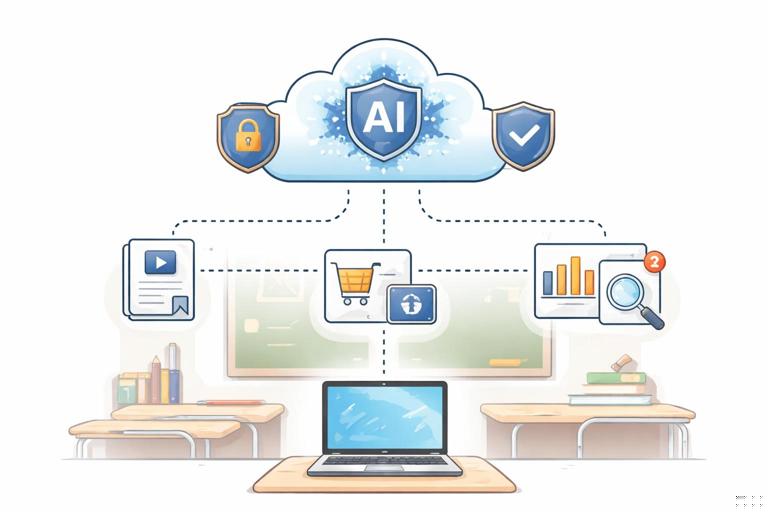
AI tools may store prompts and outputs, use them for product improvement, or route them through third-party services. Data can also leak through browser extensions, shared accounts, auto-save features, or copying text into multiple tools. A practical policy mindset is to assume that anything you paste into a tool could be retained, reviewed, or exposed later unless you have a written agreement stating otherwise.
Data minimization as the default rule
Data minimization means sharing the least amount of information needed to accomplish the task. In classroom AI use, this is the simplest privacy protection because it does not depend on a vendor’s promises. If you can get a useful result without including personal details, do not include them. If you need student work for feedback, remove identifiers and reduce context to what the AI needs to respond well.
- Listen to the audio with the screen off.
- Earn a certificate upon completion.
- Over 5000 courses for you to explore!

Download the app
Practical Step-by-Step: A Privacy-First Workflow for Teachers
Step 1: Classify the task by sensitivity
Before using AI, quickly label the task as low, medium, or high sensitivity. Low sensitivity: generating generic examples, practice questions, or teacher-facing planning notes with no student information. Medium sensitivity: using de-identified student work excerpts for feedback patterns. High sensitivity: anything involving grades, discipline, mental health, disability status, family circumstances, or identifiable student writing in full.
Step 2: Decide the allowed input type
For low sensitivity tasks, you can usually input your own instructions and general context. For medium sensitivity tasks, use short excerpts and remove identifiers. For high sensitivity tasks, do not input the data into public or non-approved tools; instead, use offline methods, school-approved systems with appropriate agreements, or keep the work fully human.
Step 3: De-identify and reduce
Use a consistent de-identification routine: remove names, replace specific places with general labels, and delete unique personal events. Reduce length: paste only the portion needed for the AI to analyze. If you are asking for writing feedback, you often need a paragraph, not the entire essay. If you are asking for a rephrase, you may need only the sentence in question.
Step 4: Add a privacy constraint in the prompt
Even when you de-identify, include a constraint that tells the AI not to infer or request personal details. This does not guarantee privacy, but it reinforces your intent and reduces the chance the AI asks for more sensitive information.
Privacy constraint: Do not ask for or infer any personal details about the student. Treat the text as de-identified and respond only to the writing itself.Step 5: Store outputs safely and avoid unnecessary sharing
Outputs can become records. If you paste AI feedback into a gradebook comment field, it may be retained long-term. Save AI-generated materials only where you would normally store instructional documents, and avoid attaching AI chat logs to student records. If you need to document AI use, document the decision and the final teacher-reviewed result, not the full conversation containing sensitive context.
Transparency: Setting Expectations with Students and Families
What transparency means in classroom AI use
Transparency is being clear about when AI is used, for what purpose, and what role the teacher and student play in the final work. It is not a one-time statement; it is a routine. Transparency reduces confusion, prevents “gotcha” discipline situations, and helps students learn responsible use rather than secretive use.
Three transparency levels you can adopt
You can choose a transparency level that matches your context and age group. Level 1: Teacher-only AI use (planning, creating examples, drafting feedback templates) with no student data. Level 2: Guided student AI use (students use AI with explicit boundaries and documentation). Level 3: AI-integrated workflow (AI is a regular tool, and students are assessed on both product and process). A policy should state which level applies to which assignments.
Practical classroom language for transparency
Students need simple, repeatable language. For example: “AI can help you brainstorm, but it cannot replace your thinking.” Or: “If you use AI, you must show your prompts and what you changed.” Families need reassurance about privacy and grading: “We do not upload identifiable student work to non-approved tools,” and “Grades reflect student understanding demonstrated through in-class checks and documented drafts.”
Practical Step-by-Step: Build an AI Use Disclosure Routine
Step 1: Define allowed, limited, and not allowed uses
Create a short list for each category. Allowed might include brainstorming topic ideas, generating practice questions, or checking clarity of a student-written paragraph. Limited might include outlining or translation support with documentation. Not allowed might include generating final answers for graded writing, impersonating a peer, or submitting AI text as original work without attribution.
Step 2: Add a disclosure box to assignments
Use a consistent disclosure box students complete whenever AI is permitted. Keep it short so students actually do it.
AI Use Disclosure (complete if you used any AI tool) 1) Tool used: 2) What you asked it to do (paste prompt or describe): 3) What you kept: 4) What you changed and why: 5) One thing you learned or decided yourself:Step 3: Teach “process evidence” as a normal expectation
Process evidence can include handwritten notes, an outline, a draft with revisions, or a brief reflection. The ethical goal is not surveillance; it is making learning visible. When students know that process matters, they are less likely to outsource thinking and more likely to use AI as support.
Step 4: Explain how grading works when AI is involved
State what is being assessed: content understanding, reasoning, voice, or skill demonstration. If AI is allowed for grammar support, say so. If the goal is argumentation, specify that claims and evidence must be student-selected and defensible in discussion. Transparency about grading reduces conflict and makes academic integrity expectations fair.
Citations: Giving Credit for AI Assistance and Sources
Why citations matter even when AI is “just a tool”
Citations serve two ethical purposes: credit and traceability. Credit means acknowledging assistance and avoiding misrepresentation. Traceability means a reader can see where ideas or quotes came from. AI complicates traceability because it can generate plausible text without a clear source. That is why AI outputs should not be treated as sources of truth; they are drafts that must be supported by real sources when factual claims matter.
Different things that may need citation
In classroom work, students may need to cite: (1) human-authored sources they read, (2) datasets or images, (3) AI assistance (when it shaped wording, structure, or ideas), and (4) direct quotations from any source. A policy should clarify that AI is not a substitute for citing original sources. If a student uses AI to summarize an article, the article still needs to be cited.
Practical citation options that fit classroom reality
Formal citation styles can be appropriate for older students, but many classrooms need a simpler approach. You can accept a “tool acknowledgment” line plus normal citations for sources. The key is consistency: the same rule for everyone, and the same expectation across assignments where AI is permitted.
Tool acknowledgment example: “I used an AI assistant to help brainstorm an outline and revise sentence clarity on 2026-01-08. I reviewed and edited the final text.”Practical Step-by-Step: A Classroom-Ready AI Citation Policy
Step 1: Decide when AI acknowledgment is required
Require acknowledgment when AI contributed to wording, structure, code, images, or idea generation beyond trivial spelling checks. Do not require it for teacher-only planning. For students, make the default: if AI touched the work, acknowledge it.
Step 2: Choose a simple format students can follow
Pick one format and reuse it. For example: tool name, date, purpose, and what the student changed. This keeps the focus on learning rather than perfect formatting.
Step 3: Separate “AI acknowledgment” from “source citations”
Teach students that acknowledging AI is not the same as citing sources. If the assignment requires evidence, students must cite the articles, books, interviews, or class materials that support their claims. AI can help them write, but it cannot replace evidence.
Step 4: Add a verification checkpoint for factual claims
When students use AI for research support, require a checkpoint: highlight two factual claims and provide the supporting source for each. This turns citation into a learning habit and reduces accidental misinformation.
Consent and Student Agency: Opt-Outs, Alternatives, and Power Dynamics
Why consent is complicated in classrooms
Students may feel they cannot refuse a tool a teacher recommends, especially if it affects grades or participation. Ethical practice recognizes this power imbalance. Even if a tool is approved, students should have a reasonable alternative when possible, particularly when accounts, data sharing, or recordings are involved.
Practical ways to offer agency without losing structure
Offer an equivalent non-AI pathway: peer review instead of AI feedback, teacher conference instead of AI tutoring, or printed practice instead of AI-generated practice. Keep the learning target the same. The goal is not to make AI “special,” but to ensure students are not forced into a data-sharing choice to succeed academically.

Equity and Access: Avoiding a Two-Tier AI Classroom
Access issues that become ethical issues
If some students have faster devices, paid subscriptions, or more time at home, AI can widen gaps. Ethical classroom policy should prevent AI from becoming an advantage available only to some. This is especially important when AI is used for drafting, tutoring, or test preparation.
Practical policy moves for equitable access
Keep AI use primarily in class when possible, provide the same tool access to everyone, and avoid grading “polish” that can be purchased. If AI is optional, ensure that students who do not use it are not penalized. If AI is permitted for practice, provide non-AI practice options that are equally effective.
Teacher Responsibility: Human-in-the-Loop Decisions and Accountability
What “human in the loop” means for educators
Human-in-the-loop means the teacher remains responsible for instructional decisions, accuracy, and fairness. AI can suggest, but it cannot be the final authority on student ability, behavior, or grading. Policies should explicitly state that AI outputs are advisory and must be reviewed before being used in instruction or feedback.
High-stakes uses to avoid or tightly restrict
Avoid using AI to make or justify high-stakes decisions such as grades, placement, discipline, or special education determinations. Even when AI seems helpful, it can embed errors or bias, and it can be difficult to explain. If any AI-supported analysis is used, it should be limited, documented, and paired with human evidence.
Practical Step-by-Step: A One-Page Classroom AI Policy You Can Actually Use
Step 1: Write three non-negotiables
Choose three rules that cover most situations. Example non-negotiables: (1) Do not enter identifiable student information into non-approved AI tools. (2) If students use AI, they must disclose and show process evidence. (3) AI output must be checked against class materials or credible sources before being treated as factual.
Step 2: Add assignment-level AI labels
Label each assignment with one of three tags: “No AI,” “AI allowed with disclosure,” or “AI required with guided prompts.” This prevents confusion and supports consistent enforcement.
Step 3: Define consequences as learning responses
When misuse happens, respond in a way that teaches the policy. For example: redo the task with process evidence, complete an in-class demonstration of the skill, or write a reflection on what was outsourced and how to rebuild it. Reserve punitive responses for repeated or deceptive behavior, and keep documentation consistent.

Step 4: Create a documentation habit for yourself
Keep a simple teacher log: which tools are used, for what purpose, and what privacy protections you applied. This is helpful for communicating with families, administrators, or colleagues and for improving your own practice over time.
Sample Policy Language You Can Adapt
Privacy statement (classroom version)
“We will not upload or paste identifiable student information into AI tools unless the school has approved the tool for student data. When we use AI for learning support, we remove names and personal details.”
Transparency statement (student-facing)
“If AI helps you, you must say how it helped. You are responsible for understanding and explaining your work. If you cannot explain it, it does not count as your learning.”
Citation and acknowledgment statement
“AI is not a source. If you use AI to help write or revise, add an AI acknowledgment. If you use facts, quotes, or ideas from readings or websites, cite those sources.”