Why accommodations and accessibility belong in your prompts
Accommodations and accessibility are not “extra features” you add after a lesson is written; they are design requirements that determine whether students can actually access the learning. In AI-assisted planning, this means you explicitly ask the model to produce materials that remove barriers related to reading level, language proficiency, disability, attention, sensory needs, and executive functioning. The practical goal is simple: students should be able to understand directions, engage with content, and show what they know without unnecessary obstacles.
When you prompt for accessibility, you are asking for two kinds of supports: (1) clear language that reduces cognitive load for everyone, and (2) inclusive options that provide multiple ways to perceive information, participate, and respond. Clear language is not “dumbing down”; it is precision—short sentences, concrete verbs, consistent terms, and visible structure. Inclusive supports are not “special treatment”; they are planned alternatives that keep the learning target the same while changing the path to reach it.
Core principles: access without changing the learning target
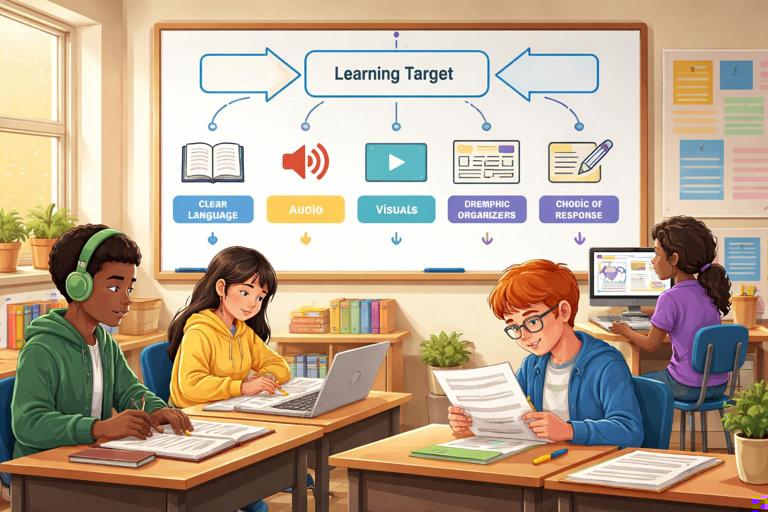
Before you ask an AI tool to generate accessible materials, decide what must stay constant. The learning target (what students are expected to know or do) should remain stable. Accommodations change how students access information or demonstrate learning; they do not lower expectations. Modifications, by contrast, change the target itself (for example, fewer concepts or a simpler standard). In your prompts, be explicit: “Keep the learning target unchanged; provide accommodations only.”
Accessibility also depends on predictability. Students benefit when materials follow a consistent pattern: a clear purpose, a short list of steps, examples, and a check for understanding. Predictability reduces anxiety and frees attention for the task. When you prompt, request consistent formatting and repeated routines (for example, “Always include: Goal, Materials, Steps, Example, Check”).
Clear language techniques you can request from AI
1) Plain language without losing academic meaning
Plain language means the text is easy to read the first time. Ask for short sentences, common words, and direct instructions. Keep academic vocabulary, but define it in student-friendly terms and use it consistently. Avoid synonyms that confuse learners (for example, switching between “claim,” “argument,” and “position” without explanation). If the content includes complex terms, request a mini-glossary with one-sentence definitions and an example in context.
- Listen to the audio with the screen off.
- Earn a certificate upon completion.
- Over 5000 courses for you to explore!

Download the app
2) Reduce cognitive load with structure
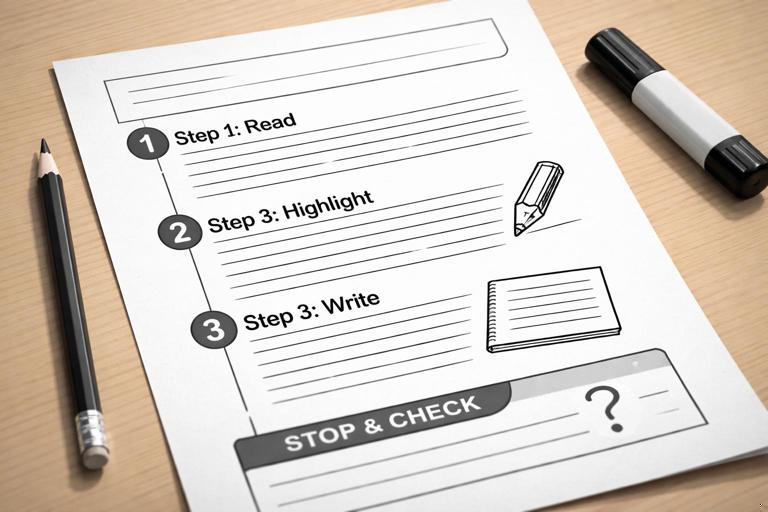
Students process information better when it is chunked. Ask the AI to break directions into numbered steps, limit each step to one action, and keep lists short. Request headings that match the task sequence (for example, “Step 1: Read,” “Step 2: Highlight,” “Step 3: Write”). For longer passages, ask for “stop-and-check” points every few paragraphs with one quick question.
3) Make directions observable and testable
Vague directions create barriers. Replace “analyze” with observable actions: “underline evidence,” “write one sentence explaining,” “circle the strongest reason.” In prompts, request that every instruction includes a visible product (a sentence, a highlight, a table entry) so students know when they are done.
4) Use consistent visual conventions
Even in text-only materials, conventions matter: bold labels, consistent bullet styles, and predictable order. Ask the AI to use the same labels across all handouts (for example, “Goal,” “Key Terms,” “Steps,” “Check”). Consistency supports students with attention differences and executive functioning needs.
Inclusive supports to request: input, participation, output
When you design for accessibility, think in three phases: how students receive information (input), how they engage (participation), and how they show learning (output). Your prompts can ask for options in each phase while keeping the learning target constant.
Input supports (how students access information)
- Alternative formats: simplified summary alongside the original text, or a “two-level” reading where the same ideas are presented in shorter sentences.
- Pre-teaching supports: key terms with pictures described in words, examples, and non-examples.
- Guided notes: partially completed outlines that reduce copying demands.
- Audio-friendly scripts: text that is easy to read aloud, with clear pauses and short segments.
- Attention supports: “focus questions” that tell students what to look for while reading.
Participation supports (how students engage during learning)
- Turn-and-talk frames: sentence starters that reduce language load.
- Role cards for group work: clear responsibilities and time limits.
- Choice of interaction: speak, write, point, or select from options.
- Behavioral clarity: “what it looks like” examples for discussion norms.
Output supports (how students demonstrate learning)
- Response options: written paragraph, bullet list, labeled diagram, or oral explanation recorded.
- Scaffolds: graphic organizers, checklists, and sentence frames.
- Assistive compatibility: prompts that work with speech-to-text (short chunks, clear punctuation cues).
- Reduced executive load: templates that separate planning from drafting.
Step-by-step: prompting AI to rewrite materials in clear, accessible language
Use this workflow whenever you have an existing handout, quiz, or set of directions that may be too dense. The goal is to produce an “accessible version” that preserves rigor and content.
Step 1: Define the non-negotiables
Write a short note for the AI: the learning target, the grade band, and what must not change (key concepts, required vocabulary, task type). Also state what can change (sentence length, layout, examples, response format).
Step 2: Specify the accessibility features you want
Choose 4–6 features to avoid overwhelming the output. Examples: “short sentences,” “numbered steps,” “glossary,” “sentence frames,” “checklist,” “stop-and-check questions.”
Step 3: Provide the original text and request a parallel version
Ask for two columns or two labeled sections: “Original” and “Accessible.” If you only need the accessible version, still ask the AI to preserve all required content and to flag any place where meaning might change.
Step 4: Ask for a quick quality check
Request a short verification list: “Confirm the learning target is unchanged; list key vocabulary retained; note any assumptions.” This helps you audit the output quickly.
Example prompt: rewrite directions for clarity and access
Task: Rewrite the following student directions to be more accessible while keeping the learning target unchanged. Grade: 7. Learning target: Students will support a claim with two pieces of evidence and explain how each evidence supports the claim. Keep these terms: claim, evidence, reasoning. Accessibility features to include: short sentences (max 15 words), numbered steps, a 3-item checklist, and sentence frames for claim/evidence/reasoning. Output: (1) Accessible directions, (2) checklist, (3) sentence frames, (4) a 1-question check for understanding. Here is the original directions: [paste text]Step-by-step: generating inclusive supports for a single assignment (without changing rigor)
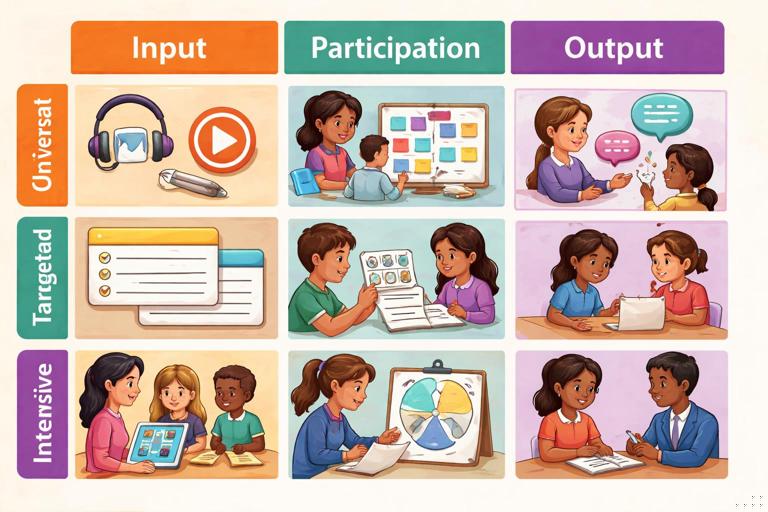
Once directions are clear, the next barrier is often the pathway: students may need different supports to access the same task. Use a structured prompt that asks for options across input, participation, and output.
Step 1: Name the task and constraints
State the time available, materials allowed, and whether the work is independent or collaborative. If the assignment is assessed, specify what evidence you will accept (for example, “must include two evidence quotes and one reasoning sentence per quote”).
Step 2: Identify common barrier categories
Instead of listing diagnoses, describe barriers: “reading stamina,” “working memory,” “fine-motor writing,” “speech/language,” “attention,” “sensory sensitivity,” “processing speed.” This keeps the output respectful and practical.
Step 3: Request supports in three tiers: universal, targeted, intensive
Universal supports help everyone (clear steps, models). Targeted supports help some students (sentence frames, guided notes). Intensive supports are individualized options (reduced copying, alternative response mode). Ask the AI to keep the learning target constant across tiers.
Example prompt: supports menu for an assignment
Create an accommodations/supports menu for this assignment while keeping the learning target unchanged. Assignment: Students read a 600-word article and write a claim with two evidence quotes and reasoning. Time: 35 minutes. Barriers to plan for: reading stamina, working memory, fine-motor writing, attention, processing speed, English learner language load. Provide: (1) universal supports (5 items), (2) targeted supports (8 items), (3) intensive supports (6 items). For each support, include: what the student does, what the teacher provides, and how it preserves rigor. Also include 3 options for demonstrating learning (written, oral, mixed) with the same success criteria.Accessible assessment language: prompts for quizzes and checks
Assessments often become inaccessible because of tricky wording, unnecessary reading load, or confusing layouts. You can prompt AI to produce items that measure the skill—not the student’s ability to decode complex sentences. Ask for short stems, familiar contexts, and consistent answer choices. If you need to assess academic vocabulary, keep the vocabulary but remove extra linguistic complexity around it.
Guidelines to request for accessible items
- One idea per question; avoid double negatives.
- Keep answer choices parallel in structure and length.
- Use clear referents (repeat the noun instead of “it/they” when needed).
- Provide a worked example for the first item in practice sets (not in graded quizzes).
- Include “read-aloud friendly” punctuation and line breaks (even if you later paste into a form).
Example prompt: rewrite quiz items for accessibility
Rewrite these 8 multiple-choice questions to improve accessibility while measuring the same skill. Constraints: keep the content and correct answers the same; reduce reading level; remove idioms; avoid double negatives; keep each stem under 20 words; keep choices parallel. Provide: revised questions, an answer key, and a brief note explaining what you changed for accessibility. Questions: [paste]Designing for screen readers and text-to-speech (TTS)
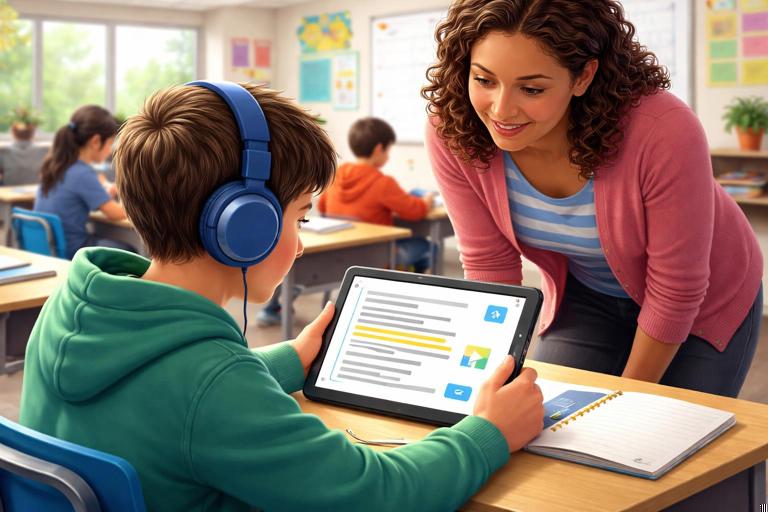
Many students rely on screen readers or TTS, and even students without documented needs benefit from audio access. AI can help you produce text that reads cleanly aloud. Request short paragraphs, clear headings, and explicit labels. Avoid relying on visual-only cues like “see the chart above” without also describing what matters in text.
What to ask for in prompts
- Descriptive headings that make sense out of context (for example, “Steps for Writing Reasoning” instead of “Steps”).
- Alt-text style descriptions for any visuals you plan to include later.
- Tables converted into bullet lists when possible, or clearly labeled rows/columns.
- Acronyms defined the first time they appear.
Example prompt: generate alt-text and audio-friendly formatting
I will include a simple bar chart showing quiz scores for 5 students. Create: (1) alt-text (max 40 words) that describes the key takeaway, (2) a longer description (max 120 words) for students who need more detail, and (3) an audio-friendly script that explains the chart in 4 short sentences. Do not add interpretation beyond what the data shows. Data: Ana 8, Ben 6, Cam 9, Dee 5, Eli 7 (out of 10).Inclusive language and identity-safe supports
Accessibility is also about emotional safety and belonging. Prompts should avoid deficit framing (“low kids,” “struggling students”) and instead describe needs neutrally (“students who benefit from…”). Ask AI to use person-first or identity-first language based on your context and to avoid stereotypes in examples. When generating scenarios, request culturally neutral or varied names and contexts, and avoid assuming family structures, income, or background knowledge.
Prompt moves that reduce bias in generated materials
- “Use respectful, neutral language; avoid labeling students by ability.”
- “Use diverse names and contexts without stereotypes.”
- “Avoid idioms and culturally specific references unless taught.”
- “Do not assume access to technology at home.”
Teacher workflow: an accessibility checklist you can embed in any prompt
If you want consistent results, embed a short checklist the AI must follow. This turns accessibility into a repeatable routine rather than a one-time edit.
Reusable prompt snippet: accessibility checklist
Accessibility checklist (apply to all outputs): 1) Use short, direct sentences. 2) Provide numbered steps with one action per step. 3) Define key terms in a mini-glossary. 4) Include at least one model/example. 5) Provide sentence frames or a response template. 6) Add a quick check-for-understanding question. 7) Offer at least two ways to respond (written/oral/visual) while keeping the learning target unchanged.Mini examples: turning dense teacher language into student-ready text
Example 1: dense directions to clear directions
Dense: “After reviewing the informational text, synthesize the author’s central argument and evaluate the credibility of the evidence presented, citing relevant excerpts.” Clear: “Read the text. Write the author’s main claim in one sentence. Find two quotes that support the claim. For each quote, write one sentence explaining why it supports the claim.” The academic demand remains, but the actions are visible and sequenced.
Example 2: participation support that preserves rigor
Instead of “Discuss with your group,” provide roles and frames: “Partner A reads the claim. Partner B finds one quote. Switch. Use this frame: ‘The claim is ___. This quote shows it because ___.’” The thinking stays high; the language and organization barriers drop.
Example 3: output options with the same success criteria
If the success criteria are “claim + 2 evidence + reasoning,” students can meet them through different modes: a typed paragraph, a bulleted organizer, or an audio recording that follows the same template. In prompts, ask the AI to restate the success criteria and show how each option meets it.
Common pitfalls when prompting for accessibility (and how to prevent them)
One pitfall is accidentally lowering rigor by simplifying the task instead of the language. Prevent this by stating the learning target and required elements, and asking the AI to keep them. Another pitfall is producing too many supports at once, which can overwhelm students and teachers. Prevent this by requesting a short menu and specifying when each support is appropriate.
A third pitfall is generating supports that are hard to implement (for example, “1:1 teacher support” for many students). Prevent this by adding constraints: “Supports must be feasible in a class of 30 with one teacher; prefer reusable templates and peer supports.” Finally, watch for accessibility that depends on visuals without text equivalents. Ask the AI to include text descriptions for any visual references.
Implementation routine: building an “accessible packet” from one prompt
You can ask AI to generate a small set of coordinated materials that share the same clear language and supports. This is efficient and keeps students from navigating multiple formats.
Step-by-step packet request
- Step 1: Ask for a one-page student handout with clear directions, glossary, and example.
- Step 2: Ask for a response template (graphic organizer in text form).
- Step 3: Ask for a teacher script for directions and transitions (read-aloud friendly).
- Step 4: Ask for a supports menu (universal/targeted/intensive) tied to the same task.
- Step 5: Ask for a quick formative check with accessible wording.
Example prompt: generate an accessible packet
Create an accessible student packet for this task. Task: Students write a claim with two evidence quotes and reasoning based on a provided text (I will paste the text after this). Grade: 8. Keep the learning target unchanged. Constraints: class size 28, one teacher, 40 minutes. Output must include: (1) student handout with Goal, Key Terms (claim/evidence/reasoning), numbered Steps, and one worked example using a short sample quote you create; (2) a response template with labeled sections; (3) a teacher read-aloud script for directions (under 2 minutes); (4) supports menu with universal/targeted/intensive supports, each feasible; (5) a 3-question formative check with accessible wording and an answer key. Use plain language and avoid idioms.