Why schedule updating matters (and what it is)
A schedule update is the disciplined process of taking the plan you committed to (the baseline) and replacing assumptions with current facts: what actually started, what actually finished, what is in progress, what changed, and what is now forecast to happen. The purpose is not to “make the schedule look good.” The purpose is to produce a reliable forecast that lets the team make decisions early enough to protect milestones and the completion date.
In construction, the schedule becomes less accurate every day it is not updated because field conditions, inspections, weather, submittals, and productivity fluctuate. Updating is how you convert jobsite reality into a forward-looking plan. Variance tracking is how you quantify the gap between baseline and current forecast. Recovery planning is how you decide what to do about that gap, assign owners, and verify that the actions truly recover time (or at least reduce impact) without creating new risks.
Inputs you need before you update
Schedule updating works best when you treat it like a recurring production meeting with defined inputs. Before opening the scheduling software, collect the facts that will drive the update.
- Actual start/finish dates for activities that started or completed since the last update.
- Status of in-progress work: remaining duration estimate, remaining quantities, or remaining work packages.
- Constraints and external dates that changed: inspection availability, utility company dates, owner-furnished equipment delivery, design clarifications, access restrictions.
- Approved changes and pending change requests that may affect logic, durations, or scope sequencing.
- Field productivity signals: crew size changes, overtime, rework, learning curve, trade stacking issues.
- Risk events that occurred or are imminent: weather impacts, long-lead slips, failed inspections, safety stand-downs.
Keep a simple “update log” (spreadsheet or form) that records each input with date, source, and evidence (daily report, inspection record, delivery ticket, RFI response). This makes your update defensible and reduces arguments later.
Update frequency and the “data date” discipline
Every update must have a data date (also called status date or as-of date). The data date is the cut-off: everything before it is actuals; everything after it is forecast. Weekly updates are common for active projects; some teams update twice weekly during critical phases (e.g., commissioning, turnover, or major concrete pours). Monthly updates can work for high-level reporting, but they are often too slow for control.
- Listen to the audio with the screen off.
- Earn a certificate upon completion.
- Over 5000 courses for you to explore!

Download the app
Pick a consistent rhythm (e.g., every Tuesday with data date end-of-day Monday). Consistency matters more than the specific day because it stabilizes reporting and decision-making.
Step-by-step: a practical schedule updating workflow
Step 1: Lock the baseline and copy the current schedule
Do not overwrite the baseline. Keep the baseline schedule file and baseline dates intact so variance can be measured. Create a new update version (e.g., “Project_Schedule_Update_2026-01-08”). If your software supports it, store a baseline snapshot and keep a change log.
Step 2: Set the data date (status date)
Enter the data date in the scheduling tool. This ensures the schedule engine treats activities correctly relative to the cut-off. Without a data date, it is easy to accidentally “pull” work into the past or mis-handle in-progress logic.
Step 3: Enter actual starts and actual finishes
For each activity that started, enter the actual start date. For each activity that finished, enter the actual finish date. Avoid “percent complete guessing” if you can record actual dates. Actual dates are the strongest evidence and the cleanest driver of forecast.
Practical tip: if the field reports completion at 3:00 PM, still record the finish date as that calendar day (unless your contract requires time-of-day tracking). Keep it consistent.
Step 4: Status in-progress activities with remaining duration (not just percent)
For activities in progress, the most useful control input is remaining duration. Percent complete can be misleading if productivity differs from plan. Remaining duration forces a forecast: “How many working days are left?”
How to estimate remaining duration quickly:
- Quantity-based: remaining quantity ÷ current production rate.
- Crew-based: remaining work packages ÷ crew capacity per day.
- Milestone-based: if the activity is a bundle, break it into measurable sub-steps and estimate remaining time for each.
When you update remaining duration, ensure the activity’s “actual start” is set; otherwise the software may treat it as not started and distort logic.
Step 5: Review logic for changes (only when reality changed)
Do not “rebuild the schedule” every update. Only adjust logic when the real sequence changed or when a constraint was added/removed. Examples of legitimate logic changes:
- A trade changed installation sequence due to access constraints.
- An inspection must occur earlier/later than originally assumed.
- Owner requests a partial turnover that changes handoff order.
When you change logic, document why. Logic changes can hide delays if they are used to make the forecast look better. A simple rule: if you change logic, you should be able to point to a field decision, directive, or constraint that caused it.
Step 6: Add approved changes and time impacts
When scope changes are approved, incorporate them as new activities or adjusted durations/logic. If a change is pending, many teams maintain a separate “what-if” schedule scenario rather than mixing unapproved work into the control schedule. This keeps reporting clean: the current forecast reflects committed scope, while scenarios show potential impacts.
Step 7: Run the schedule calculation and check for red flags
After entering status, recalculate. Then perform a short set of quality checks:
- Activities in the past with remaining duration: indicates missing actuals or incorrect data date.
- Out-of-sequence work: successor started before predecessor finished. Decide how your team will handle it (see next section).
- Hard constraints driving dates: too many constraints can mask true logic and float. Verify each constraint is necessary and current.
- Negative float: indicates the schedule cannot meet a constraint or milestone. Treat it as a control signal, not a software error.
- Critical path shift: confirm it makes sense based on what actually happened.
Step 8: Produce the updated forecast and a variance report
Export or publish the updated schedule and a variance summary that compares baseline vs current forecast for key milestones and the completion date. The schedule update is not complete until the team can see what changed and why.
Handling out-of-sequence progress (a common update problem)
Out-of-sequence progress happens when work starts before all predecessors are complete, or when a successor finishes before a predecessor finishes. This is common in real projects (e.g., starting drywall in one area while rough-in continues elsewhere). If you ignore it, the schedule may produce unrealistic dates.
There are two practical approaches, depending on your software and contract expectations:
- Retained logic: keep the original relationships and let the software calculate based on them. This preserves the planned sequence but can push dates unrealistically if the field actually bypassed the sequence.
- Progress override / actual-driven: allow actual starts/finishes to override logic for the portion already executed. This often produces a more realistic forecast but can hide the fact that the team deviated from plan.
A practical compromise is: use actual-driven behavior for forecasting, but separately report the deviation as a variance and decide whether to revise logic to reflect the new intended sequence going forward (especially if the deviation will continue).

Variance tracking: what to measure and how to interpret it
Variance tracking is the practice of measuring differences between baseline and current forecast (or baseline and actuals) in a way that supports decisions. Focus on variances that drive outcomes, not noise.
Key schedule variance metrics
- Milestone variance (days): baseline milestone date vs current forecast milestone date.
- Completion variance (days): baseline substantial completion vs current forecast.
- Activity start/finish variance: useful for near-term control and identifying systemic issues (e.g., repeated late starts).
- Critical path variance: whether the controlling path changed and what caused it.
- Near-critical growth: count of activities with low float (or near-critical threshold). This signals rising risk even if completion date has not moved yet.
Variance categories (so you can act on them)
Raw variance numbers are not enough; you need categories that lead to action. A simple, practical set:
- Execution/productivity: slower production, rework, crew shortages.
- Coordination/hand-offs: trade stacking, access conflicts, incomplete prerequisites.
- External/third-party: inspections, utilities, owner decisions, jurisdiction delays.
- Design/submittals: late approvals, revisions, missing details.
- Weather/force majeure: track separately if contract requires.
- Change/added scope: approved changes and their time impacts.
Assign each major variance a category and an owner. If you cannot assign an owner, it will not get resolved.
Variance thresholds and escalation
Set thresholds that trigger escalation. Example thresholds:
- Any key milestone slip > 3 working days triggers a recovery plan within 48 hours.
- Any activity on the controlling path slipping > 2 days triggers a root-cause review.
- Near-critical activities (below a float threshold) increasing by > 20% triggers a coordination meeting.
Thresholds prevent “death by reporting” and focus attention on what can still be influenced.
Root-cause analysis that is useful (not just blame)
When a milestone slips, the team often jumps straight to acceleration. First identify the mechanism of the delay so the recovery action matches the cause.
A practical 5-question delay diagnostic
- What exactly moved? (Which milestone or handoff date changed?)
- What activity(ies) drove it? (Controlling path at the time of slip.)
- Why did those activities slip? (Productivity, access, prerequisite, inspection, etc.)
- Is the cause still active? (Ongoing constraint vs one-time event.)
- What is the earliest decision point? (When must we act to prevent further slip?)
Document answers in the update narrative. The narrative should be short but specific: “Milestone X slipped 5 days due to failed inspection on Y; re-inspection scheduled for date; mitigation is Z.”
Recovery planning: turning a slipped forecast into a controlled plan
Recovery planning is the structured process of identifying options to regain time (or reduce further loss), selecting the best option, and integrating it into the schedule so the forecast reflects the recovery actions. A recovery plan is not a wish list; it must be schedulable, resourced, and coordinated.
Step-by-step recovery planning workflow
Step 1: Define the recovery target
Be precise: “Recover 10 working days by the substantial completion milestone” or “Recover 5 days before the drywall start milestone to protect downstream trades.” Recovery targets should align with contractual milestones and operational needs (e.g., owner move-in, tenant delivery, phased turnover).
Step 2: Identify the controlling path and the recovery window
Locate where time can actually be recovered. If you accelerate an activity that is not controlling, you may spend money without moving the finish date. Identify the segment of the controlling path where acceleration is feasible and where it will not create downstream bottlenecks.
Step 3: Generate recovery options (menu of tactics)
Common recovery tactics in construction scheduling include:
- Re-sequencing: change the order of work to open parallel paths (e.g., start finishes in completed zones while rough-in continues elsewhere).
- Work packaging: split large activities into smaller ones to allow earlier handoffs and partial releases.
- Additional crews: add a second crew or increase crew size where space and supervision allow.
- Extended hours/overtime: add shifts or weekend work, accounting for productivity drop and supervision needs.
- Prefabrication/offsite work: shift labor offsite to reduce onsite duration and congestion.
- Inspection strategy: pre-inspections, bundling inspections, earlier booking, or alternative inspection windows (where allowed).
- Constraint removal: expedite submittals, prioritize RFIs, secure temporary utilities, improve access, or resolve design conflicts.
Each option should include: expected days gained, cost/effort, risks introduced, and prerequisites.
Step 4: Quantify time gain realistically
Time gain must be calculated, not assumed. Examples:
- Adding a crew: If one crew installs 10 units/day and you add a second crew, you may not get 2x output due to space constraints, material flow, and supervision. Model a realistic improvement (e.g., 1.6x) and confirm with the trade.
- Overtime: A 20% increase in hours rarely yields 20% schedule gain due to fatigue and coordination. Model a reduced efficiency factor.
- Re-sequencing: Verify that prerequisites truly allow parallel work (e.g., inspections, curing time, access, safety separations).
Update the schedule logic and durations to reflect the chosen tactic, then recalculate to confirm the milestone actually moves.
Step 5: Check downstream feasibility (avoid “pushing the bubble”)
A recovery action that accelerates one trade can create congestion, quality issues, or rework that causes later delays. Before committing, verify:
- Space and access for concurrent crews.
- Material availability aligned with the accelerated dates.
- Inspection and testing capacity.
- Supervision, safety coverage, and quality control staffing.
- Handoffs: are successor trades ready to receive work earlier?
In the schedule, this often means adding intermediate handoff milestones (e.g., “Area A ready for finishes”) rather than assuming the entire building is ready at once.
Step 6: Assign owners and embed actions into the schedule
A recovery plan must be operational. Convert actions into scheduled tasks with owners and dates, such as:
- “Submit revised shop drawings by date” (Design/Submittal owner).
- “Confirm second crew start date” (Subcontractor PM).
- “Book inspections for accelerated areas” (Superintendent/Permit coordinator).
If actions are not in the schedule (or at least in a linked action register), they tend to disappear between meetings.
Step 7: Monitor recovery effectiveness in the next updates
Recovery planning is iterative. In the next update, measure whether the recovery actions produced the expected time gain. If not, adjust quickly. Track recovery actions like you track production: planned vs actual.
Worked example: update, variance, and recovery in a small commercial build-out
Scenario: A small commercial interior build-out has a baseline milestone “Ceiling grid complete” on March 15 and “Final inspection” on April 10. During the weekly update (data date March 1), you learn:
- Framing started 2 days late due to late delivery of track.
- Rough-in is progressing but one area is blocked by an unresolved RFI.
- Inspection availability for above-ceiling is limited to Tuesdays/Thursdays.
Update actions:
- Enter actual start for framing (2 days later than baseline).
- Set rough-in as in progress and increase remaining duration by 3 days due to the blocked area.
- Add a constraint or calendar note reflecting inspection windows (or model with logic to an “Inspection available” milestone if your process uses that).
After recalculation, the forecast shows “Ceiling grid complete” slipping 6 days and “Final inspection” slipping 4 days. Variance tracking identifies the driver: above-ceiling inspection is now controlling because rough-in completion is later and inspection windows are limited.
Recovery options considered:
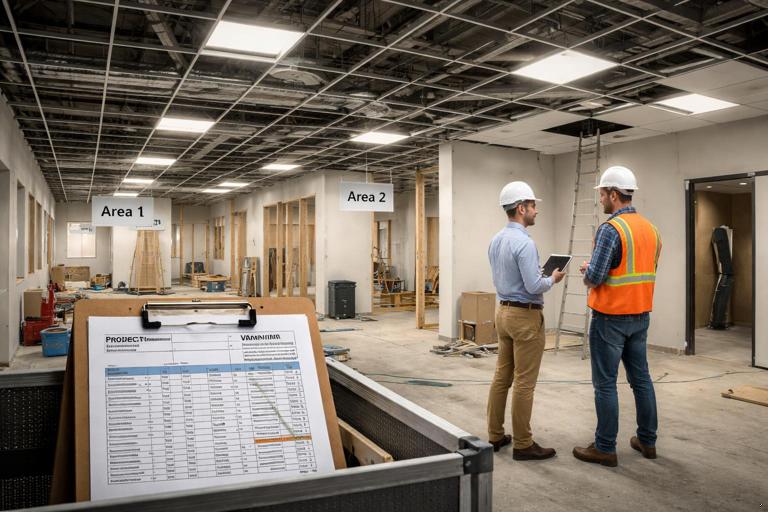
- Split rough-in into “Area 1” and “Area 2” so Area 1 can be inspected earlier.
- Pre-walk with inspector to reduce re-inspection risk.
- Add a second crew to complete rough-in in Area 2 once the RFI is resolved.
After modeling: splitting rough-in and enabling an earlier inspection recovers 3 days; adding a second crew recovers 2 more days, protecting the April 10 final inspection. The schedule is updated to include the split activities and the planned second crew start, and the variance narrative records the cause and the chosen mitigation.
Common pitfalls and how to avoid them
“Updating” by moving bars manually
Dragging activities to match what you want to see breaks the logic-driven forecast. Use actual dates, remaining duration, and justified logic changes. If you must use constraints, use them sparingly and document why.
Hiding delay with logic changes
Changing relationships can make a milestone appear recovered without any real action. Require a reason code and evidence for logic changes, and review them in the update meeting.
Not separating cause from effect
If drywall starts late because rough-in finished late, the drywall variance is an effect. Focus recovery on the cause (rough-in, inspection, access) unless you can truly accelerate drywall to offset the impact.
Assuming acceleration is linear
More labor hours do not always equal proportional time savings. Model realistic productivity and confirm physical constraints (space, access, inspections, material flow).
Failing to translate recovery into commitments
A recovery plan without owners, dates, and prerequisites is just a discussion. Convert it into scheduled actions and verify them in the next update.
Deliverables from a strong update cycle
Each update cycle should produce a small set of outputs that are easy to review and act on:
- Updated schedule file with data date, actuals, and forecast.
- Milestone variance table (baseline vs current forecast, with days variance).
- Controlling path summary (what is driving completion now, and what changed since last update).
- Top variance drivers with categories and owners.
- Recovery action list embedded in the schedule or linked to it, with due dates.
When these deliverables are consistent, the schedule becomes a management tool rather than a reporting artifact.