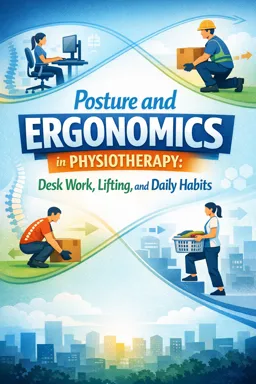
Ergonomics and posture: practical definitions
Ergonomics means shaping the task, tools, and environment so your body can do the job with less unnecessary strain. In physiotherapy terms, it is about matching task demands to your current capacity and allowing enough recovery so tissues stay within their tolerance.
Posture is simply the position you are in right now. It is not a moral score and it is rarely a single “correct” alignment. A posture is “good” when it is comfortable enough, lets you perform the task, and keeps your tissues within a load they can tolerate for that duration.
A useful beginner rule: the best posture is the one you can change. Variability (small shifts, micro-breaks, alternating positions) often matters more than chasing a perfect shape.
Core concepts that drive symptoms and performance
1) Load: what your body is asked to handle
Load includes weight (lifting), sustained positions (desk work), repetition (typing, stocking shelves), and even stress and sleep effects on sensitivity. Load is not automatically harmful; it becomes a problem when it exceeds what your tissues can handle right now or when it accumulates without enough recovery.
- Examples of load at a desk: long uninterrupted sitting, reaching for a mouse, sustained neck rotation to a second monitor, high typing volume.
- Examples of load when lifting: heavy object, awkward grip, twisting while carrying, lifting when fatigued, high frequency.
2) Capacity: what you can tolerate today
Capacity is your current ability to handle load. It is influenced by strength, endurance, conditioning, previous injury, sleep, nutrition, stress, and how recently you have done similar tasks.
- Listen to the audio with the screen off.
- Earn a certificate upon completion.
- Over 5000 courses for you to explore!

Download the app
Capacity is not fixed: it can improve with graded exposure (progressive practice), and it can temporarily drop with illness, poor sleep, or a sudden spike in workload.
3) Recovery: the missing half of ergonomics
Recovery is the time and conditions that allow tissues and the nervous system to settle after load. Without recovery, even “light” tasks can become irritating.
- Desk example: 6 hours of low-level neck muscle activity without breaks can be more provocative than 2 hours with regular movement.
- Lifting example: repeated moderate lifts with short rest can accumulate fatigue and reduce technique quality.
4) Variability: reducing the cost of any single position
Variability means changing positions, grips, and movement strategies to distribute load across tissues. It is a practical way to stay within tissue tolerance without needing a perfect setup.
- Alternate sitting positions (upright, slightly reclined, perch), swap mouse hands if possible, change foot position, stand for calls, vary grip when carrying.
- Use “movement snacks”: 20–60 seconds of gentle movement every 20–45 minutes is often enough to reduce symptom build-up.
Putting the four concepts together
| Situation | What’s happening | Practical implication |
|---|---|---|
| New pain after workload spike | Load increased faster than capacity | Reduce load temporarily and rebuild capacity gradually |
| Pain after long static posture | Low load but low variability and low recovery | Add position changes and micro-breaks before changing everything else |
| Symptoms fluctuate day to day | Capacity varies with sleep/stress/fatigue | Adjust demands on “low-capacity” days; keep some movement |
Common myths that derail good ergonomics
Myth 1: There is one perfect posture that prevents pain
Reality: many people have pain in “ideal” postures and many have no pain in “non-ideal” postures. Posture is one factor among many. The more reliable target is dose: how long, how often, and how much load you accumulate.
Practical reframe: instead of “sit perfectly,” aim for “sit comfortably, supported, and change position regularly.”
Myth 2: If it hurts, you are damaging something
Reality: pain is a protective output influenced by tissue state, sensitivity, fatigue, stress, and context. Pain can occur without ongoing damage, and some tissue adaptation can be uncomfortable without being harmful.
Practical reframe: use symptoms as feedback to adjust load and recovery, not as proof that you are “breaking” yourself.
Myth 3: Ergonomics is only about chair height and monitor position
Reality: equipment matters, but so do work pace, breaks, task variety, fitness, and expectations. A perfect workstation cannot compensate for zero recovery and high stress.
Myth 4: Lifting safely means keeping the back perfectly straight
Reality: spines are designed to move. A rigid “straight back at all costs” strategy can increase tension and reduce adaptability. Safer lifting is usually about control, proximity, appropriate load, and gradual exposure, not eliminating spinal movement.
Practical reframe: choose a lifting style you can control (hip hinge, squat, or mixed), keep the load close, avoid sudden jerks, and build capacity progressively.
Safety and scope: when advice is appropriate vs when to refer
When general posture/ergonomics advice is appropriate
- Symptoms are mild to moderate, predictable, and linked to a clear task (e.g., neck ache after 2 hours at the laptop).
- Symptoms improve with movement, breaks, or simple adjustments.
- No significant neurological symptoms (no progressive weakness, no new numbness spreading, no loss of coordination).
- No systemic red flags (fever, unexplained weight loss, history of cancer with new severe pain, recent significant trauma, etc.).
When to pause self-adjustments and refer for assessment
- Severe or worsening symptoms that do not settle with rest or simple changes.
- Neurological signs: progressive weakness, significant numbness/tingling, changes in gait, loss of hand dexterity, new bowel/bladder changes.
- Night pain that is severe and unrelenting, or pain with systemic symptoms (fever, chills).
- Post-trauma pain after a fall, car accident, or heavy impact.
- Workplace constraints that require formal ergonomic assessment (e.g., mandated equipment, high-risk manual handling, pregnancy-related modifications, disability accommodations).
Scope note: ergonomic coaching can reduce unnecessary load and improve comfort, but it does not replace medical evaluation when red flags or significant functional loss are present.
A simple decision framework you can use for any task
Use this five-step loop to avoid overcorrecting and to find the smallest effective change.
Step 1: Identify the task (what exactly are you doing?)
Be specific. “Desk work” is too broad. Define the task in observable terms.
- Desk examples: laptop on couch for 90 minutes; dual monitors with frequent head turns; intense mouse use for design work; video calls with no breaks.
- Lifting examples: lifting boxes from floor to waist; carrying groceries up stairs; moving a patient; repetitive light lifts from a conveyor.
Quick checklist: duration, frequency, intensity, posture demands, reach distance, grip quality, pace, and rest opportunities.
Step 2: Identify symptoms (what is your body reporting?)
Track symptoms like a clinician would: location, intensity, behavior over time, and triggers.
- Intensity: use a 0–10 scale.
- Pattern: during task, immediately after, later that day, next morning.
- Quality: ache, stiffness, sharp, burning, tingling.
- Function: what can’t you do (turn head, sit, grip, lift)?
Practical rule: if symptoms reliably build during the task and settle with breaks or position changes, you likely need a load/variability adjustment more than a “posture correction.”
Step 3: Identify constraints (what can’t you change right now?)
Constraints determine realistic solutions.
- Environment: fixed desk height, shared workstation, no external monitor, limited space.
- Task demands: must look at screen continuously, must lift a certain weight, must meet a deadline.
- Personal factors: fatigue, current flare-up, pregnancy, prior injury, limited strength/endurance.
Write down the top 1–3 constraints so you don’t waste effort on impossible fixes.
Step 4: Choose the smallest effective change (one variable at a time)
Pick a change that is easy, reversible, and likely to reduce the most load for the least disruption. Avoid changing five things at once; you won’t know what helped.
Smallest effective changes for desk work (examples)
- Reduce reach: pull keyboard and mouse closer; keep elbows nearer your sides.
- Support: add a small cushion/towel roll for lumbar support; rest forearms on the desk if comfortable.
- Screen strategy: raise laptop with books and use an external keyboard/mouse; center the main monitor to reduce repeated neck rotation.
- Variability: set a timer for 30–45 minutes; stand or walk 30–60 seconds; do 5 gentle neck turns and shoulder rolls.
- Task batching: alternate high-mouse tasks with low-mouse tasks; schedule calls as walking calls if feasible.
Smallest effective changes for lifting (examples)
- Bring the load closer: step in, hug the object, reduce arm reach.
- Improve grip: use handles, gloves, or a better hold; avoid fingertip pinching for heavy items.
- Reduce peak load: split the load, use a cart, ask for help, or lift in two stages (to knee height, then to waist).
- Control speed: avoid jerky starts; exhale on effort; keep movement smooth.
- Choose a stance you can control: hip hinge, squat, or staggered stance—whichever feels stable and repeatable.
Micro-dose approach: if you are sensitive, reduce the task dose first (time/weight/reps), then rebuild gradually. For example, lift 10 boxes instead of 30, rest, then reassess.
Step 5: Reassess (did it work?)
Reassess quickly and objectively. Use the same symptom measures from Step 2.
- Immediate check: does discomfort reduce within 1–5 minutes?
- Short-term check: does the task feel easier over the next hour?
- Next-day check: did symptoms settle back to baseline by the next morning?
If the change helps, keep it and consider a second small change. If it does not help, revert and try a different single adjustment (often variability or dose is the best next lever).
Practical mini-protocols (ready-to-use)
Protocol A: “Desk discomfort” in 3 minutes
- Identify task: laptop? dual monitors? heavy mouse use?
- Reduce reach: bring input devices close; relax shoulders.
- Change angle: slightly recline or sit taller; choose what feels easier.
- Move: stand up, take 10–20 steps, then sit again.
- Reassess: if symptoms drop by at least 1–2/10, keep the change and repeat movement breaks.
Protocol B: “Before you lift” checklist (10 seconds)
- Close: can I get closer to the object?
- Clear: is the path clear and the destination ready?
- Control: can I lift smoothly without rushing?
- Capacity: is this within my ability today, or should I split/ask/use equipment?
Protocol C: When you can’t change the setup
If constraints are high (travel, shared desk, busy shift), prioritize dose and variability over perfect alignment.
- Use shorter bouts: 20–30 minutes, then 30–60 seconds of movement.
- Use position swaps: sit/stand, perch/lean, alternate hands, change foot position.
- Use recovery windows: 2–5 minutes every 2–3 hours to walk, breathe slowly, and gently move the stiff area.
How to talk about posture without fear
When coaching yourself or others, use language that supports confidence and adaptability.
- Instead of “Don’t slouch” → “Let’s find a position that feels easier, then change it often.”
- Instead of “Your back is out of place” → “Your tissues may be irritated; let’s adjust the load and build tolerance.”
- Instead of “Pain means damage” → “Pain is a signal; we’ll use it to guide the next smallest change.”