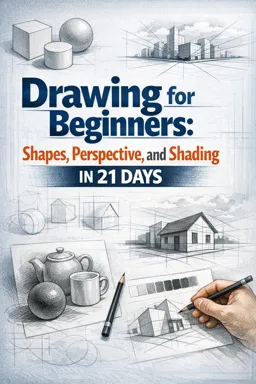
What “Value” Means (and Why It Matters More Than Detail)
In drawing, value means how light or dark something is. If you removed all color from a scene, what remains is a pattern of values. That pattern is what makes forms look three-dimensional, separates objects from each other, and tells the viewer where the light is coming from.
Beginners often try to “render” by adding texture, outlines, or small details. But if the value structure is wrong, the drawing still looks flat. When the value structure is right, even a simple drawing with minimal detail can look convincing.
Think of value as a language with a few clear words: light, midtone, shadow, and accent. Your job is to place those words consistently so the drawing reads clearly.
Value Scales: Your Control Panel for Shading
A value scale is a set of steps from white (paper) to dark (graphite/charcoal). It trains your eye to see differences and trains your hand to reproduce them on purpose.
How Many Steps Should You Use?
For beginners, a 5-step or 7-step scale is ideal. Too many steps early on can become guesswork. A 5-step scale is simple and powerful:
- Listen to the audio with the screen off.
- Earn a certificate upon completion.
- Over 5000 courses for you to explore!

Download the app
- 1 = White (paper)
- 2 = Light
- 3 = Mid
- 4 = Dark
- 5 = Near-black (your darkest usable tone)
Later, you can expand to 9 or 11 steps, but the goal is not to create a perfect gradient. The goal is to create repeatable, distinct tones you can use like building blocks.
Step-by-Step: Make a 7-Step Value Scale
Use a pencil you already have (HB is fine). If you have multiple pencils, you can still do this with one pencil by changing pressure and layering.
- Step 1: Draw the boxes. Draw 7 equal rectangles in a row. Leave a small gap between them if you like, but it’s not required.
- Step 2: Label lightly. Under the boxes, write 1–7 (very lightly). 1 will stay white; 7 will be darkest.
- Step 3: Set the endpoints first. Box 1 stays untouched. Box 7: shade as dark as you can while keeping the surface even (no shiny pits, no torn paper). Use multiple light layers rather than one heavy press.
- Step 4: Place the middle value. Box 4 should be a clear midtone—noticeably darker than 2–3 and lighter than 5–6. Don’t try to “blend” it; aim for a flat, even tone.
- Step 5: Fill in boxes 2–3. Box 2 is a light gray. Box 3 is a light-mid. Compare them directly to box 4 and box 1.
- Step 6: Fill in boxes 5–6. Box 6 is close to your darkest, but still lighter than 7. Box 5 is a dark-mid.
- Step 7: Check spacing. Squint at the scale. Each step should feel like an even jump. If two boxes look too similar, adjust one by adding another light layer.
Practice this a few times. The point is to build a “library” in your mind: what a controlled light, mid, and dark look like on your paper with your tools.
Common Problems (and Fixes)
- Problem: Patchy shading. Fix: use smaller circular strokes or consistent diagonal strokes; build tone with multiple passes.
- Problem: Can’t get dark enough. Fix: layer more; slow down; consider a softer pencil (2B–6B) if available; avoid pressing too hard early.
- Problem: Everything becomes mid-gray. Fix: protect your whites; commit to a real dark; keep box 1 clean and box 7 truly dark.
Light Logic: The Predictable Rules of Illumination
“Light logic” means shading according to how light actually behaves. You don’t shade randomly; you shade based on a few consistent components that appear on most forms.
To make light logic manageable, assume a simple setup: one main light source, a solid object, and a ground plane. This is enough to explain most shading situations you’ll draw.
The Core Value Families
Most realistic shading can be organized into two big families:
- Light family: areas facing the light (highlight and light halftones)
- Shadow family: areas turned away from the light (form shadow and cast shadow)
A key rule: values in the shadow family should generally be darker than values in the light family. Beginners often break this by making a dark halftone on the light side darker than the shadow side, which makes the form look inconsistent.
The Main Components You’ll See on Simple Forms
- Highlight: the brightest spot where light reflects toward your eye. It sits on the light side, not in the center of the form’s outline.
- Light (halftone): the lighter area around the highlight. It gradually turns away from the light.
- Core shadow: the darkest part of the form shadow (on the object itself), usually a band where the form turns away from the light most directly.
- Reflected light: a subtle lightening inside the shadow side caused by light bouncing from nearby surfaces (often from the ground). It is never as bright as the light side.
- Cast shadow: the shadow the object throws onto another surface. It often has a sharper edge near the object and softens as it gets farther away (depending on the light source).
- Occlusion (contact) shadow: the darkest accent where surfaces touch or get extremely close (object to ground, folds, creases). This is often your darkest dark.
These components are not “extra details.” They are the structure of believable shading.
Choosing a Light Direction (So Your Values Don’t Contradict Each Other)
Before shading, decide where the light comes from. A simple method is to imagine a small arrow pointing from the light toward the object. Keep it consistent across the entire drawing.
Practical Check: The “Three Questions” Test
- 1) Which side faces the light most? That side gets the light family.
- 2) Which side turns away? That side gets the shadow family.
- 3) Where does the cast shadow fall? It falls on the opposite side of the light direction, on the surface the object sits on.
If you can answer these three questions, you can place your major values correctly even before you refine anything.
Step-by-Step: Shade a Sphere Using a 7-Step Scale
This exercise trains the most important shading skill: creating a smooth turn from light to shadow while keeping the light and shadow families separate.
Goal
Create a sphere that reads as round using only your 7-step value scale. You will place each value intentionally rather than smudging until it “looks okay.”
Steps
- Step 1: Set the light direction. Choose light from upper left. Keep this consistent.
- Step 2: Reserve the highlight. Leave a small area near the upper-left of the sphere as value 1 (paper) or value 2 (very light). Don’t shade over it.
- Step 3: Lay in the light halftone. Shade the light side with value 2–3, keeping it even. This is not the shadow yet—keep it light.
- Step 4: Place the core shadow band. On the right-lower side (away from the light), place a band of value 5–6. This band is usually the darkest part on the sphere itself (not counting the contact shadow on the ground).
- Step 5: Fill the rest of the shadow family. Around the core shadow, fill the shadow side with value 4–5. Keep it darker than anything on the light side.
- Step 6: Add reflected light subtly. Near the lower-right edge of the sphere, slightly lighten the shadow (maybe from value 5 down to value 4). Keep it clearly darker than the light halftone.
- Step 7: Add the cast shadow. On the ground plane, place a cast shadow extending to the lower-right. Make it darkest (value 6–7) right under the sphere and slightly lighter as it moves away.
- Step 8: Add occlusion at contact. Where the sphere touches the ground, add a thin accent of your darkest value (often value 7). This small detail makes the sphere “sit” on the surface.
- Step 9: Refine edges. The sphere’s form shadow edge is usually soft (a gradual transition). The cast shadow edge is sharper near the contact and can soften outward.
When you squint, you should see a clear light side and a clear shadow side. If the sphere looks flat, it’s often because the shadow side isn’t dark enough, or the light side got shaded too dark.
Step-by-Step: Shade a Cylinder (Understanding Planes vs. Curves)
A cylinder is useful because it combines a curved side with flat ends. It teaches you that value changes depend on how the surface turns relative to the light.
Steps
- Step 1: Choose light direction. Use the same upper-left light.
- Step 2: Identify the brightest vertical strip. On the curved side, the highlight often appears as a vertical band, not a dot.
- Step 3: Shade the light family. Keep the left side of the cylinder in values 2–3.
- Step 4: Place the core shadow. Put a darker vertical band (value 5–6) on the right side where the surface turns away.
- Step 5: Add reflected light. Slightly lighten near the far right edge (still in the shadow family). This helps the cylinder feel round.
- Step 6: Shade the top plane (if visible). The top is a flat plane. If it faces the light, it can be lighter overall than the side. If it tilts away, it becomes darker. Keep it consistent with the light direction.
- Step 7: Add cast shadow. The cast shadow will stretch opposite the light direction. Make it darkest near the base.
Notice the difference: on a curved surface, value transitions are gradual; on a flat plane, value is more uniform (with maybe a slight gradient if the plane is large or the light is soft).
Edges and Value: Hard, Soft, and Lost (Without Repeating Line Topics)
Even if you avoid outlining, edges still exist because of value changes. You can control how “sharp” an edge reads by controlling the contrast and the speed of the transition.
- Hard edge: a quick value change (useful for cast shadows, sharp corners, crisp overlaps).
- Soft edge: a gradual value change (useful for rounded forms and gentle shadow transitions).
- Lost edge: two adjacent areas share similar values, so the boundary nearly disappears (useful for atmospheric effects or subtle form turns).
Practical tip: If your drawing looks cut-out or sticker-like, you may be using too many hard edges. If it looks blurry and weak, you may be over-softening everything.
Value Grouping: Simplify Before You Render
Value grouping means compressing many small variations into a few clear masses. This is how you keep control and avoid “overworking.”
Two-Group and Three-Group Plans
- Two-group plan: everything is either light family or shadow family. This is excellent for quick studies and strong readability.
- Three-group plan: light, mid, and shadow. This adds a controlled midtone group while keeping the design simple.
When you start a shading study, try a two-group plan first: block in the shadow family as one flat value (like value 5), keep the light family mostly untouched, then refine within each family.
Step-by-Step: Two-Group Block-In on a Simple Still Life
Use any simple object you have (mug, apple, small box). Place it near a window or lamp so the light direction is clear.
- Step 1: Decide the shadow value. Choose one value from your scale (for example, value 5) to represent all shadows at first.
- Step 2: Fill the shadow family. Shade all form shadows on the object with that single value. Shade the cast shadow with the same value. Don’t add gradients yet.
- Step 3: Keep the light family clean. Leave the light side mostly as paper or very light tone (values 1–2).
- Step 4: Check the read. Squint. The object should already look dimensional. If it doesn’t, your shadow placement is likely wrong, not your blending.
- Step 5: Refine within families. Darken occlusion areas (value 6–7). Add halftones on the light side (value 2–3). Add core shadow emphasis (value 6) while keeping reflected light (value 4–5) subtle.
This method prevents you from getting lost in small changes too early.
Light Intensity, Distance, and Falloff (Simple and Useful)
Light changes with distance. A nearby lamp creates stronger contrasts and sharper cast shadows. A distant light (like the sun) creates more parallel rays and often clearer, more consistent shadow directions.
- Near light source: faster falloff, stronger highlight, deeper shadows, cast shadow edges can be softer depending on the light size.
- Far light source: more consistent lighting across objects, cast shadows can appear more uniform in direction.
Practical application: If you want an easier study, use a single lamp close to the object in a dim room. You’ll get a clear light family and shadow family, which is easier to organize.
Material and Value: Why a White Mug Can Have Dark Shadows
Local color (how light or dark an object “is”) affects the overall value range, but light logic still applies. A white mug can have very dark shadows because shadows are about light availability, not object color.
Quick Guide to Common Materials
- Matte (paper, clay, unglazed ceramic): softer highlights, smoother value transitions, less extreme contrast.
- Satin (skin, painted surfaces): clearer highlight, moderate contrast, gentle transitions.
- Glossy (metal, glass, glazed ceramic): sharp highlights, high contrast, more abrupt value changes, reflections can create bright shapes inside shadow areas (but the shadow family still stays generally darker overall).
When drawing shiny objects, don’t “smudge everything smooth.” Instead, place bold value shapes: bright highlights and dark reflections. The realism comes from accurate value relationships, not from blending.
Practical Drills to Train Value and Light Logic
Drill 1: Value Matching (10 minutes)
Find a photo or real object with clear lighting. Pick five small areas (highlight, light, mid, shadow, darkest accent). Next to each, draw a small square and try to match the value exactly.
- Keep each square flat and even.
- Compare by squinting and by looking back and forth quickly.
- Correct by layering, not by pressing harder immediately.
Drill 2: Shadow Family Only (15 minutes)
Draw a simple object and shade only the shadow family (form shadow + cast shadow) with one value. Leave everything else white. This forces correct shadow placement and trains you to see the shadow shape as a design.
Drill 3: 7-Step Rendering Limit (20–30 minutes)
Choose a simple object and render it using only the seven values from your scale. No in-between tones. This teaches control and prevents muddy shading.
Troubleshooting: Why Shading Looks “Wrong” (and What to Check First)
Problem: The object looks flat
- Check 1: Is there a clear separation between light family and shadow family?
- Check 2: Is the core shadow present and placed on the turning point away from the light?
- Check 3: Is the cast shadow darker near the contact and lighter farther away?
Problem: The drawing looks dirty or overworked
- Check 1: Did you lose your highlights by shading over them?
- Check 2: Are you using too many similar mid-values without a true dark?
- Check 3: Are you blending instead of placing clear value shapes?
Problem: Shadows look too light
- Check 1: Increase the shadow family by one full step on your scale.
- Check 2: Add occlusion accents at contact points.
- Check 3: Reduce the light-side halftones so the lights stay lighter.
Problem: Reflected light is too bright
- Check: Reflected light should not jump into the light family. Keep it subdued; it’s a gentle lift inside the shadow, not a second highlight.
Mini Practice Assignment: One Light, Three Objects, One Value Plan
Set up three simple objects (for example: a ball of foil, a mug, and a small box). Use one lamp from upper left. Your task is to create a unified value plan:
- Use a two-group block-in first (one value for all shadows).
- Then refine to a three-group plan (light, mid, shadow) while keeping the shadow family consistently darker.
- Make the cast shadows agree in direction and intensity relative to the light.
- Use your darkest value sparingly for occlusion and the deepest parts of cast shadows.
This assignment builds the habit of thinking in value structure first, then refinement—exactly how light logic stays consistent across a whole drawing.