What “Flicker, Dropouts, and Compatibility Conflicts” Really Mean in the Field
In smart home electrical integration, three complaint patterns show up repeatedly: (1) visible light flicker or shimmer, (2) control dropouts (device goes offline, misses commands, or becomes unresponsive), and (3) compatibility conflicts (a device works alone but fails when paired with a specific load, driver, hub, or another control). Systematic troubleshooting means you do not guess; you isolate variables, reproduce the symptom, measure what matters, and change one thing at a time while documenting results.
These symptoms often overlap. For example, a dimmer that “drops out” may actually be rebooting due to a supply dip caused by an inrush event, which also creates a momentary flicker. Or a lamp that flickers may be reacting to a control signal it interprets incorrectly (driver compatibility), which can also cause the smart switch to misread load state. The goal is to separate: power delivery issues, control/firmware issues, and load/driver behavior.
Define the Symptom Precisely Before Touching Anything
Start by turning the customer’s description into a testable statement. Ask and record:
- When does it happen: on turn-on, during dimming, at a specific dim level, randomly, only at night, only when another appliance runs?
- What does it look like: rapid shimmer, slow pulsing, single blink, full dropout to off, or momentary brightness dip?
- Scope: one fixture, one circuit, one room, whole house, only when controlled by automation?
- Control path: physical paddle, app, voice assistant, automation rule, motion sensor, schedule?
- Recent changes: lamp replacements, firmware updates, new router, new hub, added smart devices, electrical work?
Then reproduce the symptom under controlled conditions. If you cannot reproduce it, you cannot confirm a fix. Use a simple “reproduction script” such as: “From off, turn on at 100% five times; then dim from 100% to 10% slowly; then step to 1%; then back to 50%.”
A Repeatable Troubleshooting Workflow (Isolation First, Then Measurement)
Step 1: Classify the Problem Domain
Use this quick classification to choose the right branch:
- Listen to the audio with the screen off.
- Earn a certificate upon completion.
- Over 5000 courses for you to explore!

Download the app
- Flicker tied to dim level or dimming transitions → likely load/driver/dimmer interaction, minimum load, trim settings, or waveform compatibility.
- Flicker tied to other appliances starting (HVAC, fridge, well pump, microwave) → likely voltage dip, loose connection, shared impedance, or inrush sensitivity.
- Dropouts/unresponsiveness (device offline, delayed commands) → likely control network, firmware, hub, or power supply stability to the device.
- Compatibility conflict (works with one bulb but not another; works manual but not in automation) → likely driver electronics, dimming protocol expectations, or software integration/feature mismatch.
Step 2: Reduce the System to a Known-Simple State
Before swapping hardware, simplify:
- Disable automations/scenes temporarily. Many “random” events are scheduled actions, adaptive lighting features, or occupancy rules.
- Test local control only (paddle/button). Then test app control. Then reintroduce automations.
- For lighting, test with a single known-good lamp or fixture on the circuit (temporarily) to see if the symptom follows the load or stays with the control.
- If multiple smart devices interact (e.g., smart dimmer plus smart bulbs), temporarily remove one layer of intelligence. A common rule: only one device should “dim.”
This step prevents chasing ghosts caused by layered control logic.
Step 3: Check for “Event Coupling”
Event coupling is when the symptom correlates with another event. Ask the homeowner to help identify patterns, then verify:
- Start a high-inrush load (vacuum, hair dryer, space heater) while watching the affected lights.
- Cycle HVAC blower or compressor (if accessible) and observe.
- Trigger other lighting loads on the same area to see if the issue is localized.
If the flicker or dropout is strongly correlated with another load starting, prioritize connection integrity and voltage stability checks at the affected branch and upstream junctions.
Systematic Troubleshooting for Flicker
Flicker Type A: High-Frequency Shimmer at Certain Dim Levels
This is the classic “LED shimmer” that appears at low dim levels or mid-range, often more visible in peripheral vision. It is usually caused by the LED driver reacting poorly to the dimmer’s chopped waveform or to insufficient hold current.
Step-by-step:
- 1) Identify the load type precisely. Is it a screw-in LED lamp, integrated LED fixture, LED driver with separate module, or a transformer-fed system? Record brand/model if possible.
- 2) Test at full brightness. If flicker disappears at 100%, suspect dimming compatibility rather than supply voltage issues.
- 3) Change only one variable: swap the lamp/driver to a known-good dimmable model. If flicker disappears, you have a load compatibility issue, not a wiring fault.
- 4) Adjust dimmer configuration. Many smart dimmers have settings such as: leading-edge vs trailing-edge mode, minimum brightness (low-end trim), maximum brightness (high-end trim), and ramp rate. Lower the minimum until stable, then raise slightly to avoid dropout.
- 5) Check for minimum load problems. If the circuit has only a small LED load, the dimmer may not have enough current to operate cleanly. Temporarily add a known resistive load (for test purposes) or use an approved load stabilizer where allowed by manufacturer guidance.
Practical example: A hallway has two 6 W LED lamps on a smart dimmer. Flicker occurs below 20%. Swapping to a different lamp model reduces flicker but does not eliminate it. Setting the dimmer to trailing-edge and raising low-end trim to 18% produces stable output. This indicates the driver needed a different waveform and a higher minimum conduction angle.
Flicker Type B: Single Blink or Brief Dip When Another Load Starts
A single blink is often a momentary voltage sag. Smart devices and LED drivers can be more sensitive than incandescent loads, so a sag that was previously unnoticed becomes visible.
Step-by-step:
- 1) Correlate the blink with a specific event. Have someone start the suspected appliance while you watch the light.
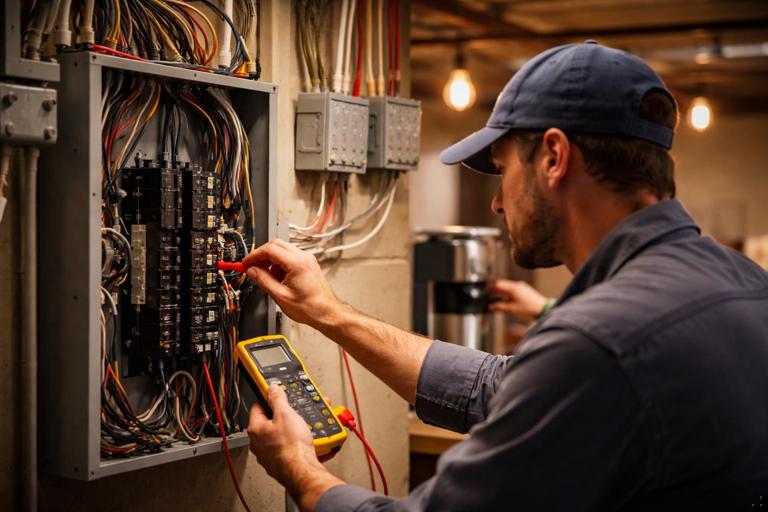
- 2) Measure voltage at the affected circuit during the event. Use a meter with min/max capture if available. A noticeable dip (even brief) supports a supply/connection issue.
- 3) Inspect for high-resistance connections. Focus on terminations feeding the affected circuit: device yokes, wirenuts, backstabs, splices in accessible junctions, and any multi-wire branch circuit junctions. A small resistance at a connection can create a larger voltage drop during inrush.
- 4) Check for shared impedance upstream. If multiple circuits share a loose neutral or a compromised connection in a junction, the symptom can appear across multiple rooms.
- 5) Retest after re-termination. Reproduce the inrush event and confirm the blink is reduced or eliminated.
Practical example: Kitchen pendants blink when the refrigerator starts. Voltage min capture shows a brief drop. Tightening and re-terminating a loose splice in an upstream junction reduces the dip and eliminates the blink. The smart dimmer was not the cause; it only made the symptom more visible.
Flicker Type C: Slow Pulsing or “Breathing” at Steady Level
Slow pulsing can be caused by an LED driver entering a protective mode, a control loop hunting due to incompatible dimming, or an automation feature repeatedly adjusting brightness (adaptive lighting, circadian modes, power monitoring feedback loops).
Step-by-step:
- 1) Disable all automations and adaptive features. Confirm whether pulsing stops. If it does, the issue is software logic, not electrical.
- 2) If pulsing persists, test with a different driver/lamp. Driver instability is common with certain dimmers at low conduction angles.
- 3) Adjust ramp rate and minimum brightness. Some drivers “hunt” near their dropout threshold; raising the minimum can stabilize.
- 4) Check for mixed loads. Mixing different lamp types on one dimmer can create uneven current draw and instability. Test with only one type connected.
Systematic Troubleshooting for Dropouts (Offline Devices, Missed Commands, Random Reboots)
Differentiate “Control Dropout” vs “Power Dropout”
A device can appear offline because it lost network connectivity, or because it lost power (even briefly) and rebooted. The fix paths differ.
Field indicators:
- Power dropout indicators: device LED status resets, relay clicks, logs show reboot, time-based settings reset, event occurs when a large load starts.
- Control dropout indicators: device still works locally but not via app/hub; or it responds after delay; or only remote control fails.
Step-by-step: Isolate the Control Path
- 1) Test local operation repeatedly. If local is solid but remote is unreliable, focus on network/hub/integration.
- 2) Test direct app control vs voice assistant vs automation. If app works but voice fails, the issue may be cloud integration or account linking. If automation fails but manual app works, look at rule conditions, delays, or conflicting scenes.
- 3) Check device logs/diagnostics if available. Many systems expose RSSI/LQI, last-seen timestamps, and reboot counters. Use these to confirm whether the device is dropping off the network or restarting.
- 4) Verify firmware versions and known issues. If multiple devices started failing after an update, consider rolling back (if supported) or applying the vendor’s recommended patch path.
Step-by-step: Confirm Power Stability to the Device
Even when line voltage is “present,” brief dips, noise, or poor connections can cause microcontroller resets.
- 1) Look for patterns with inrush loads. If dropouts coincide with HVAC or motor starts, suspect supply dip or connection impedance.
- 2) Inspect terminations at the device. A smart switch with a marginal line connection may power its electronics most of the time but reset under load changes.
- 3) Check for overheating or derating issues. Some smart dimmers reduce output or shut down when hot. Verify box fill, heat sources, and whether the device is operating near its rated load. Thermal shutdown can look like “random dropouts.”
- 4) Temporarily bypass the smart control (where safe and permitted) to see if the load itself causes disturbances. If the circuit is stable without the smart device, the smart device may be failing or incompatible with the load’s electrical behavior.
Practical example: A smart relay controlling under-cabinet LED drivers goes offline twice per evening. Local button sometimes works, sometimes not. Device diagnostics show reboot count increasing. The reboots correlate with a dishwasher heater cycle. Re-terminating a loose line splice in the same junction box eliminates the reboot events.
Systematic Troubleshooting for Compatibility Conflicts
Common Conflict Patterns
- Smart dimmer + smart bulbs: the dimmer chops power while the bulb expects full-time power and digital dimming commands; results include flicker, dropouts, or bulbs becoming unreachable.
- 0–10 V driver expectations vs control output behavior: some drivers require a defined minimum current sink/source or specific reference; mismatches cause non-linear dimming or instability.
- Mixed driver brands on one control channel: different input capacitance and control response can cause uneven behavior.
- Power monitoring features misinterpreting LED driver behavior: some controls use load sensing to detect bulb presence; certain drivers confuse the sensing algorithm.
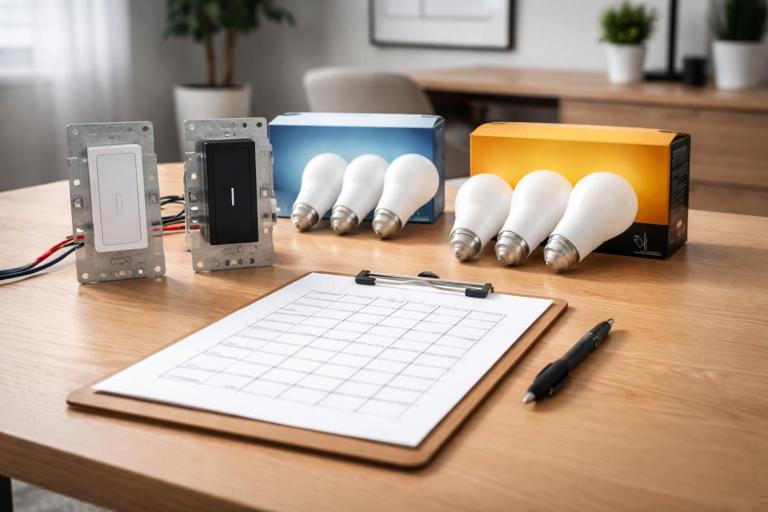
Step-by-step: Build a Compatibility Matrix on Site
When you suspect compatibility, treat it like a matrix test rather than a single swap.
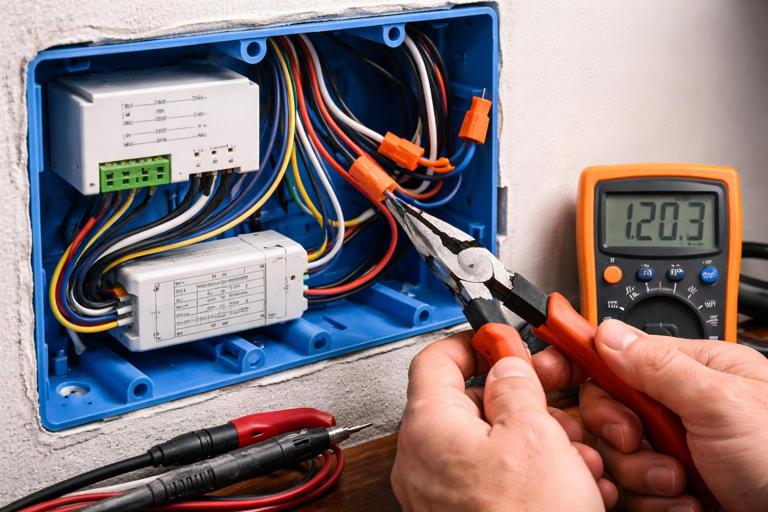
- 1) Identify the three elements: controller (dimmer/relay), load (lamp/driver/fixture), and control method (local/app/automation/hub).
- 2) Test controller with a known resistive load (temporary test lamp). If the controller behaves perfectly, the controller is likely fine.
- 3) Test the load on a different known-good controller. If the load misbehaves across controllers, the load/driver is the culprit.
- 4) If both are fine separately, test combinations and document which pair fails. This is the “compatibility conflict” signature.
- 5) Apply manufacturer-specific settings. Many smart dimmers have compatibility modes; many drivers have input type requirements. Confirm the correct mode is selected.
Practical example: A dimmer works with Brand A LED lamps but flickers with Brand B. Brand B works fine on a different dimmer model. The matrix indicates a specific dimmer/driver interaction. Resolution: switch dimmer to trailing-edge mode and increase minimum brightness; if not supported, replace dimmer with a model listed as compatible with that lamp/driver type.
Detect Conflicts Caused by Multiple Controllers Fighting
Some conflicts are not electrical; they are control conflicts. Symptoms include brightness “snapping” back after adjustment, lights turning on/off unexpectedly, or dim level drifting.
Step-by-step:
- 1) List all controllers that can affect the load. Wall control, app, voice assistant, hub automations, occupancy sensors, daylight sensors, and any “adaptive lighting” services.
- 2) Disable all but one controller. Verify stability with a single source of truth.
- 3) Reintroduce controllers one at a time. When the symptom returns, you have identified the conflict source.
- 4) Resolve by defining ownership. For example: wall dimmer provides constant power and scenes are handled by the hub; or wall control is the master and automations only trigger on/off, not dim level.
Advanced Field Techniques to Speed Up Root-Cause Identification
Use “A/B Swaps” with Known-Good Test Gear
Carry a small kit of known-good items: a dimmable LED lamp that behaves well on most dimmers, a small resistive test load (where appropriate), and a known-good smart switch/dimmer model you trust. A/B swaps are powerful because they isolate variables quickly:
- Swap only the load → if symptom changes, load/driver is implicated.
- Swap only the controller → if symptom changes, controller/configuration is implicated.
- Swap only the control method (disable automations) → if symptom changes, software/integration is implicated.
Look for “Edge Conditions” That Trigger Failures
Many issues appear only at extremes:
- Very low dim levels (driver dropout threshold).
- Very fast ramp rates (driver cannot track chopped waveform changes).
- Cold start (LED driver inrush and capacitor charging).
- High ambient temperature (thermal protection in smart dimmers/relays).
When testing, deliberately include these edge conditions rather than only “normal use.”
Document Settings and Baselines Before Changing Them
When you adjust dimmer parameters or hub rules, record the original values. A common service problem is “it got worse after we tried things.” A simple baseline record prevents that:
- Controller model/firmware
- Mode (leading/trailing edge, etc.)
- Low-end and high-end trim values
- Ramp rate
- Automation rules affecting the load
Structured Troubleshooting Playbooks
Playbook 1: Flicker on Dimming Only
1. Reproduce flicker with a scripted dim test (100% → 1% → 50% → off → on). 2. Confirm flicker disappears at 100%. 3. Swap to known-good dimmable lamp/driver. 4. If fixed: document incompatible lamp/driver; recommend compatible models. 5. If not fixed: change dimmer mode (leading/trailing) and adjust low-end trim upward. 6. If still not fixed: check for mixed loads; isolate to a single fixture. 7. If still not fixed: replace controller with a model known to work with that driver type.Playbook 2: Random Blink or Brief Dropouts
1. Identify coupling event (HVAC, fridge, pump, microwave). 2. Measure voltage with min/max capture during event. 3. Inspect and re-terminate upstream splices and device connections feeding the affected circuit. 4. Retest under same event. 5. If persists across multiple circuits: expand inspection upstream (junctions, panel terminations) and consider utility-side sag if whole-house.Playbook 3: Device Offline / Missed Commands
1. Test local control reliability. 2. If local OK: test app control; then voice; then automations. 3. Check diagnostics (last seen, signal quality, reboot count). 4. If reboots: inspect power connections and look for inrush-coupled dips/thermal shutdown. 5. If network-related: relocate hub/router, add repeaters where appropriate, or remove conflicting automations; verify firmware consistency.Playbook 4: Compatibility Conflict (Works Alone, Fails Together)
1. Build a matrix: Controller A + Load X, Controller A + Load Y, Controller B + Load X. 2. Identify the failing pair. 3. Apply controller configuration options (mode/trim/ramp). 4. Remove layered control (avoid smart dimmer + smart bulb dimming simultaneously). 5. If unresolved: replace the controller or load with a verified compatible option and document the tested combination.