


What “Swipe-Stopping Narrative Structure” Actually Means
A swipe-stopping narrative structure is the sequence of story beats that makes a viewer feel they must keep watching because the video is actively resolving something: a question, a tension, a transformation, a mystery, a comparison, or a promise with a clear payoff. In short-form, structure is not “beginning–middle–end” in the traditional sense; it is a chain of micro-commitments where each moment answers one question while immediately raising the next.
Think of retention as a series of tiny decisions: “Do I keep watching for one more second?” Narrative structure wins those decisions by doing three things repeatedly: (1) clarifying what the viewer is tracking, (2) escalating stakes or specificity, and (3) paying off in visible, concrete ways.
Structure vs. Hook (and why this chapter is not about the first second)
The hook is the entry point; the narrative structure is the engine that keeps the viewer from leaving after the hook. Even with a strong opening, viewers drop when the video becomes vague, repetitive, or slow to progress. This chapter focuses on the engine: how to design beat-to-beat progression so the viewer feels forward motion and anticipates a payoff.
The Core Retention Principle: “Answer + New Question”
High-retention shorts often follow an “answer + new question” rhythm. You give the viewer a small resolution (so they feel progress), then immediately introduce a new uncertainty (so they feel curiosity). This creates a loop of forward momentum.
- Answer: “Here’s what’s wrong with the setup.”
- New question: “Can it be fixed without buying anything?”
- Answer: “Yes—move this one thing.”
- New question: “But will it work under real conditions?”
This rhythm can be applied to any niche: cooking, fitness, productivity, comedy, education, product demos, behind-the-scenes, and storytelling.
- Listen to the audio with the screen off.
- Earn a certificate upon completion.
- Over 5000 courses for you to explore!

Download the app
Five Swipe-Stopping Narrative Structures (with When-to-Use)
1) The “Problem → Constraints → Solution → Proof” Structure
This structure works when you want to teach something quickly and credibly. The “constraints” beat is what makes it swipe-stopping: it signals difficulty and prevents the solution from feeling obvious.
- Problem: Define the pain in one sentence.
- Constraints: Add 1–2 limitations that make it interesting (time, budget, tools, skill level).
- Solution: Show the steps, not just the idea.
- Proof: Demonstrate the result in a way the viewer can verify visually.
Example (home cooking): “My eggs always stick to the pan.” Constraint: “No nonstick pan, no extra oil.” Solution: “Preheat, water test, then add butter at the right moment.” Proof: “Egg slides cleanly; pan wipe shows minimal residue.”

Example (business): “My proposals get ignored.” Constraint: “No redesign, no longer emails.” Solution: “Change subject line + first two lines + one CTA.” Proof: “Show before/after open rate or replies (blur sensitive info).”
2) The “Expectation → Twist → Reframe → Payoff” Structure
This structure is ideal for stopping swipes because it leverages surprise. The twist should not be random; it should be a reframe that makes the viewer think, “Oh, that’s why.”
- Expectation: Set up what most people assume.
- Twist: Reveal the counterintuitive truth.
- Reframe: Explain the new lens in one clear rule.
- Payoff: Show how the rule changes outcomes.
Example (fitness): Expectation: “To get stronger, lift heavier every week.” Twist: “Most people stall because they never own the same weight.” Reframe: “Progress is repeating a load until it’s easy, then increasing.” Payoff: “Show a 2-week clip: same weight, cleaner reps, then increase.”

Example (photography): Expectation: “You need better gear.” Twist: “Your background is the real problem.” Reframe: “Clean background beats expensive lens.” Payoff: “Before/after with the same phone, different background.”
3) The “Countdown with Escalation” Structure
Lists are common, but high-retention lists are structured as escalation, not a random set. Each item should be more surprising, more useful, or more specific than the last. The viewer stays because they expect the best is coming later.
- Set the rule: What the list is and who it’s for.
- Escalate: Each item increases value or novelty.
- Mini-proof: Each item includes a micro-demo.
- Final item: The most actionable or unexpected.
Example (editing): “3 cuts that make your shorts feel faster.” #3: remove dead air. #2: cut on motion. #1: cut on a question (audio continues over the cut). Each includes a 1-second example clip.
Common failure: “5 tips” where tip #1 and #5 are equally strong, or where items are abstract (“be consistent”). Fix it by making each item a visible action with a demonstration.
4) The “Micro-Quest” Structure (Goal → Obstacles → Attempts → Win)
This is a narrative structure that feels like a tiny movie. It’s excellent for creators who want to build personality and suspense without needing a complex plot.
- Goal: A clear, measurable target.
- Obstacle: Something that blocks it (time, missing tool, mistake).
- Attempts: 2–3 quick tries with escalating tension.
- Win (or near-win): A satisfying result or a cliffhanger into a follow-up.
Example (DIY): Goal: “Hang this shelf perfectly level.” Obstacle: “Wall studs aren’t where I need them.” Attempts: “Try anchors (fails), try different bracket (almost), find stud with magnet (works).” Win: “Shelf holds weight test.”
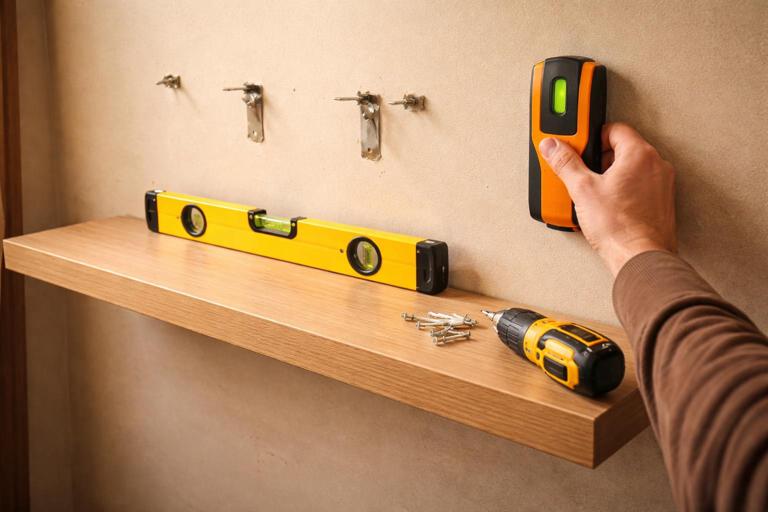
Why it retains: The viewer tracks a single objective and watches you iterate. Each attempt is a new beat that resets attention.
5) The “Before → Process → After (with a Reveal)” Structure
Transformations are inherently swipe-stopping, but only when the “process” is structured as a reveal rather than a blur. The viewer must understand what changed and why it worked.
- Before: Show the baseline clearly.
- Process: 2–4 key moves (not every move).
- Reveal: The after is shown as a moment, not a static end frame.
- Why it worked: One sentence that ties cause to effect.
Example (room makeover): Before: cluttered corner. Process: remove one item category, add one light source, add one vertical element, add one texture. Reveal: walk-in shot with lighting change. Why: “The light and vertical lines make the space feel taller and cleaner.”
Step-by-Step: How to Build a Swipe-Stopping Short from Scratch
Step 1: Choose one “trackable” question
A trackable question is something the viewer can monitor visually or logically. Avoid questions that are too broad.
- Good: “Can I fix this audio echo in 30 seconds?”
- Bad: “How do I become a better creator?”
Write your trackable question as a single sentence. If you can’t, the video will likely feel meandering.
Step 2: Define the payoff in a visible form
Short-form viewers reward clarity. Decide what the “proof” looks like.
- Side-by-side comparison
- Timer hitting zero with a finished result
- Test (drop test, taste test, stress test)
- Metric snapshot (blur private info)
- Reaction shot paired with the result
If the payoff is not visible, you must make it audible or measurable. “It feels better” is weak unless you show a test that demonstrates “better.”
Step 3: Add one constraint to create tension
Constraints make the story feel earned. Pick one that is real and relevant.
- Time: “in 20 seconds”
- Budget: “with $0”
- Tool limitation: “using only my phone”
- Skill limitation: “beginner-friendly”
- Environment: “in a noisy room”
Use only one main constraint unless the video is longer; too many constraints can confuse the viewer.
Step 4: Outline 6–10 beats (each beat = one new piece of information)
Write beats as short lines. Each beat should either (a) move the process forward, (b) raise stakes, or (c) deliver proof.
Beat 1: State the problem in one sentence (viewer knows what to track)Beat 2: Show the baseline (proof of the problem)Beat 3: Introduce the constraint (why it’s hard)Beat 4: Attempt #1 (quick)Beat 5: Result of attempt #1 (fails or partial)Beat 6: Adjustment (new idea)Beat 7: Attempt #2 (quick)Beat 8: Result of attempt #2 (works)Beat 9: Proof test (stress test / comparison)Beat 10: One-sentence rule (what to remember)This beat outline prevents the most common retention killer: talking without changing the viewer’s understanding.
Step 5: Design “pattern interrupts” at beat transitions
A pattern interrupt is a deliberate change that resets attention: angle change, prop change, on-screen demonstration, a new location, a sudden close-up, a sound cue, or a quick cut to proof. You don’t need chaos; you need punctuation.
- After a claim, cut to proof.
- After a step, cut to the result of that step.
- After an obstacle, cut to the new attempt.
Plan interrupts where viewers typically drop: right after you explain something, and right before the payoff.
Step 6: Write “retention lines” that keep the viewer oriented
Retention lines are short phrases that remind the viewer what matters and what’s next. They are not hype; they are navigation.
- “Watch what happens when I switch just this one setting.”
- “This is the part most people skip—and it’s why it fails.”
- “If this doesn’t work, I’m out of options.”
- “Here’s the test that proves it.”
Use them sparingly; one every few beats is enough. Overusing them feels manipulative and can reduce trust.
Micro-Tension: The Secret Ingredient Between Beats
Micro-tension is small uncertainty that exists even in educational content. It’s the feeling that something could go wrong, or that the next detail matters. You create micro-tension by making outcomes contingent: “If X, then Y.”
- Conditional stakes: “If I cut this corner, the whole thing peels.”
- Precision stakes: “One millimeter off and it won’t fit.”
- Social stakes: “This is the line that gets you ignored.”
- Time stakes: “I have one try before it sets.”
Micro-tension keeps the viewer engaged even when the topic is practical and non-dramatic.
How to Avoid the Most Common Retention-Killing Structures
The “Front-Loaded Value Dump”
This is when you list everything immediately, then spend the rest of the video repeating or elaborating without new progression. The viewer leaves because they already got the gist.
Fix: Hold back the most valuable detail until later, and earn it through steps or comparison. If you must preview, preview categories, not the exact answer.
The “Single-Speed Explanation”
When every moment has the same intensity and the same type of shot (talking head with no proof), attention fades.
Fix: Alternate between explanation and demonstration. Use the “answer + new question” rhythm so each explanation immediately leads to a test or a visible change.
The “No Proof Ending”
Many shorts explain a method but never show it working. Viewers feel unsatisfied and may not trust the creator.
Fix: Build proof into the structure as a beat, not as an optional add-on. If proof is impossible, show a proxy: a controlled test, a before/after, or a measurable indicator.
Practical Templates You Can Reuse (Fill-in-the-Blank)
Template A: Problem → Constraint → 3-Step Fix → Proof
1) “If your [thing] keeps [bad outcome], do this.”2) “But you can’t just [common advice], because [constraint].”3) Step 1: [action] (show it)4) Step 2: [action] (show it)5) Step 3: [action] (show it)6) “Here’s the test.” (proof)7) “Rule to remember: [one sentence].”Template B: Myth → Twist → Demonstration → Rule
1) “Most people think [myth].”2) “Actually, [twist].”3) “Watch this.” (demo)4) “Here’s what to do instead: [rule].”5) “Now compare.” (before/after proof)Template C: Micro-Quest with Attempts
1) Goal: “I’m trying to [goal] in [time/constraint].”2) Obstacle: “Problem: [obstacle].”3) Attempt #1 (quick)4) Result #1 (fail/partial)5) Attempt #2 (better)6) Result #2 (win)7) Proof test (stress/side-by-side)Examples of Beat Design Across Niches
Educational Creator (Language Learning)
Trackable question: “Can you stop translating in your head?”
- Beat: show a common sentence and the slow translation habit.
- Beat: constraint: “No apps, no flashcards.”
- Beat: method: replace translation with “image + verb chunk.”
- Beat: attempt: viewer repeats with you.
- Beat: proof: timed replay—second attempt is faster.
- Beat: rule: “Think in chunks, not words.”
Product Demo (Skincare or Tool)
Trackable question: “Does this reduce shine for real, or just on camera?”
- Beat: baseline shine under consistent light.
- Beat: constraint: “No filter, same lighting.”
- Beat: apply product on half face.
- Beat: close-up comparison.
- Beat: time jump: 2 hours later.
- Beat: blot test proof.
Comedy/Storytime (Relatable Situation)
Trackable question: “Will I get caught?” or “How bad can this get?”
- Beat: set the situation in one line.
- Beat: introduce a rule/constraint (boss is nearby, phone at 1%, etc.).
- Beat: attempt to solve it quietly.
- Beat: escalation (new person enters, notification sound, etc.).
- Beat: twist (the person helps, or the plan backfires).
Even in comedy, the structure is still “attempts and consequences.” The viewer stays to see the outcome of the escalating chain.
Advanced Technique: The “Open Loop Ladder”
An open loop is an unanswered question. A ladder is when you stack loops so you close one while opening another. This creates a feeling of constant progress without losing curiosity.
- Loop 1: “What’s causing the problem?” (close it quickly)
- Loop 2: “What’s the fix?” (delay slightly)
- Loop 3: “Will it work under test?” (delay until near the end)
How to apply: In your beat outline, mark which beat closes which loop. If you notice you open loops but never close them, viewers feel unsatisfied. If you close everything too early, viewers leave.
Checklist: Stress-Test Your Narrative Before Filming
- Is there one trackable question? The viewer knows what they’re watching for.
- Does every beat change something? New info, new attempt, new proof, or new stakes.
- Is there at least one constraint? The solution feels earned.
- Is there visible proof? The ending is verifiable.
- Do you escalate? Attempts get smarter, examples get more specific, or stakes increase.
- Can you summarize the structure in one line? If not, it’s probably too complex for a short.







