


Why Operational Checklists Matter
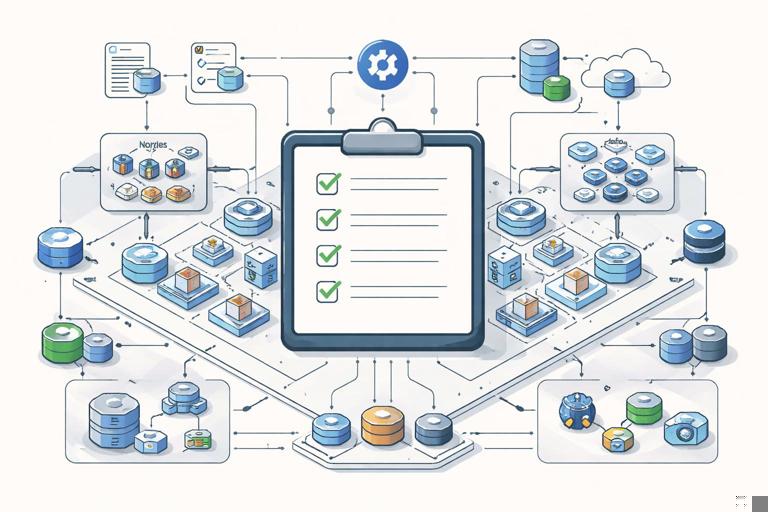
Production incidents rarely happen because a team lacks knowledge; they happen because critical steps are skipped under time pressure, assumptions go unverified, or responsibilities are unclear. Operational checklists turn “tribal memory” into repeatable actions. They reduce cognitive load during releases and incidents, create a shared definition of “ready,” and make handoffs between developers, SREs, and on-call engineers predictable.
In Kubernetes-based systems, the surface area is large: application code, manifests, dependencies, cluster components, cloud resources, and third-party services. A checklist is not a replacement for engineering; it is a guardrail that ensures the engineering you already did is actually applied, verified, and continuously maintained.
Checklist Design Principles
Make checklists executable, not aspirational
Each item should be verifiable with a command, a dashboard link, a test, or a documented artifact. “Ensure the system is scalable” is vague; “Verify the service sustains 2x peak QPS for 15 minutes with p95 latency < 300ms in the load test environment” is actionable.
Separate “gates” from “guidance”
Some items must block a production release (hard gates). Others are best practices that should be scheduled (guidance). Mixing them makes teams either ignore the list or over-block releases. Use labels such as Gate, Recommended, and Later.
Keep ownership explicit
Every item should have an owner role (e.g., “Service team,” “Platform team,” “Security,” “On-call”). If ownership is unclear, the item will not be done during an incident.
- Listen to the audio with the screen off.
- Earn a certificate upon completion.
- Over 5000 courses for you to explore!

Download the app
Version the checklist like code
Store checklists in the same repository as the service (or a central ops repo), review changes via pull requests, and update them after incidents. The checklist is a living artifact.
Production Readiness Checklist (Service-Level)
This checklist focuses on what a service team should validate before declaring a workload production-ready. It avoids re-teaching packaging, GitOps, RBAC, and observability fundamentals; instead it emphasizes operational completeness and verification.
1) Service Ownership and On-Call Readiness
- Gate: Primary and secondary owners are defined (team name, Slack/Teams channel, escalation contact).
- Gate: On-call rotation exists and is tested (at least one “test page” acknowledged within SLA).
- Gate: Runbook exists and is discoverable (link in alert annotations and in repository).
- Recommended: Known failure modes documented (dependency outages, rate limiting, data corruption scenarios).
2) Dependency and External Service Mapping
- Gate: Upstream/downstream dependencies listed (datastores, queues, third-party APIs, identity providers).
- Gate: For each dependency, define: expected latency, timeout, retry policy, and what happens when it’s unavailable.
- Gate: Clear “degraded mode” behavior documented (e.g., read-only mode, cached responses, feature flags).
- Recommended: Dependency owners and escalation paths documented.
3) Operational SLOs and Alert Coverage
- Gate: Service Level Objectives are defined (availability, latency, error rate) and tied to user impact.
- Gate: Alerts map to symptoms (user-visible errors, saturation, dependency failures) and have actionable thresholds.
- Gate: Each alert includes: summary, impact, immediate checks, and first actions (via annotations or linked runbook).
- Recommended: Error budget policy exists (what changes when budget is low).
4) Data Safety and Recovery
- Gate: Data classification is documented (PII, secrets, regulated data) and handling requirements are known.
- Gate: Backup/restore procedure exists for critical data stores and has been tested within the last N days.
- Gate: RPO/RTO targets are defined and achievable with current backups and restore time.
- Recommended: A “break-glass” procedure exists for emergency access, with auditing.
5) Capacity and Failure Tolerance Validation
- Gate: Peak traffic assumptions are documented (expected QPS, payload size, concurrency).
- Gate: Load test results show the service meets SLOs at expected peak and a defined surge factor (e.g., 1.5–2x).
- Gate: Failure testing performed for at least: pod restarts, node drain, dependency timeout, and one regional/zone impairment (as applicable).
- Recommended: A “known safe mode” is defined (feature flags off, reduced concurrency, shed load).
6) Operational Interfaces (Health, Admin, Debug)
- Gate: Health endpoints reflect real readiness (not just “process is up”).
- Gate: Admin/debug endpoints are protected and audited; they cannot be exposed publicly.
- Gate: A minimal set of operational commands is documented (e.g., cache flush, reindex trigger) with safety notes.
- Recommended: A “diagnostic bundle” script exists to collect relevant logs/metrics snapshots for support cases.
Production Readiness Checklist (Platform/Cluster Touchpoints)
Many incidents are caused by gaps between service expectations and platform reality. This checklist clarifies what should be verified with the platform team or via self-service tooling.
1) Cluster and Namespace Fit
- Gate: The workload is deployed to the intended cluster/namespace with the correct tenancy boundaries.
- Gate: Pod disruption behavior is validated during node maintenance (drain simulation or maintenance window rehearsal).
- Recommended: Quotas/limits are aligned with expected growth and do not cause surprise throttling.
2) Operational Access and Auditability
- Gate: On-call can access necessary read-only views (logs/metrics/traces, events, pod status) without ad-hoc privilege escalation.
- Gate: Emergency write access is defined (who, how, approval, audit trail).
- Recommended: Access is time-bound and automatically revoked for elevated roles.
3) Change Management and Maintenance Windows
- Gate: Planned maintenance windows and communication channels are known (cluster upgrades, node rotations, network changes).
- Gate: The service team knows how to request platform changes and understands lead times.
- Recommended: A pre-upgrade rehearsal exists for critical workloads (staging cluster upgrade first, then production).
Release-Day Operational Checklist (Step-by-Step)
This is a practical sequence to run on every production release. It assumes your delivery mechanism is already established; the focus is operational verification and fast rollback decision-making.
Step 1: Pre-flight (15–30 minutes before change)
- Confirm who is driving the release and who is observing (two-person rule for critical systems).
- Check current incident status: no ongoing major incident, no platform degradation, no dependency outage.
- Verify dashboards are healthy for the last 30–60 minutes: error rate, latency, saturation, dependency health.
- Confirm rollback path is available and understood (what action reverts the change and how long it takes).
Step 2: Freeze the blast radius
- Disable non-essential concurrent changes (pause other deployments if policy allows).
- Ensure feature flags are in a known state; document any flags you plan to toggle.
- Announce the change in the agreed channel with a start time and expected impact.
Step 3: Execute the change with observable checkpoints
- Start the deployment and watch the rollout status (pods becoming ready, no crash loops).
- Validate key service metrics during rollout: error rate, p95 latency, request volume, dependency errors.
- Run a small set of “smoke” checks that reflect user journeys (synthetic checks, critical API calls).
- Hold for a defined bake time (e.g., 10–30 minutes) before declaring success.
Step 4: Decide: proceed, pause, or rollback
- Proceed if metrics remain within SLO guardrails and smoke checks pass.
- Pause if there is a mild regression but stable behavior; investigate quickly.
- Rollback if user impact is detected (error spikes, sustained latency regression, data integrity risk).
Step 5: Post-change verification
- Confirm alerts are not firing and error budget burn is normal.
- Record the change reference (commit/tag) and any follow-ups discovered during the bake time.
- Communicate completion and any observed anomalies.
Incident Response Checklist (First 5, 15, 60 Minutes)
During incidents, teams often oscillate between “doing something” and “figuring out what’s happening.” A time-boxed checklist prevents thrash. Use it as a default path, then deviate intentionally when evidence demands it.
First 5 Minutes: Stabilize and Establish Control
- Declare the incident in the designated channel and assign roles: Incident Commander (IC), Communications, Operations/Investigations.
- Define impact in one sentence: who is affected, what is broken, severity level.
- Stop the bleeding: if a recent change correlates with impact, initiate rollback or disable the risky feature flag.
- Confirm time boundaries: when did it start, what changed around that time (deployments, config, dependency incidents, platform events).
- Start an incident log: timestamped notes of actions and observations.
First 15 Minutes: Triage with Evidence
- Validate symptoms: user-facing errors, latency, partial outages, regional impact, specific endpoints.
- Check the “golden signals” for the service and key dependencies: traffic, errors, latency, saturation.
- Identify the failure domain: single service vs shared dependency vs cluster/platform vs external provider.
- Apply safe mitigations in priority order: rollback, shed load, reduce concurrency, disable expensive features, scale out if saturation is the issue and scaling is safe.
- Communicate status: current impact, mitigation in progress, next update time.
First 60 Minutes: Restore Service and Prevent Recurrence During the Incident
- Confirm recovery: metrics return to baseline, error rates normalize, synthetic checks pass.
- Watch for regression: ensure the fix holds for at least one full traffic cycle (or a defined observation window).
- Capture artifacts: relevant logs, traces, dashboards, and configuration snapshots for later analysis.
- Decide on follow-up actions: temporary guardrails (rate limits, feature flags) to keep the system stable.
- Update stakeholders: what happened, current status, and whether further risk remains.

Incident Severity and Decision Framework
A checklist works best when paired with a consistent severity model. Define severity levels based on user impact and business criticality, not internal stress. For example: Sev1 (major outage), Sev2 (partial outage or severe degradation), Sev3 (minor degradation), Sev4 (non-urgent issue). Tie each severity to expectations: response time, who must join, and communication cadence.
Rollback vs Fix-Forward: a practical rule
- Rollback when: the change is recent, rollback is low-risk, and user impact is ongoing.
- Fix-forward when: rollback is risky (data migrations, irreversible state), the issue is well-understood, and a targeted fix is safer.
- Default to rollback if you cannot confidently explain the failure mechanism within a short time-box.
Communication Checklist (Internal and External)
Communication is an operational task, not a courtesy. Poor communication increases duplicate work, delays mitigations, and erodes trust.
Internal comms (every incident)
- Single incident channel with pinned summary and links to dashboards.
- Regular updates on a fixed cadence (e.g., every 15 minutes for Sev1/Sev2).
- Explicit requests for help: “Need database SME to assess connection saturation” is better than “DB issue?”
- Decision announcements: rollback initiated, feature disabled, traffic shifted, etc.
External comms (when users are impacted)
- Status page update includes: what users see, which regions/features, and workaround if any.
- Avoid speculation; share what is confirmed and what is being done next.
- Provide an ETA only if you have evidence; otherwise provide the next update time.
Operational Drills: Turning Checklists into Muscle Memory
A checklist that is never practiced will fail under pressure. Schedule lightweight drills that validate both the technical steps and the human coordination.
Game day checklist (monthly or quarterly)
- Pick one scenario: dependency latency spike, misconfiguration, node pool disruption, certificate renewal failure, or traffic surge.
- Define success criteria: time to detect, time to mitigate, correctness of comms, and whether the runbook was sufficient.
- Run the drill in a controlled environment when possible; for mature teams, run limited-scope drills in production with guardrails.
- Update the checklist and runbook immediately after the drill while details are fresh.
Post-Incident Operational Checklist (Blameless, Actionable)
Post-incident work should improve the system, not just document the past. The checklist below focuses on producing artifacts that prevent recurrence and improve response.
Within 24 hours
- Write a short incident summary: impact, duration, affected components, and mitigation.
- Capture a timeline with key events and actions (deployments, alerts, mitigations).
- Identify the primary contributing factors (not just the trigger).
- Create immediate follow-up tasks for high-risk gaps (missing alert, unclear ownership, unsafe rollback).
Within 1–2 weeks
- Complete a root cause analysis appropriate to severity (5 Whys, causal graph, or fault tree).
- Define preventive actions with owners and deadlines (alert improvements, safer defaults, automation).
- Validate that action items are measurable (e.g., “Add alert for dependency timeout rate > X for Y minutes”).
- Update runbooks and checklists based on what was confusing or missing during the incident.
Templates You Can Copy into Your Repo
Production readiness template (service README excerpt)
## Production Readiness (Gate Items)
- Owners/on-call:
- Runbook link:
- SLOs: (availability/latency/error)
- Key dependencies:
- Degraded mode behavior:
- Backup/restore tested: date + evidence link
- Load test evidence: link + peak assumptions
- Failure testing evidence: link
- Rollback procedure: link + estimated time
Incident channel pinned header
Incident: <short name>
Severity: Sev?
Start time:
Impact: (who/what)
Current status: Investigating / Mitigating / Monitoring
Mitigation in progress:
Dashboards: (links)
Runbook: (link)
Next update: (time)
Roles: IC / Comms / Ops
First actions runbook snippet (symptom-based)
### Symptom: Elevated 5xx errors
1) Check recent deploy/change log (last 60 min).
2) If correlated with deploy, rollback or disable feature flag.
3) Check dependency error rates/timeouts.
4) Check saturation (CPU/memory/connection pools).
5) Apply safe mitigation: shed load, reduce concurrency, scale out if safe.
6) Communicate status + next update time.
Common Checklist Pitfalls (and How to Avoid Them)
Checklist bloat
If the list becomes too long, people stop using it. Keep a short “Gate” list for releases and a longer “Deep dive” list for periodic audits. Rotate items into audits rather than blocking every release.
Unverifiable items
Replace subjective statements with evidence links. For example, instead of “alerts are good,” require “alert coverage reviewed on date X; links to alert rules and dashboards.”
Stale runbooks
Runbooks often rot because they are not used. Make the checklist require that runbooks are referenced by alerts and exercised in drills. If a runbook is not used in 90 days, schedule a review.
No explicit rollback criteria
Teams lose time debating whether to rollback. Add explicit rollback triggers to the release checklist, such as “p95 latency > baseline + 20% for 10 minutes” or “5xx error rate > 1% sustained for 5 minutes.”
Periodic Operational Audits (Weekly/Monthly)
Some readiness items are not “one and done.” Use a recurring audit checklist to keep production posture healthy.
Weekly
- Review top alerts by frequency and tune noisy ones.
- Review error budget burn and recent regressions.
- Confirm on-call access still works (no broken permissions or expired tokens).
Monthly
- Run a restore test for critical data paths (or verify evidence from the owning team).
- Review dependency map changes and update timeouts/retries if needed.
- Run a game day drill and update runbooks/checklists.
Quarterly
- Review incident trends and prioritize systemic fixes.
- Reassess SLOs against current product expectations.
- Validate that operational ownership is still accurate after org changes.






