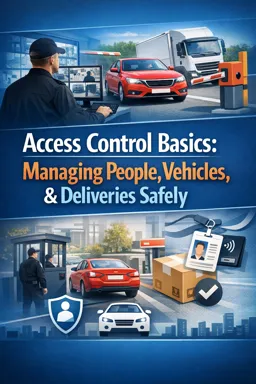
Why entry point setup matters
An entry point is a controlled “funnel” where people, vehicles, and deliveries transition from public space to a protected site. Good setup reduces mistakes (wrong person admitted, missing records, misdirected deliveries) and improves flow (shorter lines, fewer arguments, safer movement). The goal is to make the correct action the easiest action: clear paths, clear roles, clear communication, and consistent service.
1) Physical layout: design the space to prevent confusion
Signage
Use signs to answer the top questions before someone reaches the desk or gate: “Where do I go?”, “What do I need ready?”, “Who can use this lane?”. Place signs where decisions are made (at turns, before lane splits), not only at the checkpoint.
- Approach signs: “Visitor check-in ahead—ID ready”, “Deliveries use right lane”, “Residents/Badge holders keep left”.
- Instruction signs at the checkpoint: “Stop here”, “Wait for signal”, “Do not tailgate”, “Pedestrians use marked path”.
- Wayfinding inside: “Receiving dock →”, “Building A →”, “Turnaround →”.
Queuing lanes
Separate queues by type to reduce mixed expectations and disputes. Keep lanes long enough to avoid spillback into public roads or sidewalks.
- People: one line for pre-registered/known badge holders, one for visitors needing verification, one for deliveries if they check in at the same point.
- Vehicles: dedicated lane for residents/authorized vehicles, dedicated lane for visitors, dedicated lane for deliveries/contractors.
- Physical cues: cones, stanchions, painted lines, and “next available window” indicators to prevent crowding at the desk.
Lighting
Lighting should support identification and camera capture without blinding drivers or staff.
- Illuminate faces at the interaction point (avoid strong backlighting).
- Ensure plate-reading areas are evenly lit; avoid flicker and glare on windshields.
- Provide safe, well-lit pedestrian paths from parking/drop-off to the check-in point.
Cameras
Place cameras to support verification and incident review. Cameras should complement staff, not replace them.
- Listen to the audio with the screen off.
- Earn a certificate upon completion.
- Over 5000 courses for you to explore!

Download the app
- Coverage zones: approach, stop line, interaction point, barrier/gate, pedestrian path, and any turnaround area.
- Angles: capture face-level at the window/desk and plate-level at the stop line.
- Operational checks: confirm time/date accuracy, clear lens, and unobstructed view each shift.
Barriers and control points
Barriers create a clear “permission boundary.” Use them to prevent tailgating and to keep vehicles from entering pedestrian areas.
- Primary barrier: gate arm, bollards, or controlled door.
- Secondary control: speed bumps, chicanes, or offset lanes to slow vehicles before the stop line.
- Anti-tailgating: spacing markers and “one vehicle at a time” signage; if possible, use a sally-port style two-barrier setup for high-risk sites.
Safe pedestrian paths
Pedestrians should never be forced to walk between queued vehicles. Provide a protected route with clear crossings.
- Marked walkway separated by bollards/rails where feasible.
- Crosswalk at a single controlled point with “stop for pedestrians” signage.
- Accessible route (ramps, non-slip surfaces) and weather protection if possible.
Step-by-step: quick physical setup checklist
- Stand at the approach and identify decision points (where people choose a lane or turn).
- Place signs at each decision point and at the stop line.
- Mark lanes and pedestrian paths; add cones/stanchions to enforce them.
- Confirm lighting supports face and plate visibility.
- Verify camera views for approach, interaction, and barrier.
- Test barriers and ensure emergency access is defined (e.g., fire lane).
2) Operational layout: define roles so nothing is missed
Operational layout is the division of labor at the entry point. When roles are unclear, staff multitask under pressure, which increases errors. A simple role split improves accuracy and speed.
Core roles
- Greeter (front contact): welcomes, sets expectations, directs the person/vehicle into the correct process, and keeps the line moving.
- Verifier (checks authorization): confirms identity/authorization using the approved method and resolves exceptions (e.g., not on list).
- Recorder (logs activity): records required details accurately and consistently; ensures required fields are complete.
- Entry controller (grants entry): operates the barrier/door after verification and logging are complete; watches for tailgating and safety issues.
In small posts, one person may perform multiple roles, but the sequence should remain the same: greet → verify → record → grant entry. Use a short checklist to avoid skipping steps.
Recommended workflow by entry type
| Entry type | Greeter does | Verifier does | Recorder logs | Entry controller does |
|---|---|---|---|---|
| Known badge holder | Direct to fast lane | Spot-check if required | Only if policy requires | Open when safe; prevent tailgating |
| Visitor | Ask purpose + host name | Confirm authorization with host/tenant | Name, host, time, ID method, badge issued | Issue access/allow through after complete |
| Delivery | Direct to delivery lane/receiving | Confirm destination + acceptance method | Company, driver, vehicle/plate, destination, time | Route to dock/receiving; enforce speed/path |
| Contractor/service | Confirm work order/contact | Verify approval and site rules | Company, contact, area, time in/out | Issue temporary credential; route safely |
Step-by-step: role handoff script (simple and consistent)
- Greeter: “Good morning. Are you visiting, delivering, or here as a contractor?”
- Greeter: “Please stop at the line and have your ID and host name ready.”
- Verifier: confirms authorization using the approved contact method.
- Recorder: completes the log before entry is granted.
- Entry controller: “You’re cleared to enter. Please follow the marked route to [location]. One vehicle at a time.”
3) Communication tools: keep messages short, clear, and auditable
Radio etiquette (for internal coordination)
Radio traffic should be brief, structured, and professional. Avoid personal data over open channels when possible.
- Think, then transmit: know what you will say before pressing the button.
- Identify: “Gate One to Control” (who you are calling and who you are).
- State the need: “Request confirmation for visitor for Suite 410.”
- Confirm receipt: “Copy” / “Received.”
- Close: “Gate One clear.”
Example: “Gate One to Control—requesting confirmation. Visitor: John Smith for Tenant A, 10 a.m. appointment. Please advise.”Call scripts (for host/tenant verification)
Use a consistent script to reduce errors and ensure you capture the same information every time.
“Hello, this is [Name] at [Entry Point]. I have a visitor/delivery for you: [Name/Company], here for [purpose]. Are they authorized to enter, and where should I direct them?”Follow-up questions when needed:
- “Do they need an escort?”
- “Which entrance/dock should they use?”
- “Any restrictions (parking, access areas, time window)?”
Tenant/host contact methods
Choose contact methods that are reliable during peak times and outages, and define a fallback order.
- Primary: dedicated tenant/host phone list, reception desk line, or dispatch line.
- Secondary: approved messaging app or internal ticketing/visitor system notifications.
- Fallback: on-site directory, after-hours contact list, or supervisor escalation.
Maintain the contact list as a controlled document: dated, versioned, and stored where staff can access it quickly.
4) Service standards: professional, clear, and calm under pressure
Professional greeting that supports control
A good greeting is friendly but structured. It sets the tone and reduces arguments by making the process predictable.
- Use a neutral, respectful tone.
- Give one instruction at a time.
- Explain the “why” briefly when needed: “For safety, I need to confirm with your host.”
Clear directions (reduce wrong turns and repeat questions)
Directions should be specific and tied to visible landmarks.
- Use route + rule: “Follow the blue line to Receiving, keep right, and stop at Dock Office.”
- Avoid vague terms like “over there.”
- Confirm understanding: “Can you repeat the destination back to me?” when confusion is likely.
De-escalation basics (practical and brief)
Most conflicts at entry points come from waiting, confusion, or perceived unfairness. De-escalation focuses on lowering emotion while maintaining boundaries.
- Stay calm and steady: slow your speech; keep your posture non-threatening.
- Acknowledge: “I understand you’re in a hurry.”
- State the process: “I need to confirm authorization before entry.”
- Offer options: “We can call your host now, or you can wait in the visitor lane while we confirm.”
- Set limits: “I can help you, but I need you to remain behind the line.”
- Escalate early if needed: call a supervisor when behavior becomes unsafe or non-compliant.
5) Peak-time management: keep the line moving without lowering standards
Line control
During peaks, the biggest risk is skipping steps to “catch up.” Instead, adjust staffing and simplify decisions.
- Pre-sort: a greeter walks the line to separate visitors, deliveries, and known badge holders.
- Staging: have a marked “ready zone” where the next person/vehicle prepares ID, paperwork, or destination info.
- One question rule: ask the minimum needed to route them correctly, then move to verification.
- Physical reinforcement: add cones/stanchions to prevent line cutting and crowding.
Prioritization rules (define before you need them)
Prioritization must be consistent and defensible. Post rules internally and train staff so decisions are not improvised.
- Safety first: emergency vehicles and safety incidents override all queues.
- Time-sensitive operations: scheduled contractors with time windows, per site policy.
- Perishable/critical deliveries: medical, refrigerated, or critical operations supplies if applicable.
- Fairness: “first come, first served” within each lane/type unless policy states otherwise.
Contingency for outages (power, network, phone)
Outages increase risk because normal verification and logging tools may be unavailable. Prepare a simple degraded-mode process.
- Paper fallback: printed log sheets, printed contact list, printed site map/routes.
- Manual barrier plan: who controls it, how to prevent tailgating, and when to suspend entry.
- Verification fallback: phone call from a backup line, radio to a control room, or supervisor approval path.
- Record later: if electronic logging is down, capture minimum required fields on paper and enter later with a note “entered from outage log.”
Recommended standard post routine (opening, operating, closing)
Opening routine (start of shift)
- Safety walk-through: check pedestrian path is clear, cones/stanchions placed, no trip hazards, and visibility is good.
- Barrier and lane check: test gate/door function, confirm stop line is visible, confirm tailgating controls are in place.
- Camera check: verify key views (approach, interaction point, barrier) are live and unobstructed; confirm correct time/date.
- Lighting check: confirm adequate lighting for faces/plates; adjust if needed.
- Tools ready: radio check, phone check, charged flashlight, spare pens, paper logs (for outages), visitor badges/temporary credentials, and any required forms.
- Reference materials: current contact list, routing map, escalation numbers, and prioritization rules accessible at the post.
- Briefing: review expected peaks, scheduled contractors/deliveries, special instructions, and any restricted areas for the day.
Operating routine (during shift)
- Use the sequence every time: greet → verify → record → grant entry.
- Keep the stop line sacred: no one passes the control point until cleared; maintain safe distance from the barrier.
- Maintain lane discipline: correct misrouted vehicles early; use the greeter to pre-sort during peaks.
- Log quality checks: periodically review entries for missing fields; correct immediately while details are fresh.
- Continuous safety scan: watch for pedestrians crossing lanes, distracted drivers, tailgating attempts, and blocked emergency access.
- Exception handling: if authorization cannot be confirmed, move the person/vehicle to a designated waiting area without blocking flow.
- Communication discipline: keep radio messages short; avoid sensitive details; document key decisions in the log.
Closing routine (end of shift)
- Reconcile logs: ensure all entries/exits are complete; flag any exceptions or incidents for supervisor review.
- Credential control: collect temporary badges/passes if applicable; secure unused credentials.
- Secure the post: lock cabinets, secure forms, and protect any paper logs containing personal information.
- Equipment check: charge radios/phones, report malfunctions (barrier, camera, lighting), and restock supplies.
- Area reset: remove temporary cones if required, ensure lanes and pedestrian paths are left safe and orderly.
- Handover notes: document pending verifications, expected arrivals, outages, and any persons/vehicles of concern for the next shift.