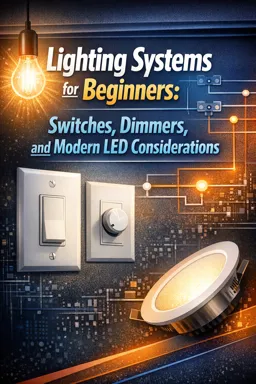
Why LEDs Behave Differently on Switches and Dimmers
LEDs are semiconductor devices that want controlled current, not just a fixed voltage like an incandescent filament. That difference is why many LED products include electronics that can interact with switches, dimmers, and breakers in ways that feel “picky”: flicker at low levels, limited dimming range, pop-on behavior, or nuisance tripping. The key is understanding the driver (the power-conversion electronics) and how it responds to different dimming methods and to momentary surges like inrush current.
Screw-In LED Lamps vs Integrated LED Luminaires
Screw-in LED lamps (retrofit bulbs)
- What they are: A self-contained lamp with an internal driver designed to run from mains voltage (e.g., 120 V or 230 V) and fit standard sockets.
- What matters for dimming: The lamp’s internal driver is usually optimized for compact size and cost. That can mean narrower compatibility with dimmers, more sensitivity to low-level conduction, and more variation between brands.
- Common symptoms: Flicker at low dim levels, “dropout” (turning off before the dimmer reaches minimum), or a sudden jump from off to a visible level.
Integrated LED luminaires (fixtures with built-in LEDs)
- What they are: The LED light source is built into the fixture. The driver may be inside the fixture, in a separate compartment, or even a remote box.
- What matters for dimming: Integrated fixtures often use higher-quality drivers (especially in commercial-grade products) and may offer dedicated dimming inputs (0–10 V, DALI, etc.) rather than relying on phase-cut dimming.
- Serviceability note: When the driver fails, you may replace a driver module rather than a “bulb.” Always check whether the driver is field-replaceable and what dimming method it supports.
What an LED Driver Does (and Why It Affects Dimming)
An LED driver’s job is to convert building power into a form the LEDs can use safely and consistently. Even when a product is labeled “dimmable,” the driver design determines how it dims and how it behaves electrically.
1) Rectification: AC to DC
Mains power is AC. LEDs need DC. Most drivers begin with a rectifier that converts AC into pulsating DC. This stage can draw current in short bursts near the peaks of the AC waveform, which is one reason LED loads can look “spiky” to dimmers and breakers.
2) Filtering: smoothing and energy storage
Drivers typically use capacitors to smooth the rectified voltage. Those capacitors can charge very quickly when power is applied, contributing to inrush current (a brief surge at turn-on). Filtering also influences flicker and how the driver responds to chopped waveforms from phase-cut dimmers.
3) Current regulation: keeping LED current controlled
LED brightness is primarily controlled by current. A driver regulates current so the LEDs don’t overheat or fail prematurely. Regulation can be implemented with different topologies (constant-current, constant-voltage with downstream regulation, etc.), but the practical takeaway is: the driver decides what “dim” means, and not all drivers interpret dimmer signals the same way.
- Listen to the audio with the screen off.
- Earn a certificate upon completion.
- Over 5000 courses for you to explore!

Download the app
Driver Dimming Interfaces (What You’ll See on Labels and Spec Sheets)
Phase-cut dimming compatibility (mains dimming)
Many residential installations dim by chopping the AC waveform. LED drivers that support this are often marketed as “phase-cut dimmable” or “triac dimmable,” but the details matter.
- Forward-phase (leading-edge): The waveform is cut at the beginning of each half-cycle. This is common with older dimmers. Some LED drivers tolerate it; others buzz, flicker, or have a reduced dimming range.
- Reverse-phase (trailing-edge): The waveform is cut at the end of each half-cycle. Many modern LED drivers prefer this because it can be gentler on electronic power supplies and may reduce audible noise and flicker.
How to use driver notes: If a driver label says forward-phase only, do not assume a reverse-phase dimmer will work. If it says reverse-phase recommended, treat that as a strong hint that leading-edge dimming may cause noise or instability.
0–10 V dimming (separate low-voltage control pair)
0–10 V dimming uses two additional low-voltage control wires to tell the driver what light level to produce. The driver still powers the LEDs; the 0–10 V signal is just a control input.
- Typical behavior: 10 V = full output; near 0 V = minimum level (some drivers go to a low level but not fully off unless you also switch the mains).
- Practical implication: You often need both a switched hot (to turn the fixture on/off) and the 0–10 V control pair (to set the dim level).
PWM dimming (pulse-width modulation)
PWM dimming rapidly turns LED current on and off; the average “on time” sets perceived brightness. PWM is common inside drivers and in some low-voltage LED systems.
- What you may notice: Some cameras show banding or flicker if PWM frequency is low. Good drivers use higher frequencies or additional smoothing.
- Where it appears: Often as a driver feature rather than a wall-dimmer feature; the wall control might be 0–10 V, DALI, or a proprietary interface, while the driver performs PWM internally.
DALI basics (digital addressable control)
DALI is a digital lighting control method used frequently in commercial systems. Instead of a simple analog voltage, the driver receives digital commands (such as dim level) over a control pair.
- What matters here: DALI drivers are not “phase-cut dimmable” by default. They typically expect a DALI controller, and the mains feed is usually constant (not chopped by a dimmer).
- Practical takeaway: If a fixture is DALI-only, plan for a DALI control device rather than a standard wall dimmer.
Inrush Current: Why LEDs Can Trip Breakers or Stress Dimmers
Inrush current is a short, high surge of current when power is first applied. In LED drivers, it’s often caused by input capacitors charging and by the driver’s control circuitry starting up. Even if the steady-state power is low, the inrush peak can be many times higher for a few milliseconds.
What inrush can cause
- Nuisance breaker trips: Especially when many LED drivers energize at the same time (e.g., a bank of downlights on one switch).
- Dimmers running hot or failing early: The dimmer’s internal components may see repeated current spikes at turn-on.
- Relay/contact wear: Some electronic switches, smart relays, and occupancy sensors have contact or semiconductor limits that inrush can exceed.
Step-by-step: diagnosing an inrush-related problem
- Identify the pattern: Does the breaker trip only when turning on a group of LED fixtures at once? Does it behave normally if turned on one circuit at a time?
- Count drivers, not watts: Ten 10 W LED drivers can create more inrush stress than one 100 W driver, depending on design. Make a list of how many drivers energize together.
- Check driver datasheets for inrush specs: Look for entries like
Inrush current: X A, Y µsorIinrush. If not available, search by driver model number printed on the fixture/driver. - Check control device limits: Some dimmers and smart switches specify a maximum number of LED drivers or a maximum inrush rating. Compare those limits to your driver count and inrush values.
- Test by splitting the load: Temporarily move part of the lighting to a different switch/circuit (or disconnect a portion) to see if the issue disappears. If it does, inrush aggregation is likely the culprit.
Common mitigation approaches (conceptual)
- Reduce simultaneous turn-on: Split large groups across multiple controls or circuits.
- Use controls rated for electronic loads/inrush: Some devices are designed with higher surge tolerance.
- Use drivers with lower inrush: In commercial retrofits, selecting a different driver model can solve repeated trips.
Thermal Considerations: Heat, Drivers, and LED Lifespan
LEDs are efficient, but they still produce heat, and the driver produces heat too. Heat is a major factor in lumen maintenance (how brightness holds up over time) and in driver reliability.
Where heat builds up
- Enclosed fixtures: Screw-in LED lamps in enclosed glass fixtures can run hotter than expected, stressing both LEDs and the tiny internal driver.
- Insulation contact and tight ceilings: Recessed fixtures or integrated downlights can trap heat if not designed for the environment.
- Driver location: Remote drivers in a cooler, ventilated space often last longer than drivers packed into a small, hot fixture cavity.
Practical checks
- Look for “suitable for enclosed fixtures”: If a lamp is not rated for enclosure, it may overheat and fail early or change dimming behavior as it warms up.
- Watch for thermal foldback: Some drivers reduce output when hot. You may see the light dim slightly after running for a while, even without touching the dimmer.
- Confirm fixture ratings: Integrated luminaires often specify ambient temperature limits (e.g.,
tarating). Exceeding that can shorten life.
Matching Dimmers to Driver Type (Practical Selection Workflow)
Because the driver is the “personality” behind the LED, matching the dimmer to the driver type is the most reliable way to avoid flicker, dropout, and noise.
Step-by-step: choosing a dimming method for a given LED product
- Identify what you’re dimming: Is it a screw-in lamp or an integrated luminaire with a separate driver?
- Read the dimming interface on the label/spec:
- If it says
phase-cut,triac,leading-edge, ortrailing-edge, you’re in mains-dimming territory. - If it says
0–10 V,DALI, or similar, plan for that control type (not a standard phase-cut wall dimmer).
- If it says
- For phase-cut drivers, look for direction notes:
forward-phase only→ use a compatible leading-edge dimmer.reverse-phase recommended→ prioritize a trailing-edge (electronic) dimmer designed for LED drivers.
- Check the dimmer’s LED compatibility list: Many dimmer manufacturers publish tested lamp/driver lists. If your exact model is listed, that’s a strong predictor of good performance.
- Plan for minimum-load behavior: Some dimmers need a minimum load to operate smoothly. If you’re dimming only one or two small LED lamps, choose a dimmer known to handle very low LED wattage or one specifically designed for that scenario.
- Expect adjustment features to matter: If the dimmer has a low-end trim (minimum level) or a mode setting (forward/reverse phase), use it to eliminate flicker and prevent dropout.
Interpreting “dimmable” labels (what they do and do not mean)
- “Dimmable” means: The product has some method of reducing light output without damage under specified conditions.
- “Dimmable” does not guarantee: Smooth dimming on every dimmer, full-range dimming to very low levels, no flicker, or no audible noise.
- Look for extra qualifiers: Phrases like
compatible with leading-edge,trailing-edge,ELV dimmer,MLV dimmer, or a specific dimmer model list are more informative than the single word “dimmable.”
Quick Reference: Common Driver Notes and What to Do
| Driver/fixture note | What it implies | What to check next |
|---|---|---|
Forward-phase only | Designed for leading-edge phase-cut | Use a compatible leading-edge dimmer; verify tested list; watch for buzz/flicker |
Reverse-phase recommended | Trailing-edge likely gives best results | Select a trailing-edge/electronic dimmer rated for LED drivers and inrush |
0–10 V | Separate low-voltage control input | Provide 0–10 V controller and wiring; confirm whether switching is also required for off |
DALI | Digital control system required | Use DALI controller; do not expect phase-cut dimmer compatibility |
Not for enclosed fixtures | Thermal limits may be exceeded in enclosed housings | Change fixture type or lamp rating to avoid overheating and early failure |