


What a 30-Day Production Plan Actually Solves
A 30-day vertical video production plan is a calendar-driven operating system that turns “I should post more” into a predictable rhythm: what gets made, when it gets made, who touches it, and what “done” means at each step. The goal is not to cram 30 random uploads into a month; it is to create a repeatable cadence that protects quality, prevents burnout, and makes performance learnings usable because your output is consistent enough to compare.
This chapter focuses on execution rhythm: how to schedule ideation, production, editing, review, publishing, and learning loops across 30 days without re-teaching earlier topics like hooks, pacing, captions, sound, lighting, shot lists, editing software workflows, templates, batch systems, A/B testing, or export standards.
Core idea: separate “creative decisions” from “production labor”
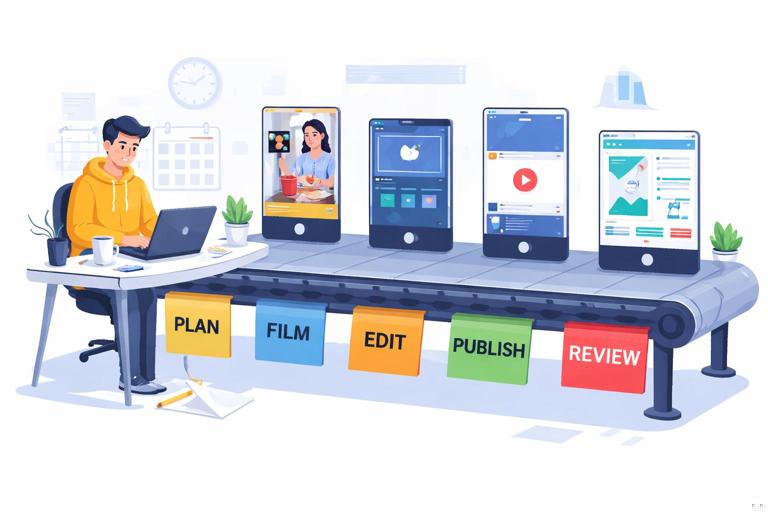
Most creators stall because they mix decisions (What is this video? What’s the angle?) with labor (recording, cutting, uploading). A 30-day plan works when you front-load decisions into short, scheduled blocks, then execute with minimal rethinking. Your month becomes a conveyor belt: each day has a small, predictable job, and multiple videos are at different stages simultaneously.
Define Your Monthly Output Target (and Make It Realistic)
Start by choosing a posting frequency that matches your available hours. Use a simple capacity formula:
- Available hours per week (after work, family, admin)
- Average hours per video (including filming, editing, packaging, upload, and admin)
- Buffer (20–30% for surprises)
Example: You have 8 hours/week. Your current average is 2 hours/video end-to-end. 8 ÷ 2 = 4 videos/week. Apply a 25% buffer: 3 videos/week. Over 30 days, that’s 12–13 videos.
- Listen to the audio with the screen off.
- Earn a certificate upon completion.
- Over 5000 courses for you to explore!

Download the app
Choose one of these common 30-day targets:
- Starter: 12 videos/month (3/week)
- Standard: 20 videos/month (5/week)
- High-output: 30 videos/month (daily)
Pick the lowest target you can sustain for three months. Consistency beats a heroic month followed by silence.
Build a 30-Day Content Map Without Rewriting Scripts Daily
Create 4 weekly “themes” to reduce decision fatigue
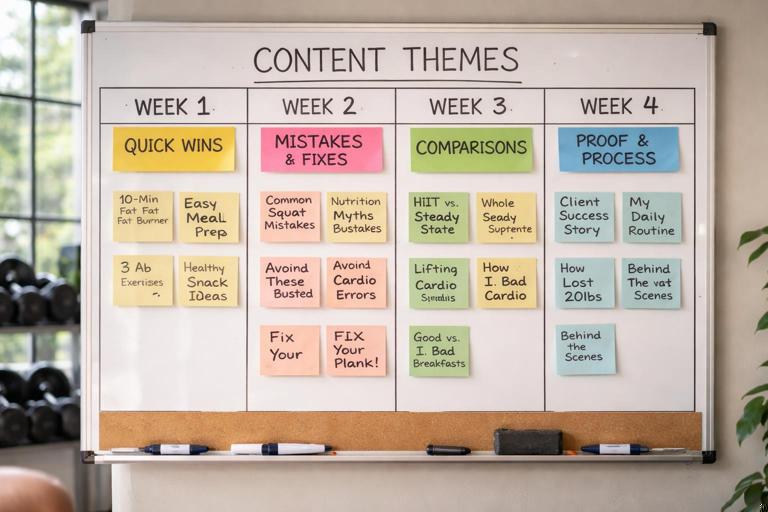
Instead of inventing 30 unrelated ideas, assign each week a theme that matches your audience’s needs. Themes are not niches; they are repeating buckets that make planning faster.
- Week 1: Quick wins (simple actions viewers can do today)
- Week 2: Mistakes and fixes (common errors, corrected)
- Week 3: Comparisons (A vs B, before/after, do/don’t)
- Week 4: Proof and process (case studies, behind-the-scenes, results)
Example for a fitness coach: Week 1 = “5-minute fixes,” Week 2 = “Form mistakes,” Week 3 = “Exercise swaps,” Week 4 = “Client mini-stories.”
Use “series slots” to pre-commit formats
Series slots are recurring formats that you can fill quickly. You’re not repeating the same video; you’re repeating the container.
- Slot A (Mon): Myth vs reality
- Slot B (Tue): 3-step tutorial
- Slot C (Wed): Reaction/response to a comment
- Slot D (Thu): Checklist
- Slot E (Fri): Mini case study
Now you only decide the topic inside each slot, not the structure.
Minimum viable scripting: one-page “talking points”
To keep the month moving, standardize your script depth:
- Talking-head educational: 5–7 bullet beats, one sentence each
- Demo/tutorial: steps + what to show on screen
- Case study: problem → action → result → takeaway
Keep scripts short enough to write in 10 minutes. If a concept needs a full essay, it’s a long-form topic; convert it into a 2–3 part series instead of one overloaded short.
The Execution Rhythm: A 30-Day Conveyor Belt
The most reliable rhythm is a weekly cycle repeated four times. Each week includes: planning, production, post, publishing, and review. The key is overlap: while you publish today’s video, you’re also editing tomorrow’s and filming next week’s.
Weekly rhythm template (repeat for 4 weeks)
- Day 1 (Mon): Plan + script for next week’s videos (60–120 min)
- Day 2 (Tue): Film batch #1 (60–180 min)
- Day 3 (Wed): Film batch #2 or pickups + B-roll (60–120 min)
- Day 4 (Thu): Edit batch (2–4 videos) (90–240 min)
- Day 5 (Fri): Finalize + schedule + metadata + thumbnails/covers (60–120 min)
- Day 6 (Sat): Community + comment replies + capture new questions (30–60 min)
- Day 7 (Sun): Review metrics + decide next week’s adjustments (30–60 min)
This schedule assumes you’re not starting from zero each day. You’re always feeding the pipeline.
Daily rhythm template (for daily posting)
If you post daily, you still avoid daily full-cycle work by assigning each day a single primary task:
- Mon: Write 7 outlines
- Tue: Film 4 videos
- Wed: Film 3 videos + pickups
- Thu: Edit 4 videos
- Fri: Edit 3 videos + package
- Sat: Schedule + community
- Sun: Review + plan improvements
Even with daily posting, you’re still batching by function, not by video.
Day-by-Day 30-Day Plan (Practical Step-by-Step)
Below is a concrete 30-day execution plan designed for a creator producing 12–20 shorts in a month. Adjust counts to your target, but keep the rhythm.
Days 1–3: Setup the month (decisions first)
- Day 1: Choose your monthly target (12/20/30). Create a calendar with posting days. Assign weekly themes and series slots. Define a “definition of done” checklist for each stage (script approved, filmed, edited, packaged, scheduled).
- Day 2: Generate a list of 30 topic candidates (not scripts). Filter to the best 12–20 using two questions: “Can I explain it in under 30–45 seconds?” and “Does it lead to a clear viewer action or belief shift?”
- Day 3: Write outlines for Week 1 and Week 2 (not full scripts). For each outline, add: the promise, 3–5 beats, and the on-screen demonstration or visual support needed.
Days 4–7: Produce Week 1 content + build buffer
- Day 4: Film Week 1 batch (aim 3–5 videos). Keep conditions consistent to reduce resets. Capture 10–20 seconds of generic cutaway footage you can reuse (hands, desk, walking, app screen, product close-ups).
- Day 5: Edit and package 2–3 of those videos to completion. Schedule at least 2 posts. Your goal is to create a buffer so you’re not editing the same day you must publish.
- Day 6: Edit and package the remaining Week 1 videos. Prepare a “spare” emergency video (timeless tip) that can be posted anytime.
- Day 7: Publish + community day. Collect questions from comments and DMs into a running “content inbox.” Tag each question to a series slot (myth, checklist, tutorial, etc.).
Days 8–14: Week 2 cycle (tighten the loop)
- Day 8: Review early signals from Week 1 (first 1–3 seconds hold, average watch time, saves/shares, comment sentiment). Decide one adjustment for Week 2 (e.g., clearer promise line, more concrete examples, faster first payoff).
- Day 9: Finalize Week 2 outlines into filming-ready bullet scripts. Identify any props, locations, or screen recordings needed.
- Day 10: Film Week 2 batch #1 (half the week). Immediately note any lines you stumbled on; rewrite them as simpler sentences for pickups.
- Day 11: Film Week 2 batch #2 + pickups. Capture 5–10 “bridge” clips (pointing, turning, walking into frame) to help transitions later.
- Day 12: Edit 2–3 videos and package them fully. Schedule posts for the next 3–4 days.
- Day 13: Edit remaining Week 2 videos. Create one alternate version of a strong video (different middle example or different CTA) for later use if needed.
- Day 14: Community + inbox cleanup. Convert the best comment into a response video outline for Week 3.
Days 15–21: Week 3 cycle (scale what works)
- Day 15: Mid-month audit. Identify your top 20% videos so far and write down exactly what they have in common (topic type, length, proof, tone, visual support). Decide one “doubling down” rule for Week 3 (e.g., more comparisons, more before/after, more checklists).
- Day 16: Outline Week 3 with the doubling-down rule. Add at least one “response” video sourced from real audience language.
- Day 17: Film Week 3 batch. If you use multiple locations, group by location to avoid travel time. Keep a checklist of required shots so you don’t discover gaps in editing.
- Day 18: Pickup day: re-record weak lines, missing steps, or unclear demonstrations. This day prevents re-filming entire videos later.
- Day 19: Edit and package 2–3 videos. Schedule ahead.
- Day 20: Edit remaining Week 3 videos + create one “evergreen” backup.
- Day 21: Review + community. Add new audience questions to the inbox and label them by urgency and relevance.
Days 22–30: Week 4 cycle (finish strong without rushing)
- Day 22: Plan Week 4 with a focus on proof/process content (mini case studies, behind-the-scenes, results). Choose 1–2 videos that can be slightly longer if your platform allows, but keep them tight.
- Day 23: Script Week 4. For proof-based videos, write the exact numbers, timeframes, or constraints you will mention so you don’t sound vague on camera.
- Day 24: Film Week 4 batch #1.
- Day 25: Film Week 4 batch #2 + pickups.
- Day 26: Edit and package 2–3 videos. Schedule through Day 30.
- Day 27: Edit remaining Week 4 videos. Prepare next month’s “seed list” of 10 topics based on what performed this month.
- Day 28: Admin day: organize project files, archive raw footage, update your content inbox, and refresh your production checklist based on what slowed you down.
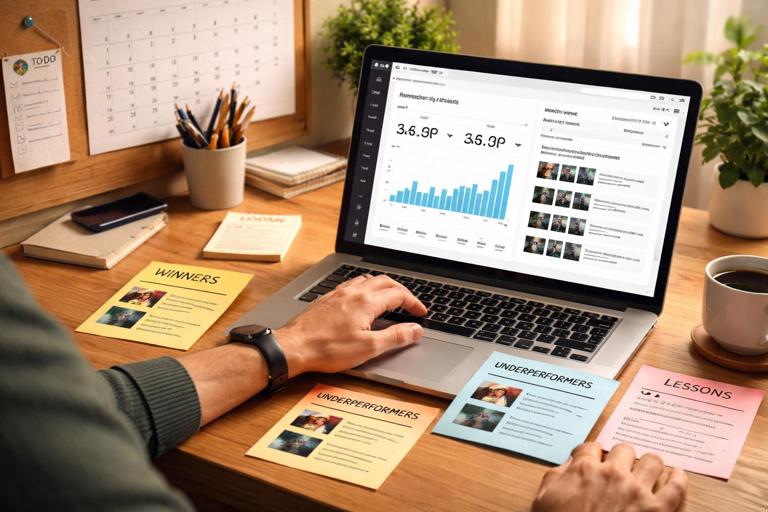
- Day 29: Monthly performance review: identify 3 winners, 3 underperformers, and 3 lessons. Convert lessons into rules (e.g., “Always show the result by second 3,” “Avoid abstract tips without an example”).
- Day 30: Pre-plan Week 1 of next month (outlines only). This prevents the “new month reset” where you lose momentum.
Roles, Handoffs, and Checklists (Solo or Team)
Execution rhythm breaks when ownership is unclear. Even if you’re solo, assign “roles” to yourself so tasks don’t blur together.
Common roles
- Producer: calendar, deadlines, approvals, scheduling
- Writer: outlines, examples, claims, proof points
- On-camera talent: performance, clarity, pickups
- Editor: assembly, pacing, finishing
- Publisher: captions/description, posting time, pin comment
- Analyst: weekly review, insight capture
Handoff checklist (prevents “almost done” limbo)
Use a simple status system for every video:
- Greenlit: outline approved and scheduled for filming
- Captured: all required footage recorded + pickups noted
- Assembled: rough cut exists end-to-end
- Finished: final cut packaged and ready to publish
- Scheduled/Posted: live date/time confirmed
- Reviewed: performance notes logged
When working with an editor, define what “Captured” includes (e.g., separate audio file, screen recordings, b-roll folder). When working with a publisher, define what “Finished” includes (e.g., cover frame chosen, final filename format).
Buffer Strategy: The Anti-Burnout Mechanism
A buffer is pre-finished content that protects your schedule when life happens. Without a buffer, the rhythm collapses the first time you get sick, travel, or have a busy week.
How much buffer to keep
- Minimum: 2 finished videos scheduled ahead
- Healthy: 5–7 finished videos scheduled ahead
- High-output creators: 10+ scheduled ahead (especially if daily)
What to put in the buffer
- Evergreen tips: no dates, no trends, no news dependency
- FAQ responses: common questions that will still be relevant
- Simple demos: minimal props, easy to understand without context
Keep a dedicated “Emergency” folder with 3–5 ready-to-post videos. Treat it like insurance: you hope you don’t need it, but you’re glad it exists.
Weekly Review Meeting (Even If It’s Just You)
Your rhythm improves when review is scheduled, short, and action-oriented. Avoid turning review into a doom-scroll of analytics.
15-minute weekly review agenda
- Winners: Which 1–2 videos got the most saves/shares or strongest retention? Write one sentence about why.
- Losers: Which 1–2 underperformed? Identify the earliest moment viewers dropped.
- Audience language: Copy 3 comment phrases verbatim into your content inbox.
- One rule change: Choose exactly one adjustment for next week (not five).
- Pipeline check: Count how many videos are Greenlit/Captured/Assembled/Finished/Scheduled.
The output of review is not “insights.” The output is a calendar adjustment and one production rule for the next batch.
Common Failure Points (and How to Fix Them in the Plan)
Failure point: you spend the whole week “planning”
Fix: timebox planning. Use a hard limit (e.g., 90 minutes) to outline next week. If an idea can’t be outlined quickly, it’s not ready; park it in the backlog.
Failure point: filming days get derailed by perfectionism
Fix: set a take limit (e.g., 3 takes per segment). If you miss it, mark a pickup and move on. Pickups are cheaper than redoing everything.
Failure point: editing becomes the bottleneck
Fix: cap edit time per video (e.g., 45 minutes). If it exceeds the cap, simplify the concept or split into a series next time. Also, schedule a dedicated pickup day so you don’t “edit around” missing clarity.
Failure point: you publish but don’t learn
Fix: require a “Reviewed” status for each video. A video is not complete until one note is logged (what to repeat or avoid). This keeps the month from becoming a content treadmill.
Practical Tools: Your 30-Day Tracker (Copy/Paste Template)
Use a simple table in Notion, Airtable, Google Sheets, or a whiteboard. The point is visibility.
Fields: Video ID | Series Slot | Topic | Week Theme | Status | Film Date | Edit Date | Post Date | Goal (save/share/comment) | Review NoteStatus options (use exactly these to avoid confusion):
Backlog → Greenlit → Captured → Assembled → Finished → Scheduled/Posted → ReviewedSet a weekly minimum for each status so the pipeline never runs dry. Example for 5 posts/week:
- Greenlit: 7 per week (gives options)
- Captured: 5–6 per week
- Finished: 5 per week
- Reviewed: 5 per week
Execution Example: 12 Videos/Month (3 per Week) Schedule
If your capacity is limited, here is a simple rhythm that still builds a buffer and includes review.
- Monday (60 min): outline 3 videos for next week
- Tuesday (90 min): film all 3
- Wednesday (60–90 min): edit video #1 and schedule
- Thursday (60–90 min): edit video #2 and schedule
- Friday (60–90 min): edit video #3 and schedule + create one backup every other week
- Sunday (30 min): review + pick next week’s improvement rule
This plan works because it keeps tasks small, predictable, and separated. You are never trying to do everything in one day.






