How to Use This 30-Day Execution Plan
This chapter gives you a structured 30-day sprint to move from “we should do partnerships” to “we executed partner work every week, captured learning, and shipped assets.” It assumes you already have a short list of target partners, a validated value proposition, a pilot concept, and basic deal terms in motion. The focus here is execution discipline: weekly outcomes, daily actions, exercises, checklists, and templates you can reuse. Treat the plan as a menu: if you are earlier or later in your journey, keep the cadence and swap the deliverables.
Operating principle: every week must produce tangible artifacts (documents, pages, enablement assets, tracking sheets) and scheduled commitments (calendar invites, training sessions, launch dates). If an activity does not create an artifact or a commitment, it is likely “busywork.”
Core Roles (Even If You’re a Team of One)
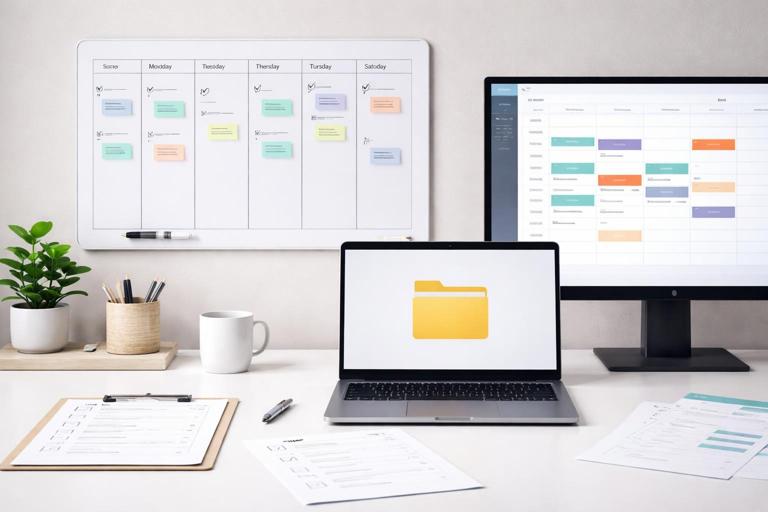
Assign these hats explicitly so tasks do not disappear: Partner Owner (drives the plan), Ops/Analytics (tracking and reporting), Enablement Lead (training and materials), Marketing/Comms (launch assets), and Product/Support (implementation and issue handling). In a small team, one person may hold multiple hats, but each hat needs time blocked on the calendar.
Time Budget and Cadence
Minimum viable cadence: 45 minutes daily for execution plus two 60-minute blocks per week for deep work. Add a 30-minute weekly review to update the tracker, remove blockers, and confirm next commitments. If you cannot protect this time, reduce scope (one partner, one motion, one channel) rather than stretching the plan.
30-Day Plan Overview (Weekly Outcomes)
- Week 1: Build the execution backbone (workstreams, owners, trackers, shared assets) and finalize “launch-ready” materials.
- Week 2: Enable internal and partner-facing teams; run dry-runs; set up support paths and escalation.
- Week 3: Launch a controlled rollout (soft launch) and iterate quickly based on real signals.
- Week 4: Expand distribution, standardize what worked into reusable templates, and lock the next 60-day roadmap.
Week 1 (Days 1–7): Build the Execution Backbone
Day 1: Define the 30-Day “Definition of Done”
Goal: Make success unambiguous for the next 30 days. You are not defining long-term strategy; you are defining what must be shipped and scheduled by Day 30.
- Listen to the audio with the screen off.
- Earn a certificate upon completion.
- Over 5000 courses for you to explore!

Download the app
Exercise (15 minutes): Write a one-sentence “Definition of Done” using this format: “By Day 30, we have launched [partner motion] with [partner name/type], with [asset list] live, [enablement] completed, and [tracking/reporting] running weekly.”
Checklist:
- One partner motion selected (referrals, co-marketing, reseller, integration rollout, etc.).
- One primary channel for launch (email, webinar, marketplace listing, partner portal, sales outreach).
- Named owners for Ops, Enablement, Marketing/Comms, Support.
- Calendar holds for weekly review and two deep-work blocks.
Day 2: Create the Workstream Board
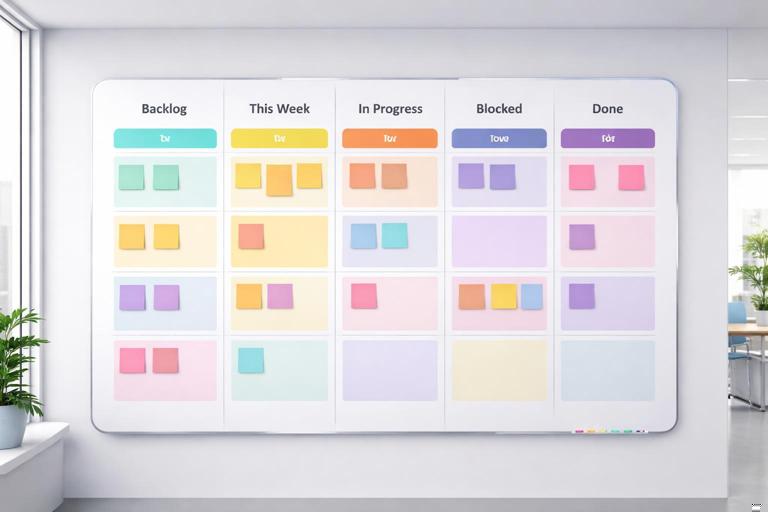
Goal: Turn the sprint into a visible system. Use a simple board with five columns: Backlog, This Week, In Progress, Blocked, Done. Create swimlanes for Workstreams: Assets, Enablement, Ops/Tracking, Launch, Support.
Template (copy/paste into your tool):
Workstreams: Assets | Enablement | Ops/Tracking | Launch | Support Columns: Backlog | This Week | In Progress | Blocked | Done Card fields: Owner, Due date, Dependency, Artifact link, Status notePractical example: If you are launching a referral motion, “Assets” includes a partner-facing one-pager and landing page; “Enablement” includes a 30-minute training; “Ops/Tracking” includes a referral intake form and weekly report; “Support” includes escalation rules.
Day 3: Assemble the “Partner Launch Kit” Folder
Goal: Create a single source of truth so internal teams and partner contacts always use the latest materials.
Checklist (minimum viable folder structure):
- 01_Overview: program summary, key contacts, timeline.
- 02_Messaging: approved copy blocks, FAQs, do/don’t list.
- 03_Assets: one-pagers, landing pages, logos, creative.
- 04_Enablement: training deck, talk tracks, objection handling.
- 05_Ops: intake forms, tracking sheet, reporting templates.
- 06_Support: escalation path, troubleshooting guide, SLA notes.
Exercise: Add a “Read Me First” document with links to the top five items and a short note: “If you only read one thing, read this.”
Day 4: Build the First Draft of Customer-Facing Flow
Goal: Ensure the end-to-end experience is coherent: what the customer sees, what they do next, and what happens internally.
Step-by-step:
- Map the customer journey in 7 steps or fewer (e.g., sees offer → clicks → signs up → gets confirmation → gets contacted → receives value → follow-up).
- For each step, write: owner, system/tool, customer message, internal action.
- Identify the “handoff points” where things often break (e.g., lead routing, scheduling, provisioning).
Template:
Step | Customer sees/does | System | Internal owner | Internal action | SLA | Failure mode | FixDay 5: Create the Weekly Reporting Snapshot
Goal: Make reporting so simple it actually happens. The snapshot should take 10 minutes to update weekly.
Template:
Week of: Partner motion: Inputs: # partner sends, # clicks, # leads, # meetings, # activations Outputs: revenue influenced, revenue closed (if applicable), retention/usage signal Quality: lead acceptance rate, time-to-first-response, conversion by stage Notes: what changed this week, top 3 blockers, next experimentsExercise: Decide the single “North Star” for the sprint (one metric) and two “guardrails” (quality metrics). Example: North Star = partner-sourced qualified meetings; guardrails = lead acceptance rate and time-to-first-response.
Day 6: Draft Enablement Materials (Internal + Partner)
Goal: Reduce friction for anyone who needs to explain, sell, or support the motion.
Checklist (minimum viable enablement pack):
- 30-second pitch (what it is, who it’s for, why now).
- 2-minute pitch (with example use case).
- Top 10 FAQs with approved answers.
- Objection handling: 5 common objections and responses.
- “Who to route to” rules (sales, success, support).
Practical example: If partners ask “How do we know you won’t poach our customer?” include a clear routing rule and a short statement about customer ownership and engagement boundaries.
Day 7: Week 1 Review and Commitment Lock
Goal: End Week 1 with scheduled commitments for Week 2 (training dates, dry-run date, soft launch date).
Checklist:
- All artifacts have owners and due dates.
- Dependencies are explicit (e.g., landing page must be live before email send).
- Calendar invites sent for: enablement session, dry-run, soft launch.
- Blocker list created with next action and owner.
Week 2 (Days 8–14): Enablement, Dry-Runs, and Operational Readiness
Day 8: Internal Training Session (Recorded)
Goal: Ensure your internal team can execute consistently. Record the session and store it in the Launch Kit.
Step-by-step agenda:
- Explain the motion in 2 minutes (use the pitch).
- Walk through the customer journey map.
- Show the intake form and routing rules.
- Role-play one scenario (lead comes in, what happens next).
- Confirm escalation path and response times.
Exercise: Ask each attendee to write one confusion point and one risk. Convert those into FAQ entries or process fixes within 48 hours.
Day 9: Partner Enablement Session (Short and Action-Oriented)
Goal: Make it easy for the partner to take the first action within 24 hours.
Checklist:
- Partner receives a single “Start Here” link to the Launch Kit subset.
- Partner gets 3 approved copy blocks they can paste into emails/posts.
- Partner knows exactly where to send leads or how to trigger the motion.
- Partner has a named point of contact for fast questions.
Template: Partner Action Plan (one page):
Objective this month: Target customer profile (1 sentence): Partner actions this week (3 bullets): Assets to use (links): Lead/intro process (1 paragraph): Support/escalation contact: Next check-in date:Day 10: Dry-Run the Full Flow End-to-End
Goal: Find breakpoints before customers do. Simulate a real lead, a real handoff, and a real follow-up.
Step-by-step:
- Submit a test lead through the same path the partner will use.
- Verify routing: who receives it, in what tool, with what context.
- Time the response: can you meet your response SLA?
- Confirm the customer receives the right confirmation message.
- Check reporting: does the lead appear in the weekly snapshot?
Exercise: Create a “Failure Log” with three columns: issue, impact, fix owner/date. Fix the top three issues immediately.
Day 11: Build the “Fast Answers” Support Sheet
Goal: Reduce delays by giving everyone a quick reference for common problems.
Template:
Issue | Who reports it | First response | Diagnostic steps | Fix | Escalate to | Expected timePractical example: If a partner says “My lead didn’t get contacted,” the sheet should specify how to check routing, where to look in the CRM, and who can reassign ownership.
Day 12: Create a Launch Calendar and Asset Checklist
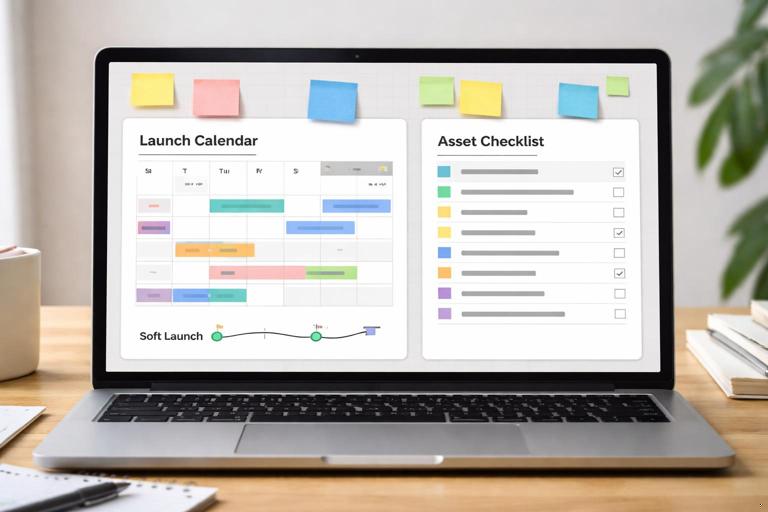
Goal: Coordinate timing so marketing, sales, and partner actions reinforce each other.
Checklist:
- Launch date and time (soft launch first).
- Asset readiness: landing page, email copy, tracking links, forms.
- Internal readiness: routing tested, owners on-call, reporting ready.
- Partner readiness: partner has copy, schedule, and next steps.
Template:
Date | Channel | Asset | Owner | Status | Link | NotesDay 13: Pre-Launch Quality Gate
Goal: Decide “go/no-go” based on readiness, not optimism.
Quality gate checklist:
- Customer journey map is accurate and owned.
- Test lead succeeded end-to-end.
- Response SLA is achievable with current staffing.
- Partner has completed enablement and confirmed first action.
- Reporting snapshot can be updated in under 10 minutes.
Day 14: Week 2 Review and Soft Launch Prep
Goal: Confirm the soft launch scope: limited audience, limited time window, fast feedback loop.
Exercise: Define the soft launch boundary: “We will run this for X days, to Y segment, with Z partner actions, and we will evaluate using A metric and B guardrails.”
Week 3 (Days 15–21): Soft Launch, Feedback Loops, and Iteration
Day 15: Soft Launch Day (Controlled Rollout)
Goal: Execute the first real distribution with tight monitoring.
Checklist:
- Owners on-call for the first 4 hours after launch.
- Monitor intake volume and response times.
- Capture partner questions in a shared doc.
- Log every issue in the Failure Log with a fix owner.
Practical example: If you launch via partner email, watch for mismatch between promised offer and landing page copy. Fix copy immediately rather than waiting for the next send.
Day 16: First 24-Hour Debrief
Goal: Turn early signals into immediate improvements.
Step-by-step:
- Review the reporting snapshot.
- Identify the biggest drop-off point in the journey.
- Choose one change to ship in 24 hours (copy, routing, CTA, form fields).
- Communicate the change to all stakeholders and update the Launch Kit.
Exercise: Write a “One Insight Memo” in 5 sentences: what happened, why it happened, what you changed, what you expect next, what you’ll watch.
Day 17: Partner Follow-Up and Micro-Commitments
Goal: Keep momentum by asking for small, specific partner actions rather than vague “push it more.”
Checklist:
- Ask for one additional send, post, or intro batch with a date.
- Offer one improvement you made based on their feedback.
- Confirm next check-in time.
Template: Micro-Commitment Message (internal use):
Ask: Can you do [specific action] by [date]? Why: We saw [signal] and improved [thing]. What you’ll use: [asset link]. What we’ll do: [support/fast response].Day 18: Improve Conversion at the Biggest Bottleneck
Goal: Pick one bottleneck and fix it with a measurable change.
Step-by-step:
- Locate the bottleneck stage (click-to-lead, lead-to-meeting, meeting-to-activation).
- List three hypotheses for why it’s happening.
- Choose one change that is reversible and fast.
- Define the expected lift and the measurement window.
Practical example: If lead-to-meeting is low, reduce form friction, add instant scheduling, or tighten qualification questions so sales accepts more leads confidently.
Day 19: Update Enablement Based on Real Objections
Goal: Replace theoretical FAQs with real ones from Week 3.
Checklist:
- Add the top 5 partner questions and answers.
- Add the top 5 customer objections and responses.
- Update talk tracks with one real customer example.
Day 20: Mid-Sprint Performance Review
Goal: Decide whether to expand, adjust, or pause based on evidence.
Template: Decision Log:
Date | Decision | Evidence | Risk | Mitigation | Owner | Next review dateExercise: Classify the motion as Green (expand), Yellow (iterate), or Red (pause) using your North Star and guardrails. Write one sentence explaining the classification.
Day 21: Week 3 Review and Expansion Plan
Goal: Prepare Week 4 expansion with the improved assets and process.
Checklist:
- All changes reflected in the Launch Kit.
- Partner has a clear next action for Week 4.
- Internal team knows what changed and why.
- Reporting snapshot updated and shared.
Week 4 (Days 22–30): Expand, Standardize, and Lock the Next Roadmap
Day 22: Expand Distribution (One Lever at a Time)
Goal: Increase volume without breaking quality. Expand only one dimension at a time: audience size, number of partner actions, or number of channels.
Checklist:
- Confirm guardrails are stable (response time, acceptance rate).
- Increase one lever by 20–50% (not 5x).
- Assign on-call coverage for the expansion window.
Day 23: Standard Operating Procedure (SOP) Draft
Goal: Convert what you did into a repeatable SOP so the next partner launch is faster.
Template: SOP Outline:
Purpose Scope (what’s included/excluded) Roles and responsibilities Required assets (links) Step-by-step process (with SLAs) Quality checks Reporting cadence Common issues and fixesExercise: Write the SOP as if a new hire must run it next week without you.
Day 24: Build a Reusable Asset Pack (Templates)
Goal: Create modular assets that can be swapped per partner without rewriting from scratch.
Reusable templates to produce:
- Landing page copy blocks (headline, subhead, bullets, CTA).
- Partner email copy (3 variants: short, medium, story-based).
- Internal routing rules doc (one page).
- FAQ template (question bank + approved answer format).
- Weekly reporting snapshot (already created; refine).
Template: Copy Block Library:
Use case | Headline | Proof point | Offer | CTA | Compliance note | Partner-specific placeholdersDay 25: Create a “Partner Scorecard” for Execution Health
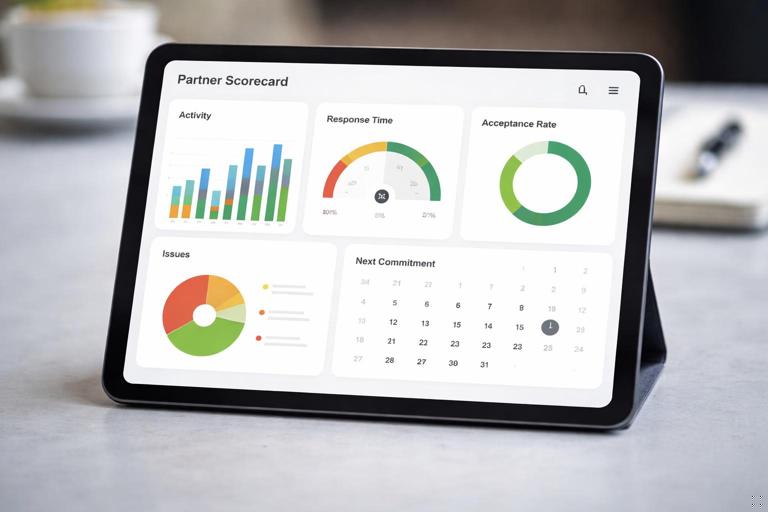
Goal: Track operational health, not just outcomes, so you can predict issues early.
Scorecard fields (simple):
- Partner activity: sends/posts/intros completed vs planned.
- Speed: average time-to-first-response.
- Quality: lead acceptance rate or qualification pass rate.
- Reliability: number of operational issues this week.
- Momentum: next commitment scheduled (yes/no).
Template:
Week | Planned partner actions | Completed | Response time | Acceptance rate | Issues (#) | Next commitment | NotesDay 26: Run a Second Enablement Touch (Targeted)
Goal: Reinforce what’s working and correct what’s not, without a long meeting.
Step-by-step:
- Share one-page results snapshot.
- Share the single most important behavior to repeat.
- Share the single biggest mistake to avoid (with example).
- Confirm next two partner actions and dates.
Day 27: Systemize the Intake and Follow-Up
Goal: Reduce manual work so scaling does not require heroics.
Checklist:
- Standard naming conventions for partner leads.
- Auto-notifications to owners and backups.
- Follow-up reminders and SLA timers.
- Central log of partner-originated opportunities.
Exercise: Identify the most repetitive task in the flow and write a “rule” for it (even if you cannot automate yet). Example: “Every partner lead gets contacted within 1 business day; if not, it escalates to X.”
Day 28: Document Lessons Learned (So They Don’t Evaporate)
Goal: Capture learning in a format you can reuse for the next partner.
Template: Lessons Learned (one page):
What we expected What happened What worked (keep) What failed (stop) What to test next Assets/process changes made Open questionsDay 29: Build the Next 60-Day Roadmap (Execution-First)
Goal: Decide what you will ship next, not just what you will “explore.”
Step-by-step:
- List the top 10 backlog items discovered during the sprint.
- Rank by impact and effort (simple 2x2).
- Select 3 deliverables for the next 30 days and 3 for days 31–60.
- Assign owners and tentative dates now.
Template:
Item | Impact (H/M/L) | Effort (H/M/L) | Owner | Target date | Dependency | ArtifactDay 30: Executive/Stakeholder Readout (15 Minutes)
Goal: Secure continued support by showing shipped work, results, and the next plan.
Readout structure (single slide or doc):
- What we shipped (assets, enablement, operational system).
- What happened (North Star + guardrails).
- What we learned (top 3).
- What we will do next (60-day roadmap).
- What we need (one ask: resources, approvals, introductions).
Exercises, Checklists, and Templates (Quick Reference)
Daily Execution Checklist (10 Minutes)
- What is the one artifact I will ship today?
- What is the one commitment I will schedule today?
- What is blocked, and who can unblock it?
- Did I update the tracker so others can self-serve?
Weekly Review Checklist (30 Minutes)
- Update the reporting snapshot.
- Review Failure Log and close at least one recurring issue.
- Confirm next partner commitments (dates and actions).
- Choose one bottleneck to improve next week.
- Update Launch Kit links and version notes.
Template Pack (Copy/Paste)
1) Definition of Done: “By Day 30, we have launched [motion] with [partner], with [assets] live, [enablement] completed, and [reporting] running weekly.” 2) Customer Journey Map: Step | Customer sees/does | System | Owner | Action | SLA | Failure mode | Fix 3) Weekly Snapshot: Inputs | Outputs | Quality | Notes | Next experiments 4) Partner Action Plan (one page): Objective | ICP | Actions | Assets | Process | Support | Next check-in 5) Failure Log: Issue | Impact | Fix | Owner | Date 6) Decision Log: Decision | Evidence | Risk | Mitigation | Owner | Next review 7) SOP Outline: Purpose | Scope | Roles | Assets | Steps | Quality checks | Reporting | Issues/fixes 8) Lessons Learned: Expected | Happened | Keep | Stop | Test next | Changes | Open questions