

Es un panel visual que resume datos clave mediante gráficos, indicadores, tablas y filtros en una sola hoja.

2

1


Aprende a crear dashboards en Excel con cursos online gratuitos diseñados para desarrollar habilidades prácticas de análisis, visualización y presentación de datos. Esta selección es ideal para estudiantes, profesionales, emprendedores y cualquier persona que desee transformar hojas de cálculo en paneles claros, dinámicos y útiles para la toma de decisiones.
Los cursos gratuitos de dashboards en Excel explican, paso a paso, cómo organizar bases de datos, utilizar tablas y gráficos, aplicar formatos condicionales y construir indicadores clave de rendimiento. También aprenderás a emplear funciones de Excel, segmentadores, tablas dinámicas y herramientas de visualización para elaborar informes profesionales adaptados a distintas áreas, como ventas, finanzas, recursos humanos, marketing o control de proyectos.
Cada formación incluye ejercicios para practicar la creación de dashboards en Excel desde casos reales y consolidar los conocimientos adquiridos. Podrás avanzar a tu ritmo, repetir las lecciones cuando lo necesites y aplicar las técnicas en tus propios archivos. Al finalizar los contenidos disponibles, los cursos también ofrecen certificación gratuita, una excelente oportunidad para demostrar tus competencias en análisis de datos y Excel.
| Tema | Objetivo |
| Tablas dinámicas | Resumir y explorar grandes volúmenes de información. |
| Gráficos y KPI | Comunicar resultados mediante visualizaciones eficaces. |
| Dashboard interactivo | Integrar datos, filtros y métricas en un solo panel. |
Para acceder a estos cursos de Dashboards en Excel es necesario instalar la aplicación Cursa. Si utilizas Android, descarga la app desde Descargar para Android. Si tienes un dispositivo Apple, utiliza Descargar para iOS / iPhone.
Empieza hoy tu aprendizaje con cursos gratuitos de Excel y descubre cómo crear dashboards profesionales que conviertan datos complejos en información fácil de interpretar. Mejora tu perfil laboral, fortalece tus conocimientos digitales y aprende con lecciones educativas, ejercicios prácticos y certificación gratuita.
¿Qué es un dashboard en Excel?
Es un panel visual que resume datos clave mediante gráficos, indicadores, tablas y filtros en una sola hoja.
¿Qué necesito aprender para crear dashboards en Excel?
Debes dominar tablas, fórmulas, gráficos, tablas dinámicas, segmentadores y funciones de búsqueda.
¿Se pueden hacer dashboards en Excel sin macros?
Sí. Muchos dashboards se crean con tablas dinámicas, gráficos dinámicos, fórmulas y filtros, sin usar macros.
¿Qué gráficos son mejores para un dashboard en Excel?
Depende del dato: barras para comparar, líneas para tendencias, circulares para proporciones simples y tarjetas para KPI.
¿Cómo actualizar un dashboard en Excel automáticamente?
Organiza los datos en tablas, usa tablas dinámicas conectadas y actualiza las consultas o los datos de origen cuando sea necesario.
¿Qué funciones de Excel son útiles para dashboards?
SUMAR.SI.CONJUNTO, CONTAR.SI.CONJUNTO, BUSCARX, SI, FILTRAR, ÍNDICE y COINCIDIR son especialmente útiles.
¿Qué curso elegir para aprender dashboards en Excel?
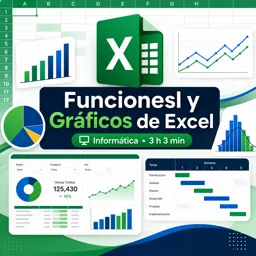
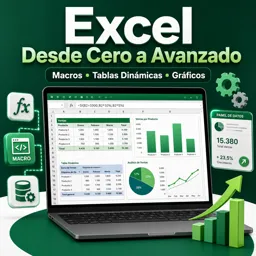
Un curso de funciones y gráficos es ideal para empezar; uno avanzado con tablas dinámicas y macros permite crear paneles más completos.

Completa cualquier curso y obtén tu certificado a través de la aplicación, ¡gratis!

¡Descarga la aplicación! para tener acceso a más de 5.000 Cursos Online + Certificado, ¡todo gratis!
¡Descarga la aplicación! Cursos 100% gratis.


Lleva el conocimiento en tu bolsillo.
Descarga la aplicación Cursa.
Hay cientos de cursos gratuitos disponibles, con un certificado de finalización gratuito que se guarda en la galería de imágenes de su dispositivo móvil.
Descargue la aplicación para acceder al Certificado de finalización del curso de forma gratuita.


+ 10 millones
estudiantes

Certificado gratuito y
válido con código QR

60 mil ejercicios
gratis

Calificación de 4.8/5
en tiendas de aplicaciones

Cursos gratuitos de
vídeo y audiolibros