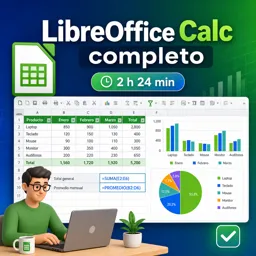


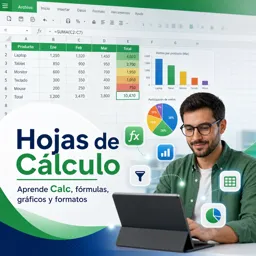
Es una aplicación de hojas de cálculo para crear tablas, realizar cálculos, analizar datos y generar gráficos.

2

1

Encuentra cursos gratuitos de LibreOffice Calc diseñados para aprender a crear, organizar y analizar hojas de cálculo de forma práctica. Esta selección es ideal para estudiantes, profesionales, emprendedores y cualquier persona que desee dominar una alternativa libre y potente para gestionar datos, presupuestos, listas, informes y cálculos cotidianos.
Los cursos online permiten comenzar desde cero y avanzar a tu propio ritmo. Conocerás la interfaz de Calc, la creación de libros y hojas, el uso de filas, columnas y celdas, el formato de tablas y las herramientas esenciales para trabajar con información de manera clara y eficiente. También aprenderás a guardar, importar y exportar archivos para compartir tus documentos con facilidad.
Aprender mediante ejercicios es una de las mejores formas de desarrollar seguridad al usar hojas de cálculo. Por ello, estos cursos incluyen ejercicios que ayudan a poner en práctica cada lección, resolver situaciones reales y comprender cómo aplicar las funciones de LibreOffice Calc en ámbitos académicos, laborales y personales.
Todos los cursos disponibles son gratuitos y ofrecen certificación gratuita, una oportunidad útil para acreditar los conocimientos adquiridos. Completar una formación de LibreOffice Calc puede ayudarte a fortalecer tu perfil profesional, mejorar tu productividad y ampliar tus competencias digitales sin necesidad de pagar por el aprendizaje.
| Modalidad | Beneficio |
|---|---|
| Online y gratuita | Estudia desde donde quieras. |
| Ejercicios incluidos | Practica con ejemplos aplicados. |
| Certificación gratuita | Acredita tu avance formativo. |
Para acceder a los cursos de LibreOffice Calc es necesario instalar la aplicación Cursa en tu dispositivo móvil. Si utilizas Android, descarga la aplicación desde Google Play: Descargar para Android. Si utilizas un dispositivo Apple, instala la app desde App Store: Descargar para iOS / iPhone.
Explora los cursos gratuitos de LibreOffice Calc y empieza a aprender herramientas esenciales para organizar datos, automatizar operaciones y tomar mejores decisiones mediante hojas de cálculo.
¿Qué es LibreOffice Calc y para qué sirve?
Es una aplicación de hojas de cálculo para crear tablas, realizar cálculos, analizar datos y generar gráficos.
¿Puedo aprender LibreOffice Calc desde cero?
Sí. Un curso completo de Calc enseña la interfaz, creación de hojas, fórmulas, formato y funciones básicas.
¿Qué fórmulas puedo usar en LibreOffice Calc?
Puedes usar fórmulas para sumar, promediar, contar, buscar datos y realizar cálculos condicionales.
¿LibreOffice Calc es compatible con archivos de Excel?
Sí. Puede abrir, editar y guardar archivos XLS y XLSX, aunque algunos formatos avanzados pueden variar.
¿Cómo crear gráficos en LibreOffice Calc?
Selecciona los datos, elige Insertar gráfico y configura el tipo de gráfico, títulos y etiquetas.
¿Qué se aprende en un curso de hojas de cálculo con Calc?
Se aprende a organizar datos, aplicar formatos, usar funciones, crear gráficos y trabajar con tablas.
¿LibreOffice Calc permite trabajar sin Microsoft Office?
Sí. Calc es una alternativa gratuita para gestionar hojas de cálculo sin necesidad de Microsoft Excel.

Completa cualquier curso y obtén tu certificado a través de la aplicación, ¡gratis!

¡Descarga la aplicación! para tener acceso a más de 5.000 Cursos Online + Certificado, ¡todo gratis!
¡Descarga la aplicación! Cursos 100% gratis.


Lleva el conocimiento en tu bolsillo.
Descarga la aplicación Cursa.
Hay cientos de cursos gratuitos disponibles, con un certificado de finalización gratuito que se guarda en la galería de imágenes de su dispositivo móvil.
Descargue la aplicación para acceder al Certificado de finalización del curso de forma gratuita.


+ 10 millones
estudiantes

Certificado gratuito y
válido con código QR

60 mil ejercicios
gratis

Calificación de 4.8/5
en tiendas de aplicaciones

Cursos gratuitos de
vídeo y audiolibros