

Es una herramienta de Google para crear formularios, encuestas, cuestionarios y exámenes en línea.

1

Descubre una selección de cursos gratuitos de Google Forms pensados para aprender a crear formularios, encuestas, cuestionarios y registros digitales de forma práctica. Esta página reúne opciones educativas para estudiantes, docentes, emprendedores, profesionales y cualquier persona que desee dominar una de las herramientas más útiles de Google Workspace. Aprende desde cero y avanza paso a paso con contenidos claros, ejercicios y recursos orientados a situaciones reales.
Los cursos online te enseñan a diseñar formularios profesionales, elegir tipos de preguntas, configurar respuestas obligatorias, insertar imágenes y vídeos, personalizar temas y compartir formularios mediante enlaces. Además, incluyen ejercicios prácticos para que puedas aplicar cada concepto mientras creas encuestas de satisfacción, formularios de inscripción, evaluaciones educativas, solicitudes de datos o cuestionarios para tu proyecto.
Con esta formación gratuita podrás conocer cómo organizar automáticamente las respuestas, consultar gráficos, exportar información a Google Sheets y analizar resultados con mayor rapidez. También aprenderás a configurar cuestionarios autocorregibles, asignar puntuaciones, enviar comentarios y utilizar las opciones de colaboración para trabajar con otras personas.
Todos los cursos disponibles son gratuitos y ofrecen la oportunidad de obtener certificación gratuita al completar la formación. El certificado puede ayudarte a demostrar tus conocimientos sobre Google Forms y a complementar tu perfil académico o profesional. Estudiarás a tu ritmo, desde cualquier lugar, con lecciones diseñadas para facilitar una experiencia de aprendizaje accesible y útil.
Para acceder a los cursos es necesario instalar la aplicación Cursa en tu dispositivo móvil. Si utilizas un teléfono Android, puedes instalarla desde Google Play en el siguiente enlace: Descargar para Android. Si tienes un iPhone, instala la aplicación desde App Store aquí: Descargar para iOS / iPhone.
Explora los cursos de Google Forms, desarrolla habilidades digitales esenciales y practica la creación de formularios eficaces. Aprovecha esta oportunidad de aprendizaje online gratuito para mejorar tu productividad, recopilar información de manera organizada y obtener una certificación gratuita que respalde tu progreso.
¿Qué es Google Forms?
Es una herramienta de Google para crear formularios, encuestas, cuestionarios y exámenes en línea.
¿Cómo crear un formulario en Google Forms?
Accede a Google Forms, elige una plantilla o un formulario en blanco y añade tus preguntas.
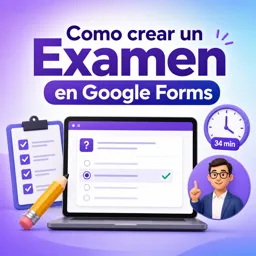
¿Cómo crear un examen en Google Forms?
En la configuración, activa la opción de convertir el formulario en cuestionario y asigna puntos a cada pregunta.
¿Google Forms permite corregir exámenes automáticamente?
Sí, puede calificar automáticamente preguntas de opción múltiple, casillas y listas desplegables.
¿Cómo compartir un formulario de Google Forms?
Pulsa “Enviar” y compártelo mediante enlace, correo electrónico o código para insertar en una web.
¿Dónde se guardan las respuestas de Google Forms?
Las respuestas se ven en la pestaña “Respuestas” y pueden enviarse a una hoja de cálculo de Google Sheets.
¿Es necesario tener una cuenta de Google para usar Google Forms?
Sí, necesitas una cuenta de Google para crear y administrar formularios, aunque los participantes pueden no necesitarla según la configuración.

Completa cualquier curso y obtén tu certificado a través de la aplicación, ¡gratis!

¡Descarga la aplicación! para tener acceso a más de 5.000 Cursos Online + Certificado, ¡todo gratis!
¡Descarga la aplicación! Cursos 100% gratis.

Lleva el conocimiento en tu bolsillo.
Descarga la aplicación Cursa.
Hay cientos de cursos gratuitos disponibles, con un certificado de finalización gratuito que se guarda en la galería de imágenes de su dispositivo móvil.
Descargue la aplicación para acceder al Certificado de finalización del curso de forma gratuita.


+ 10 millones
estudiantes

Certificado gratuito y
válido con código QR

60 mil ejercicios
gratis

Calificación de 4.8/5
en tiendas de aplicaciones

Cursos gratuitos de
vídeo y audiolibros