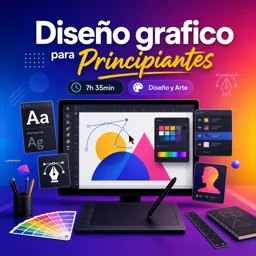


CorelDRAW es un programa de diseño vectorial usado para crear logotipos, ilustraciones, carteles, tarjetas y otros materiales gráficos.

1


Encuentra cursos online gratuitos de CorelDRAW para aprender diseño gráfico desde cero o perfeccionar tus conocimientos de forma práctica. Esta selección está pensada para estudiantes, emprendedores, profesionales creativos y cualquier persona que desee dominar las herramientas de este programa para crear ilustraciones, logotipos, piezas publicitarias y proyectos visuales de calidad.
Los cursos de CorelDRAW gratuitos presentan contenidos educativos claros, organizados por niveles y orientados a la práctica. Podrás conocer la interfaz del programa, trabajar con vectores, utilizar formas, colores, textos, capas, contornos, rellenos y efectos. También aprenderás técnicas útiles para diseñar tarjetas, carteles, folletos, etiquetas, gráficos para redes sociales y materiales para impresión.
Cada formación incluye ejercicios para que pongas en práctica lo aprendido y desarrolles seguridad al utilizar las principales funciones de CorelDRAW. Estudiar con actividades prácticas permite comprender mejor el proceso de diseño, mejorar la precisión y construir un portafolio con trabajos propios.
Además de acceder a cursos gratuitos, podrás obtener certificación gratuita al completar las lecciones disponibles. El certificado es una excelente alternativa para registrar tu progreso, valorar tus nuevas habilidades y complementar tu perfil académico o profesional. Aprender CorelDRAW puede ayudarte a ampliar tus oportunidades en áreas como diseño gráfico, comunicación visual, publicidad, impresión, ilustración y emprendimiento.
Para acceder a los cursos online gratuitos de CorelDRAW es necesario instalar la aplicación Cursa en tu dispositivo móvil. Desde la app podrás estudiar a tu ritmo, revisar los contenidos cuando lo necesites, realizar ejercicios y avanzar hacia tu certificación gratuita.
Comienza hoy tu formación con cursos de CorelDRAW gratuitos y descubre cómo transformar tus ideas en diseños profesionales. Aprende con contenido educativo, ejercicios guiados y certificación gratuita, desde cualquier lugar y de acuerdo con tu disponibilidad.
¿Qué es CorelDRAW y para qué sirve?
CorelDRAW es un programa de diseño vectorial usado para crear logotipos, ilustraciones, carteles, tarjetas y otros materiales gráficos.
¿Puedo aprender CorelDRAW desde cero?
Sí. El curso Diseño grafico para Principiantes está orientado a quienes desean conocer las herramientas básicas y empezar a crear diseños.
¿Qué se puede diseñar con CorelDRAW?
Puedes diseñar logotipos, flyers, tarjetas de presentación, etiquetas, anuncios, ilustraciones y gráficos para impresión o redes sociales.
¿CorelDRAW es bueno para hacer logotipos?
Sí. Al trabajar con gráficos vectoriales, permite crear logotipos escalables sin perder calidad.
¿Necesito saber dibujar para usar CorelDRAW?
No necesariamente. Puedes utilizar formas, texto, plantillas y herramientas de trazado para crear diseños sin experiencia previa en dibujo.
¿Qué aprenderé en un curso básico de CorelDRAW?
Aprenderás a usar la interfaz, crear y editar formas, trabajar con texto, aplicar colores y exportar tus diseños.
¿CorelDRAW sirve para impresión?
Sí. CorelDRAW ofrece herramientas para preparar archivos de alta calidad para impresión, como folletos, carteles y tarjetas.

Completa cualquier curso y obtén tu certificado a través de la aplicación, ¡gratis!

¡Descarga la aplicación! para tener acceso a más de 5.000 Cursos Online + Certificado, ¡todo gratis!
¡Descarga la aplicación! Cursos 100% gratis.


Lleva el conocimiento en tu bolsillo.
Descarga la aplicación Cursa.
Hay cientos de cursos gratuitos disponibles, con un certificado de finalización gratuito que se guarda en la galería de imágenes de su dispositivo móvil.
Descargue la aplicación para acceder al Certificado de finalización del curso de forma gratuita.


+ 10 millones
estudiantes

Certificado gratuito y
válido con código QR

60 mil ejercicios
gratis

Calificación de 4.8/5
en tiendas de aplicaciones

Cursos gratuitos de
vídeo y audiolibros




¿Qué dice la gente sobre los cursos gratuitos en línea de CorelDRAW
Leidi Perez
el curso es muy bueno te explican muy bien y entiendes a la primera lo recomiendo
CursoDiseño grafico para Principiantes